Skip to content
WorktreeWise

Free developer reference

Git Worktree Cheat Sheet

A practical reference for creating, listing, moving, locking, removing, cleaning up, and troubleshooting Git worktrees.

Native Git commands, examples, common problems, and WorktreeWise equivalents.

Start here

Git Worktree Quick Reference

The commands developers reach for most often. Copy one directly or jump to its explanation.

Task · List worktrees
Native Git
git worktree list
Useful options--verbose--porcelain
WorktreeWiseView all worktrees
Task · Create from existing branch
Native Git
git worktree add <path> <branch>
Useful options--lock--reason <text>--no-checkout
WorktreeWiseCreate worktree
Task · Create with new branch
Native Git
git worktree add -b <branch> <path> <start-point>
Useful options-B <branch>--track--lock
WorktreeWiseCreate + new branch
Task · Move
Native Git
git worktree move <worktree> <new-path>
Useful options--force
WorktreeWiseMove
Task · Lock
Native Git
git worktree lock <worktree>
Useful options--reason <text>
WorktreeWiseLock
Task · Unlock
Native Git
git worktree unlock <worktree>
Useful optionsTarget by path
WorktreeWiseUnlock
Task · Remove
Native Git
git worktree remove <worktree>
Useful options--force
WorktreeWiseDelete
Task · Prune stale metadata
Native Git
git worktree prune
Useful options--dry-run--verbose--expire <time>
WorktreeWisePrune
Task · Repair moved worktrees
Native Git
git worktree repair [<path>...]
Useful optionsOne or more worktree paths
WorktreeWiseRepair

Workflow comparison

Same workflow. Two approaches.

Native Git provides the worktree primitives. WorktreeWise coordinates the practical steps around them.

Native Git

terminal workflow
git worktree add ../feature-auth -b feature/auth main
cd ../feature-auth
cp ../main/.env .env
# configure environment if needed
idea .

Git creates the linked checkout. Your setup files, environment, and editor launch remain separate workflow steps.

WorktreeWise

Create a Git worktree with hooks in WorktreeWise

Create Worktree → Configure hooks → Open in IDE

View worktree hooks documentation →

Reference

Git Worktree Commands

Concise syntax, examples, options, and the mistakes worth remembering.

Creating worktrees

Create a linked working directory from a branch, commit, or new branch.

Create from an existing branch

bash
git worktree add ../feature-auth feature/auth

Syntax: git worktree add <path> <branch>

Checks out an existing branch into a new linked working directory.

Note: A branch normally cannot be checked out in two worktrees at once.

Detailed git worktree add guide

Create a worktree and a new branch

bash
git worktree add -b feature/auth ../feature-auth main

Syntax: git worktree add -b <branch> <path> <start-point>

Creates the branch from the chosen starting point and checks it out in the new worktree.

  • Use -B instead of -b to reset an existing branch to the start point.
git worktree add command tutorial

Create from a specific commit

bash
git worktree add -b investigate-bug ../investigate a1b2c3d

Syntax: git worktree add -b <branch> <path> <commit>

Starts a new branch and worktree at a specific commit, tag, or other commit-ish.

Note: Use a new branch when you expect to commit changes.

Managing worktrees

Find, relocate, and protect linked working directories.

List worktrees

bash
git worktree list

Syntax: git worktree list [--verbose | --porcelain]

Shows the main working tree and every linked worktree with its commit and branch.

  • --verbose adds annotations.
  • --porcelain emits stable, script-friendly output.
git worktree list tutorial

Move a worktree

bash
git worktree move ../feature-auth ../worktrees/feature-auth

Syntax: git worktree move <worktree> <new-path>

Moves a linked worktree and updates Git's administrative metadata.

Note: Use this command instead of moving the directory manually.

Learn about moving worktrees safely

Lock a worktree

bash
git worktree lock --reason "External drive" ../client-demo

Syntax: git worktree lock [--reason <string>] <worktree>

Prevents automatic pruning of a worktree that may be temporarily unavailable.

git worktree lock tutorial

Unlock a worktree

bash
git worktree unlock ../client-demo

Syntax: git worktree unlock <worktree>

Removes the administrative lock so the worktree can be pruned normally.

git worktree unlock tutorial

Cleaning worktrees

Remove linked directories and clean stale administrative records safely.

Remove a worktree safely

bash
git worktree remove ../feature-auth

Syntax: git worktree remove <worktree>

Removes a clean linked worktree and its administrative record.

Note: Commit, stash, or discard changes before removal.

Safe worktree removal guide

Prune stale worktree metadata

bash
git worktree prune --dry-run

Syntax: git worktree prune [--dry-run] [--verbose]

Cleans administrative records for linked worktrees that no longer exist.

  • Run --dry-run first to preview what Git would remove.
Understand git worktree prune

Repair broken worktree links

bash
git worktree repair ../moved-worktree

Syntax: git worktree repair [<path>...]

Repairs Git's administrative links after a worktree directory or the main repository was moved outside Git.

Note: Repair an existing moved directory; prune only when the worktree is permanently gone.

Learn how to repair a damaged worktree

Beyond native commands

WorktreeWise adds more to your worktree workflow

Git provides the foundation. WorktreeWise adds organization, editor integration, and safer visual actions around it.

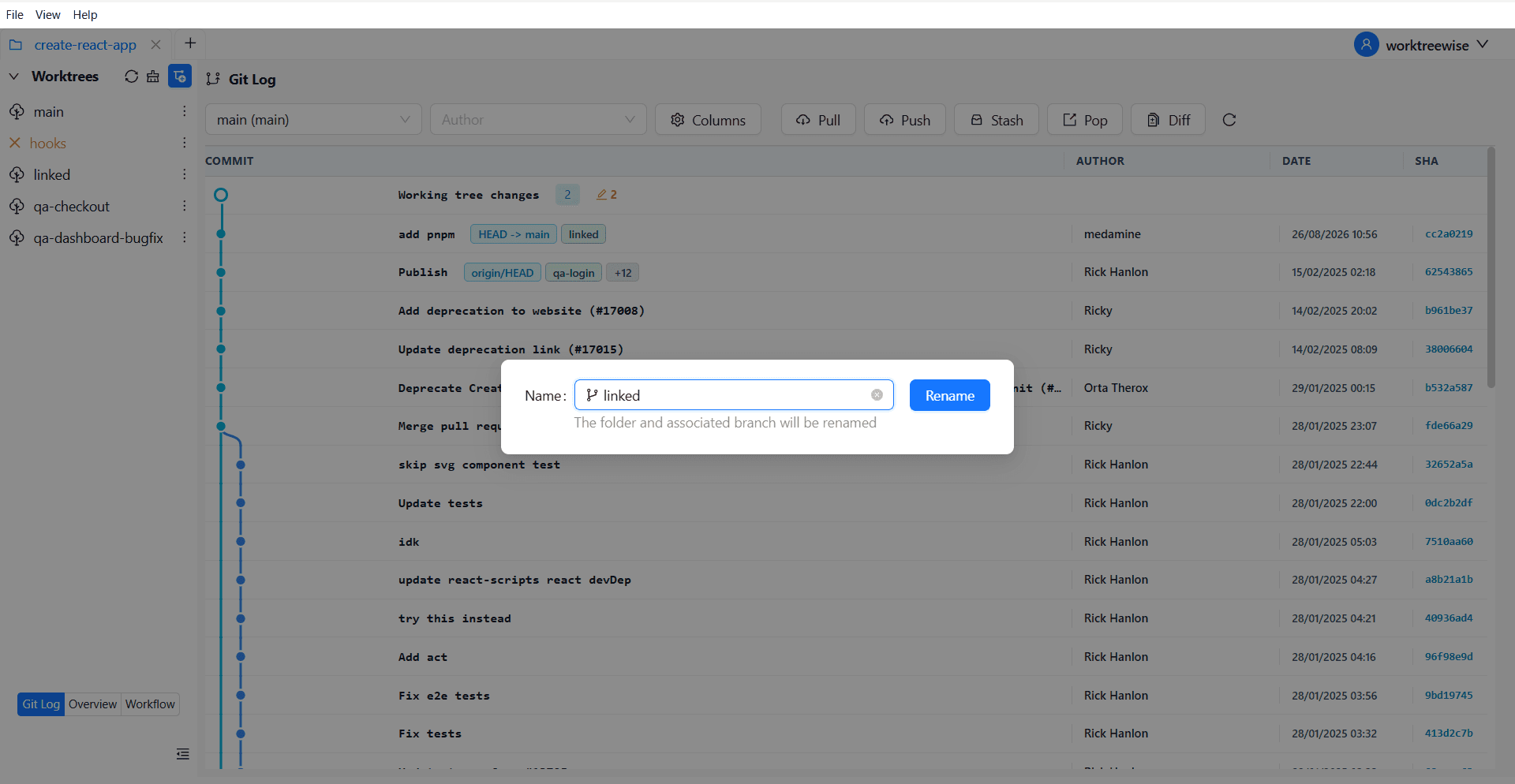
Rename a Git worktree in WorktreeWise
Aa

Rename Git worktrees safely

Rename a worktree and its associated branch together from one visual action.

Rename a Git Worktree

Automated worktree setup

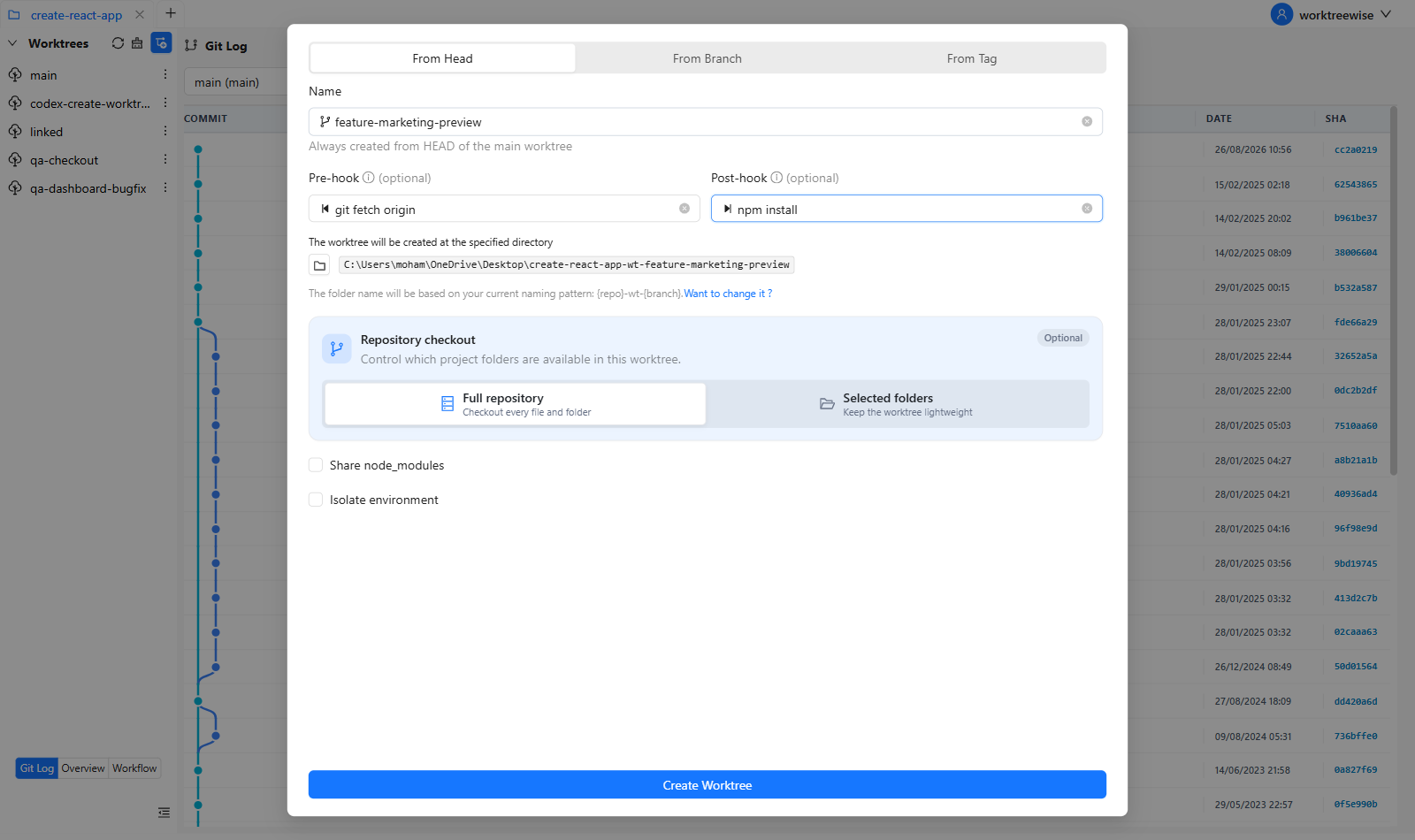
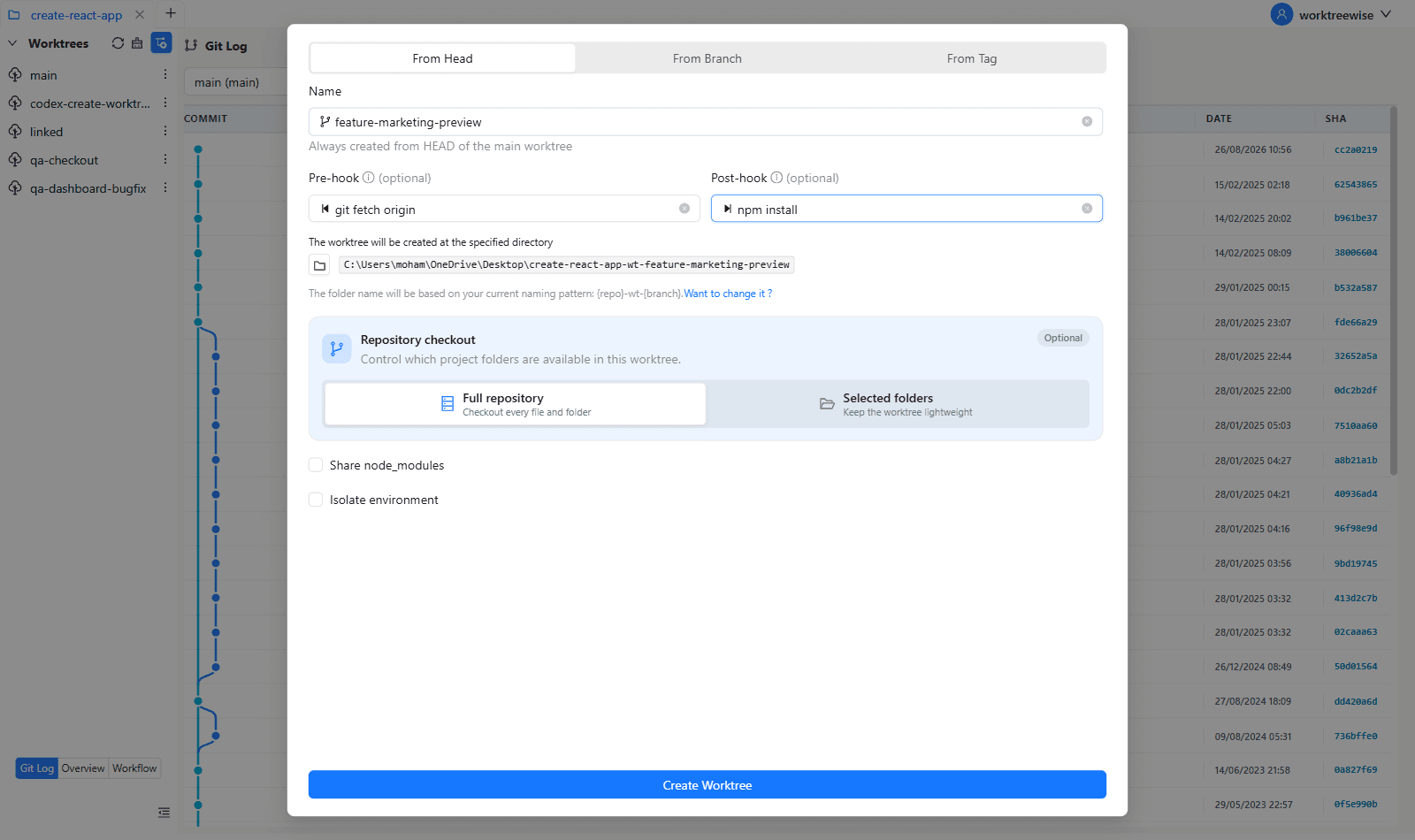
Create a Git worktree + hooks + automatic editor configuration

Turn worktree creation into a repeatable developer workflow. WorktreeWise creates the linked worktree, runs your configured hooks, and opens the finished project in the correct editor with its worktree context ready.

  1. 1Create the worktree and branch visually
  2. 2Run post-create setup hooks automatically
  3. 3Open the new worktree in your selected IDE
  4. 4Preserve the editor configuration and project context
Automate this workflow with WorktreeWise
WorktreeWise creating a Git worktree with automatic setup hooks

Isolated development environments

Create a Git worktree + hooks + isolated environments

Each Git worktree has its own working directory. Use WorktreeWise hooks to prepare the environment for that directory—install dependencies, create local configuration, and run setup commands without mixing files between branches.

  1. 1Keep per-worktree environment files in separate directories
  2. 2Install or restore dependencies through setup hooks
  3. 3Run branch-specific initialization commands
  4. 4Repeat the same environment setup for every new worktree
Automate this workflow with WorktreeWise
WorktreeWise workflow automation used to prepare isolated Git worktree environments

Troubleshooting

Common Git Worktree Problems

Quick answers for the failure modes that most often interrupt parallel branch work.

Branch is already checked out

Git normally protects a local branch from being checked out in two worktrees simultaneously. Use the existing worktree, choose another branch, create a new branch, or use detached mode when you only need to inspect a commit.

Worktrees and branches explained
Worktree directory was deleted manually

The directory may be gone while its administrative record remains. Run git worktree prune --dry-run, review the result, then run git worktree prune to clean stale metadata.

Pruning stale worktrees
Git won't remove a worktree with local changes

Normal removal refuses to discard modified or untracked files. Commit or stash wanted work first. Use --force only after confirming that losing the local files is acceptable.

Remove worktrees safely
Worktree metadata is broken

If the repository or linked directory was moved outside Git, git worktree repair can reconnect the administrative metadata. Pass affected worktree paths when Git cannot discover them automatically.

Worktree path moved outside Git

Prefer git worktree move for a linked worktree. If a manual move already happened, run git worktree repair from the main repository and provide the new path when needed.

Beyond the CLI

Git creates the worktree. What about everything around it?

Git handles the linked checkout. Developers still need to open the right tools, reproduce setup, run scripts, navigate worktrees, clean up, and inspect changes.

Visual management

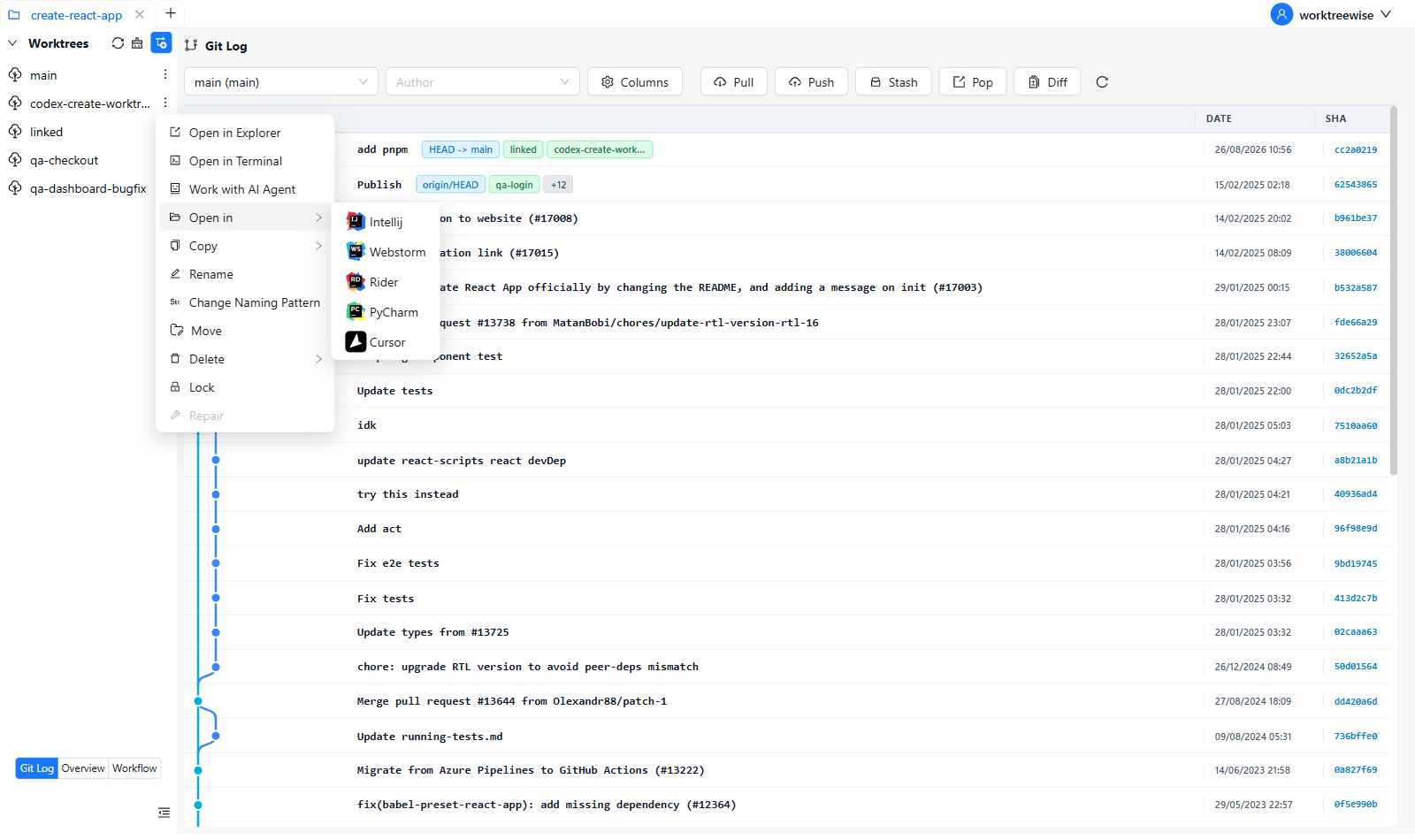
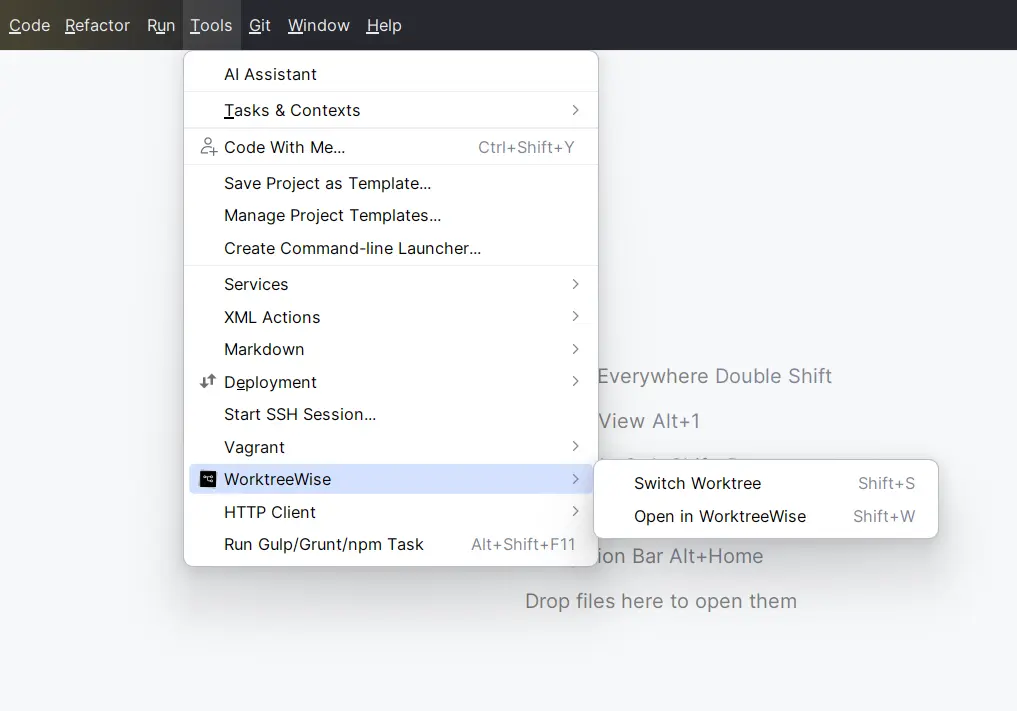
List, create, rename, move, delete, lock, unlock, and prune worktrees from one interface.

IDE and terminal access

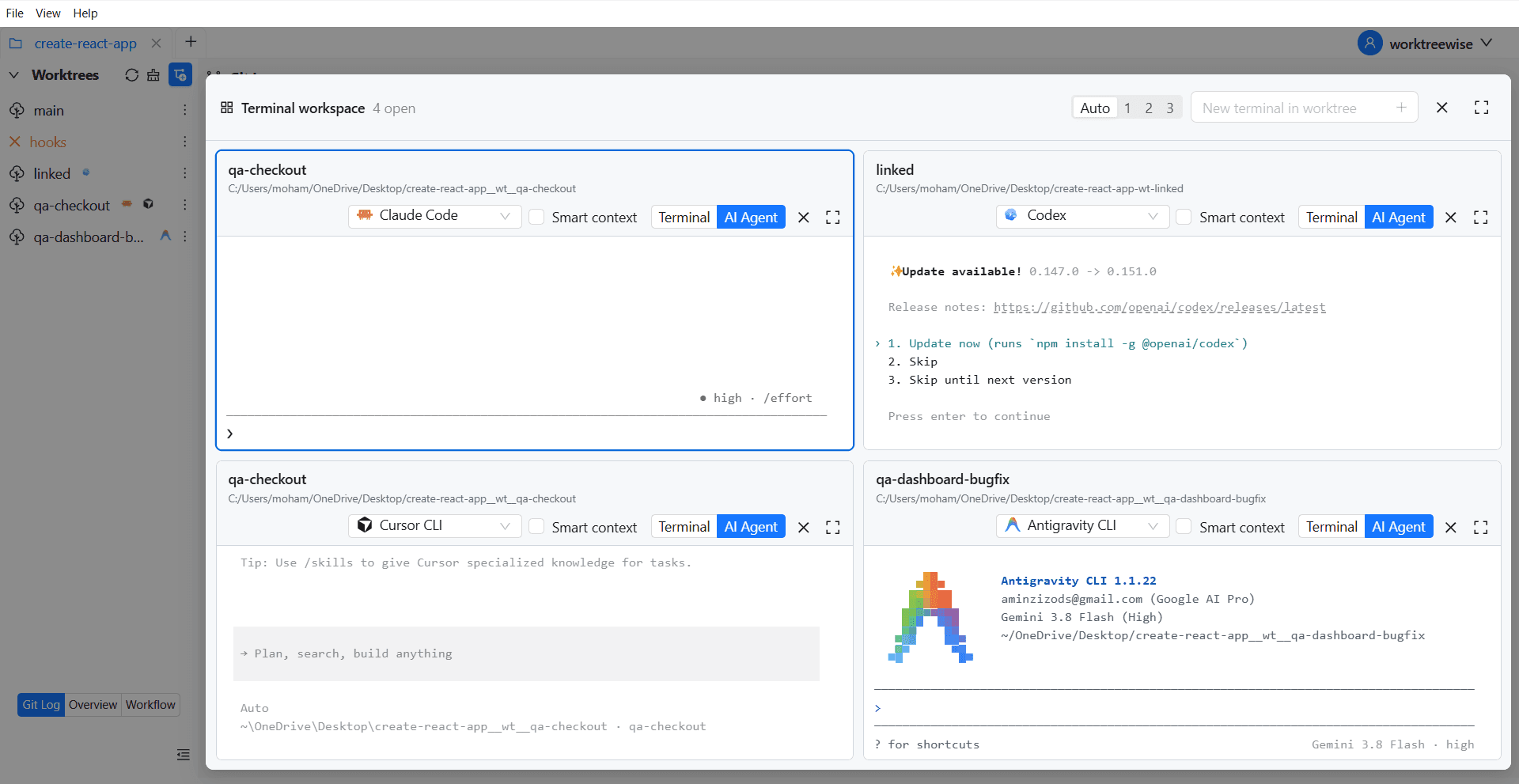
Open the correct worktree directly in your editor or terminal without navigating paths manually.

Workflows and hooks

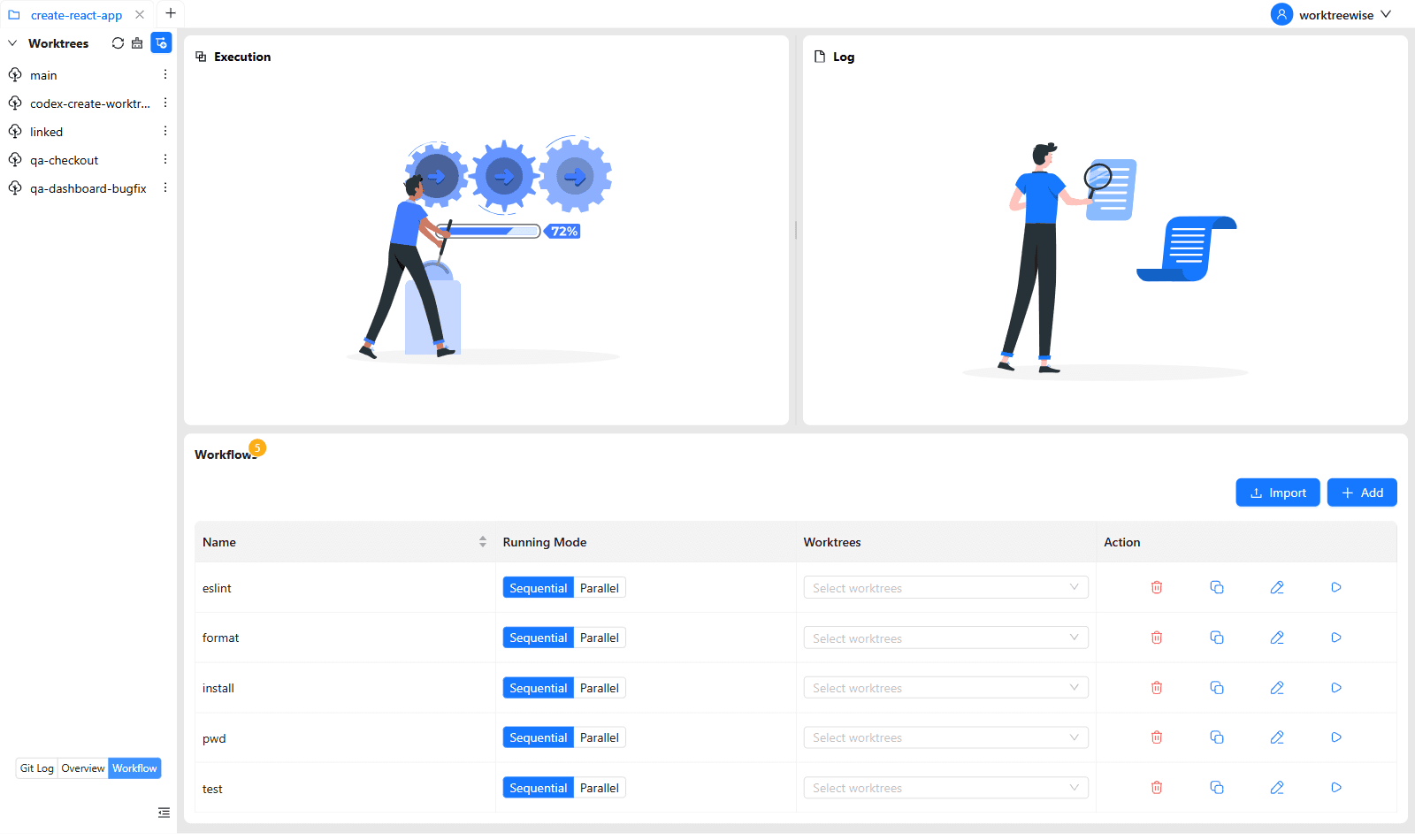
Run reusable setup commands and workflows sequentially or in parallel across selected worktrees.

Git log and diff

Inspect history and compare worktrees, branches, tags, and commits without leaving the workflow.

Explore WorktreeWise

Interactive tool

Need the exact command for your setup?

Use the dedicated visual generator to choose a path, branch strategy, and starting point without memorizing every flag.

Spend less time managing worktrees

Git worktrees are powerful. WorktreeWise handles the repetitive workflow around them so you can focus on your branches and code.

WorktreeWise dashboard for managing Git worktrees

Frequently asked questions

Git Worktree FAQ

Short, technically accurate answers to common worktree questions.

What is a Git worktree?

A Git worktree is an additional working directory linked to the same repository, allowing another branch or commit to be checked out without another full clone.

Why use Git worktrees instead of cloning a repository?

Worktrees share the repository’s object database and configuration, so they use less space and make parallel branch work faster than maintaining several independent clones.

Can the same branch be checked out in multiple worktrees?

Normally no. Git prevents the same local branch from being checked out in more than one worktree to avoid conflicting updates.

Do Git worktrees share the same .git repository?

Yes. Linked worktrees share the main repository’s object database and most repository-level data, while each worktree keeps its own HEAD, index, and working files.

Where does Git store worktree metadata?

The main repository stores linked-worktree administrative data under its git directory, typically in .git/worktrees/.

Can I manually delete a worktree directory?

You can, but it leaves stale metadata. Prefer git worktree remove; if the directory is already gone, inspect and clean records with git worktree prune.

How do I remove a Git worktree safely?

Commit or stash wanted changes, then run git worktree remove <worktree>. Git refuses normal removal when protected local changes are present.

What does git worktree prune do?

It removes stale administrative records for linked worktrees that are no longer present. Use --dry-run to preview the cleanup.

What does git worktree repair do?

It repairs administrative links after a linked worktree or the main repository has been moved manually.

Do worktrees share dependencies such as node_modules?

No by default. Each worktree has its own files and typically needs its own node_modules unless you deliberately share or cache dependencies.

Do worktrees share environment files?

Only tracked environment files appear automatically. Ignored files such as .env.local usually need to be copied, generated, or linked for each worktree.

How many Git worktrees can I create?

Git does not impose a small fixed limit. Practical limits are disk space, tooling overhead, and how many active branches your workflow can manage clearly.