

git worktree list: View and Inspect Git Worktrees
The git worktree list command displays all active and linked worktrees associated with the current repository, along with their checked-out commit, branch, and status annotations.
Standard Output
/home/developer/projects/my-app          9a8b7c6 [main]
/home/developer/projects/feature-auth    1d2e3f4 [feature/auth]
/home/developer/projects/hotfix-login    5c6d7e8 [hotfix/login] (locked: "Testing migration")
/home/developer/projects/inspect-v1      4b3a2c1 (detached HEAD)
Machine-Readable Output: --porcelain
For automation, scripts, and CI/CD pipelines, use the --porcelain flag. This provides a guaranteed stable multi-line block format:
worktree /home/developer/projects/my-app
HEAD 9a8b7c65d4e3f2109876543210abcdef01234567
branch refs/heads/main

worktree /home/developer/projects/feature-auth
HEAD 1d2e3f4a5b6c7d8e9f0123456789abcdef012345
branch refs/heads/feature/auth

worktree /home/developer/projects/hotfix-login
HEAD 5c6d7e8f9a0b1c2d3e4f5a6b7c8d9e0f1a2b3c4d
branch refs/heads/hotfix/login
locked Testing migration
Scripting Example: Extracting Worktree Paths
You can easily parse worktrees in bash or node scripts:
Status Indicators Explained
Standard active branch attached to the worktree.
Worktree checked out directly to a commit or tag without a branch.
Protected from deletion. See git worktree lock.
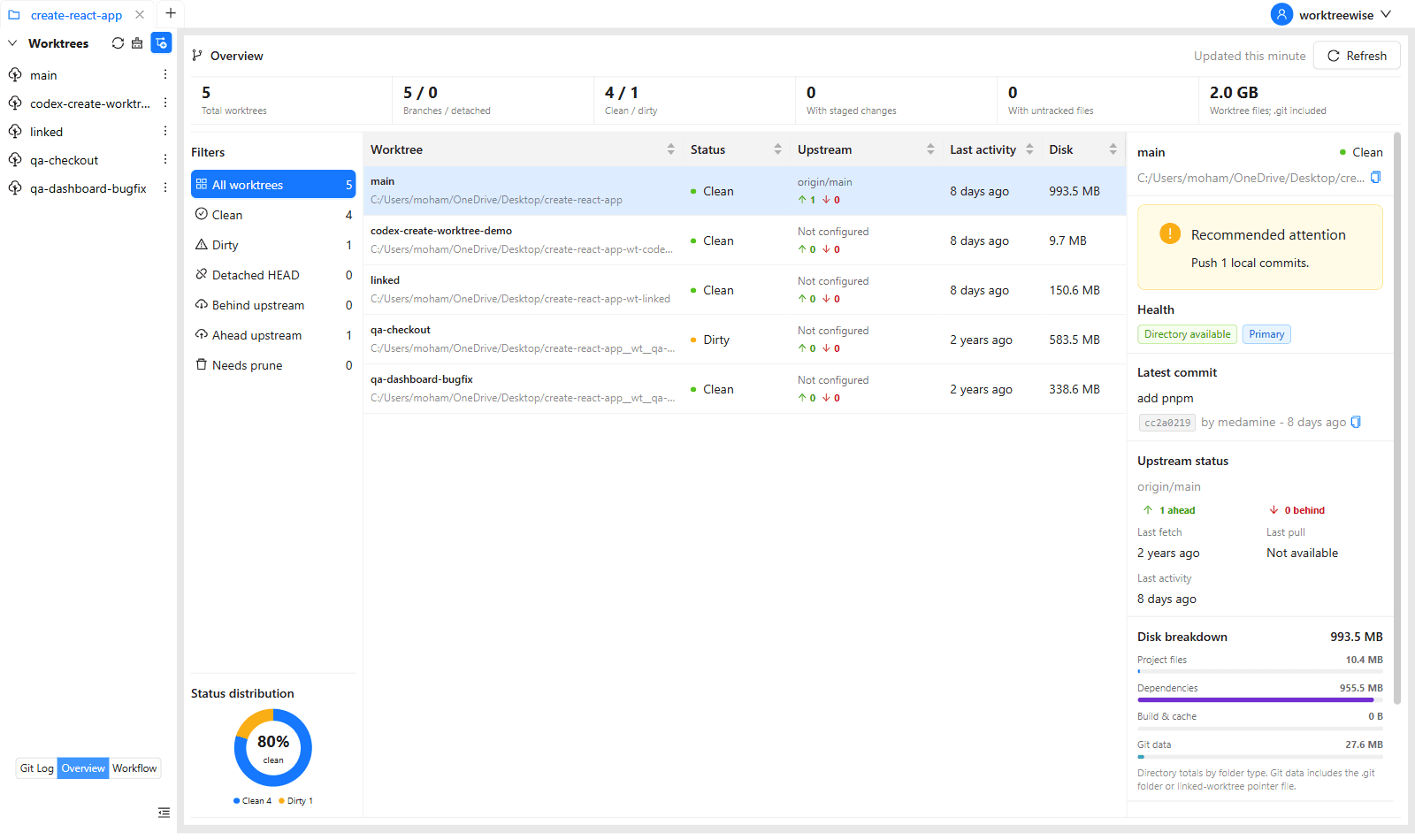
Worktree List & Overview
WorktreeWise transforms git worktree list into an interactive visual dashboard with live Git diffs, commit logs, branch search, and instant open in VS Code / JetBrains IDEs.
Related commands
If an entry in your list shows a path that no longer exists on disk, run git worktree prune to clean up stale metadata. If a directory was moved, use git worktree repair.