

Git Worktree: Complete Guide
A Git worktree enables you to attach multiple isolated working directories to a single Git repository. Work on multiple branches simultaneously without stash conflicts, branch switching overhead, or duplicate disk-heavy repository clones.
Checkout 3, 5, or 10 branches at the same time in separate folders on your machine.
All linked worktrees share the primary .git history and object database.
Switch contexts instantly for PR reviews or emergency hotfixes without stashing uncommitted files.
What is a Git worktree?
In standard Git usage, one repository directory corresponds to exactly one working directory and one active checked-out branch. Switching branches modifies files directly inside that single directory, requiring you to commit or stash any uncommitted work.
With Git worktrees (introduced natively in Git 2.5 and refined in subsequent versions), a single repository can have multiple linked working directories. Each working directory is checked out to its own branch, but they all share the exact same commit history, object store (.git/objects), remotes, and configuration.
.git/objects (commits, trees, blobs) • .git/refs • .git/config
Zero duplicate history downloaded. Instant creation. Zero wasted disk space.
How Git worktrees work internally
Under the hood, Git organizes worktrees using a lightweight pointer architecture:
- Primary Worktree: The original folder created when you initialize or clone a repository. It contains the real
.git/directory. - Linked Worktrees: Additional folders created via git worktree add. Instead of a
.gitdirectory, each linked worktree has a tiny.gittext file containing a single line pointing back to the main repository:gitdir: /path/to/main/.git/worktrees/<worktree-name>. - Administrative Storage: The main repository keeps per-worktree state (HEAD pointer, index, worktree-specific config, logs) under
.git/worktrees/<id>/.
Git worktree vs normal branch switching
Traditional branch switching interrupts your flow whenever an unexpected interruption occurs. Compare the two models below:
Traditional Workflow (git checkout / switch)
Single Foldergit stash save or half-baked commitgit switch main & wait for IDE re-indexgit stash popGit Worktree Workflow (Simultaneous)
Parallel Foldersgit worktree add ../hotfix main| Comparison Point | git switch / checkout | Git worktrees |
|---|---|---|
| Parallel Branches | 1 branch at a time | Unlimited simultaneous branches |
| Uncommitted Changes | Requires stash or throwaway commit | Untouched; stay in their own folder |
| IDE / Language Server Cache | Re-indexes on every branch switch | Warm & intact in separate IDE windows |
| Dev Server / Port State | Must stop/restart on branch change | Can run concurrently on separate ports |
| Disk Space Usage | 1 working tree | Only working tree files (shared .git) |
Git worktree directory structure
A recommended layout is placing sibling folders side-by-side or inside a dedicated project root. This ensures relative imports and navigation remain intuitive:
projects/
├── my-app/                <-- Primary Worktree (contains full .git/ repository)
│   ├── .git/
│   │   └── worktrees/
│   │       ├── feature-auth/
│   │       └── hotfix-login/
│   └── src/
│
├── my-app-feature-auth/   <-- Linked Worktree 1 (checked out to feature/auth)
│   ├── .git               <-- Text file pointing to ../my-app/.git/worktrees/feature-auth
│   └── src/
│
└── my-app-hotfix-login/   <-- Linked Worktree 2 (checked out to hotfix/login)
    ├── .git               <-- Text file pointing to ../my-app/.git/worktrees/hotfix-login
    └── src/
Git worktree commands overview
Explore all 8 dedicated command tutorials with deep examples, flags, and diagrams:
Add Guide
Create a linked worktree from an existing branch, commit, or new branch.
List Guide
View and inspect all linked worktree directories, HEAD commits, and active branches.
Remove Guide
Safely delete a worktree directory and unregister its administrative record.
Move Guide
Relocate a linked worktree directory and automatically update internal Git pointers.
Lock Guide
Lock a worktree to prevent accidental removal or automatic pruning.
Unlock Guide
Release the lock on a worktree so it can be moved, deleted, or pruned.
Prune Guide
Clean up stale administrative records whose worktree folders were deleted manually.
Repair Guide
Re-establish bi-directional links between the repository and moved worktrees.
Real-world practical workflows
1. Parallel development without stash mess
When building a complex feature on feature/billing, you need to spin up feature/auth to test integration. Instead of stashing:
Now open ../app-auth in a second VS Code / IntelliJ window. Both branches run independently.
2. Emergency production hotfix
A critical production bug is reported while you have 15 modified files in your current working tree. Do not risk losing state:
Fix the bug, test, commit, push, and create your PR. Then safely clean up with git worktree remove ../app-hotfix.
3. AI coding agents (Claude Code, Cursor, Codex, Antigravity, Qwen, Kimi, OpenCode)
Autonomous AI agents often perform aggressive refactors, install test packages, or modify configuration files. Running an AI agent in your primary working directory can overwrite your active work. By assigning each AI task its own worktree:
Point your coding agent (such as Claude Code, Cursor, Codex, Antigravity, Qwen, Kimi, or OpenCode) at ../agent-refactor. You can continue writing code on your main branch without AI-generated file conflicts.
4. Automated directory naming patterns
Manually typing destination paths when adding worktrees easily causes messy folder sprawl or typo collisions. Establishing a consistent naming convention keeps your project structure clean:
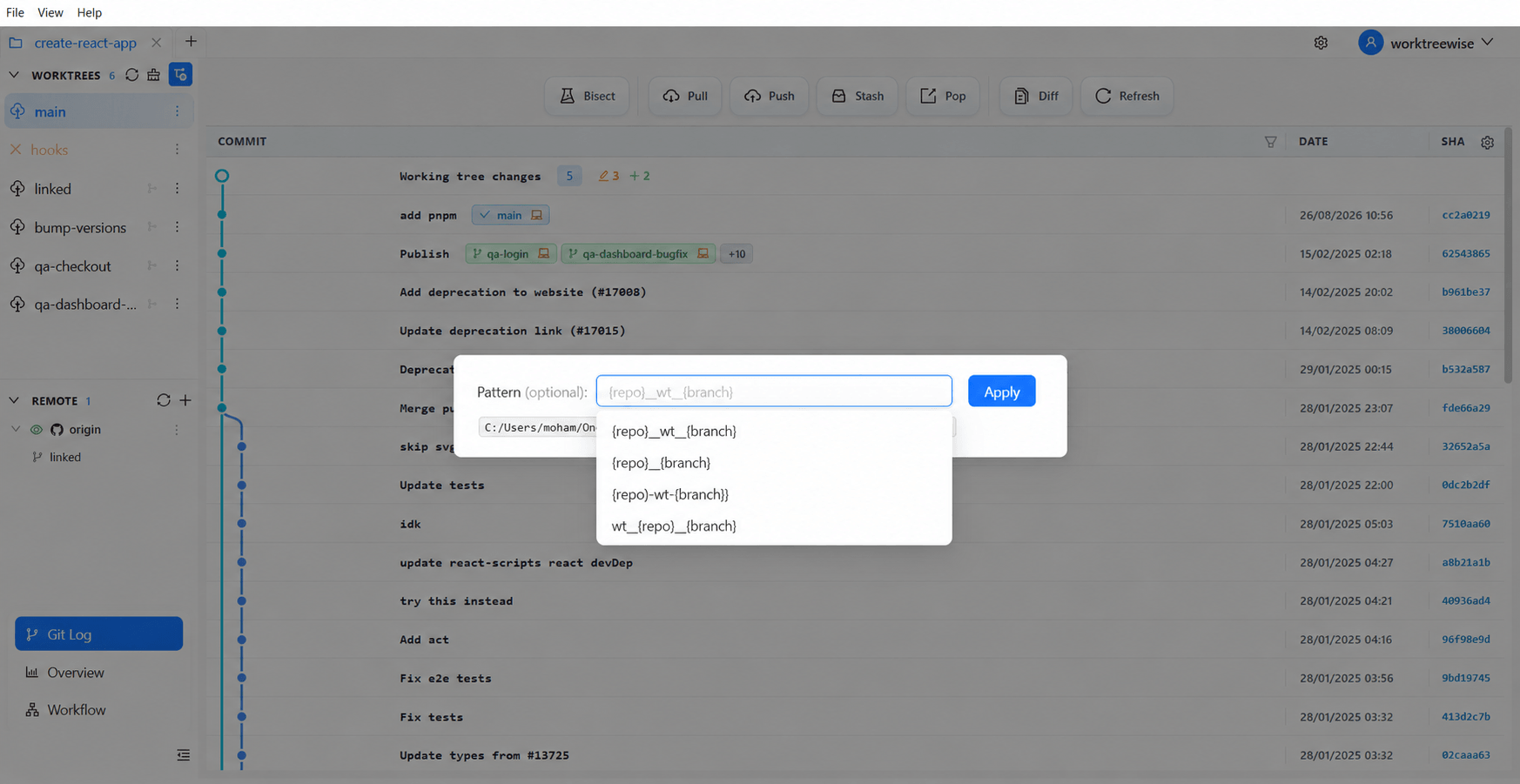
In WorktreeWise, you can configure templates like {repo}_wt_{branch} directly in settings to automatically resolve destination paths on every creation.
5. Per-worktree configuration & identity isolation
When working on client repositories or open source contributions from the same machine, you may need different committer identities without overriding your global Git configuration. Git supports worktree-scoped configuration:
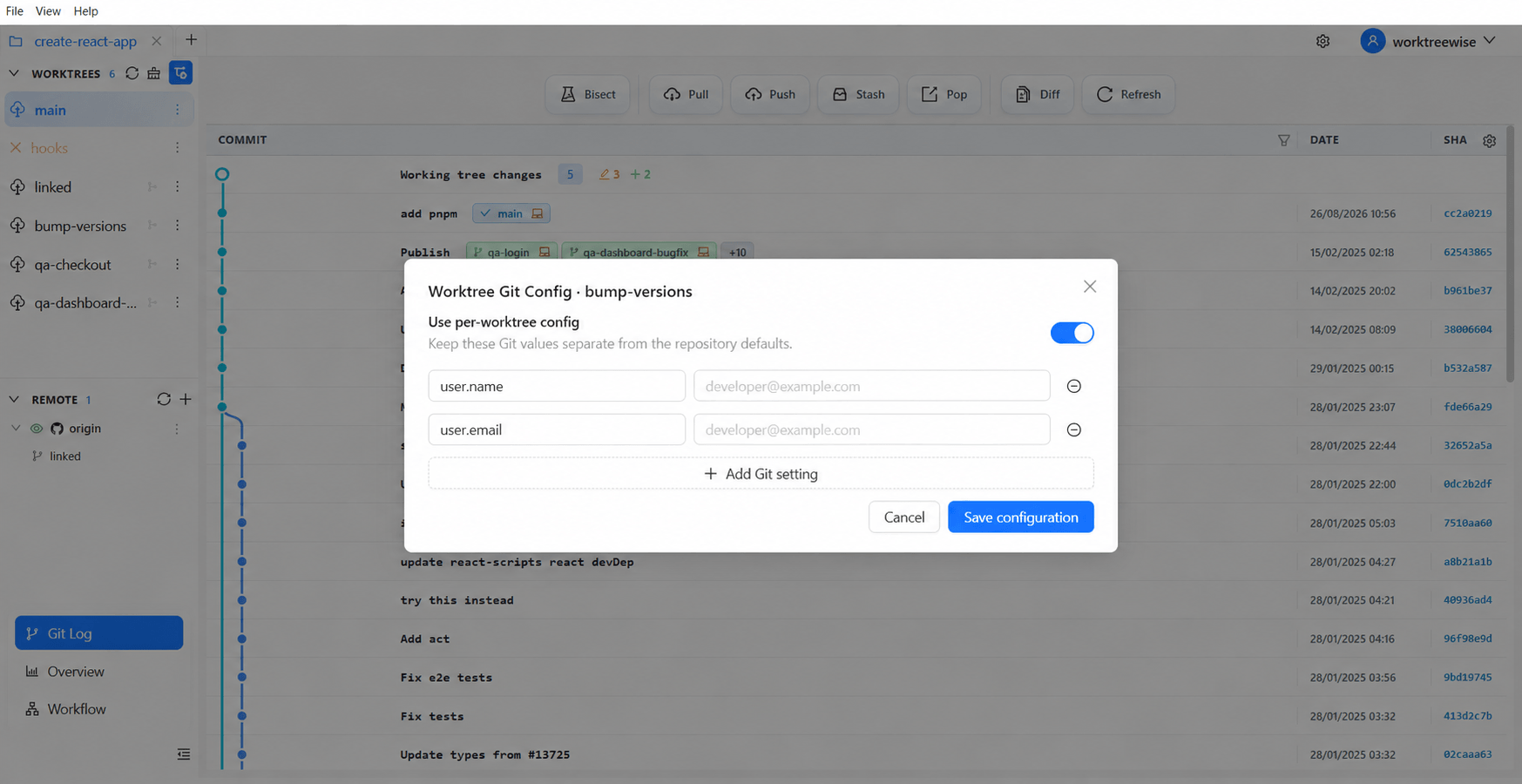
Each linked worktree can carry its own committer name, email, and signing settings without modifying .git/config for your other branches.
Common problems & restrictions
A branch cannot be checked out in two worktrees simultaneously
fatal: 'branch-name' is already checked out at '/path/to/worktree'. Use git worktree list to find where it is currently checked out.Uncommitted changes during deletion
git worktree remove will fail if the directory has untracked or uncommitted changes. This protects you from accidental data loss. Learn safe cleanup on the git worktree remove guide.Managing Git worktrees with WorktreeWise GUI
While the Git CLI commands are powerful, visual tools eliminate path memorization, automate hooks, and manage IDE integration effortlessly:
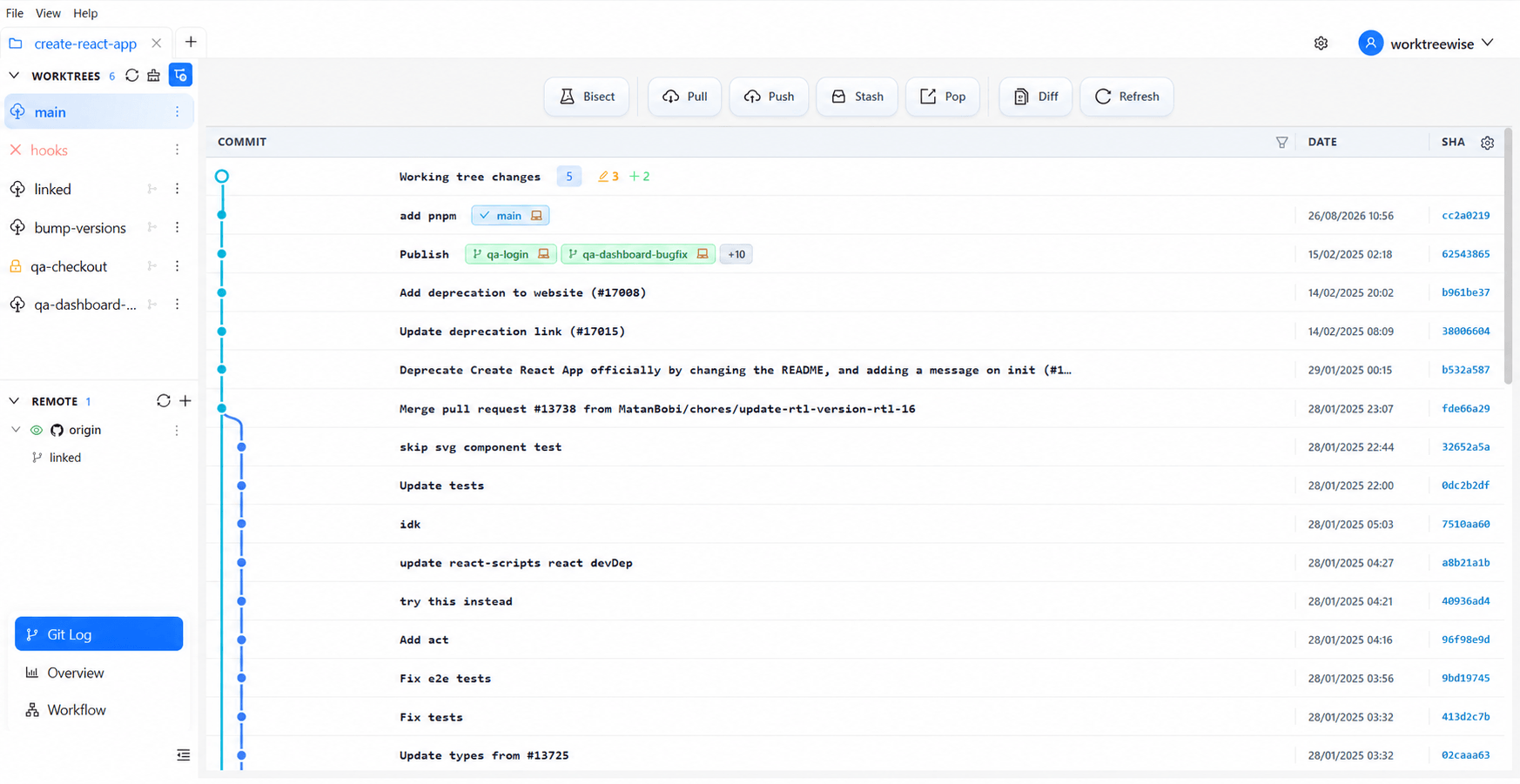
Central Worktree Dashboard
WorktreeWise provides an intuitive visual interface to inspect all linked worktrees, switch IDE windows, run custom pre/post creation hooks, and repair broken links in 1-click.
Dynamic Naming Patterns
Configure automated directory templates such as {repo}_wt_{branch} to ensure all team worktrees follow predictable paths without manual folder management.
Per-Worktree Git Config
Isolate committer identities, user emails, and signing settings to individual worktrees using native Git extensions without polluting global settings.
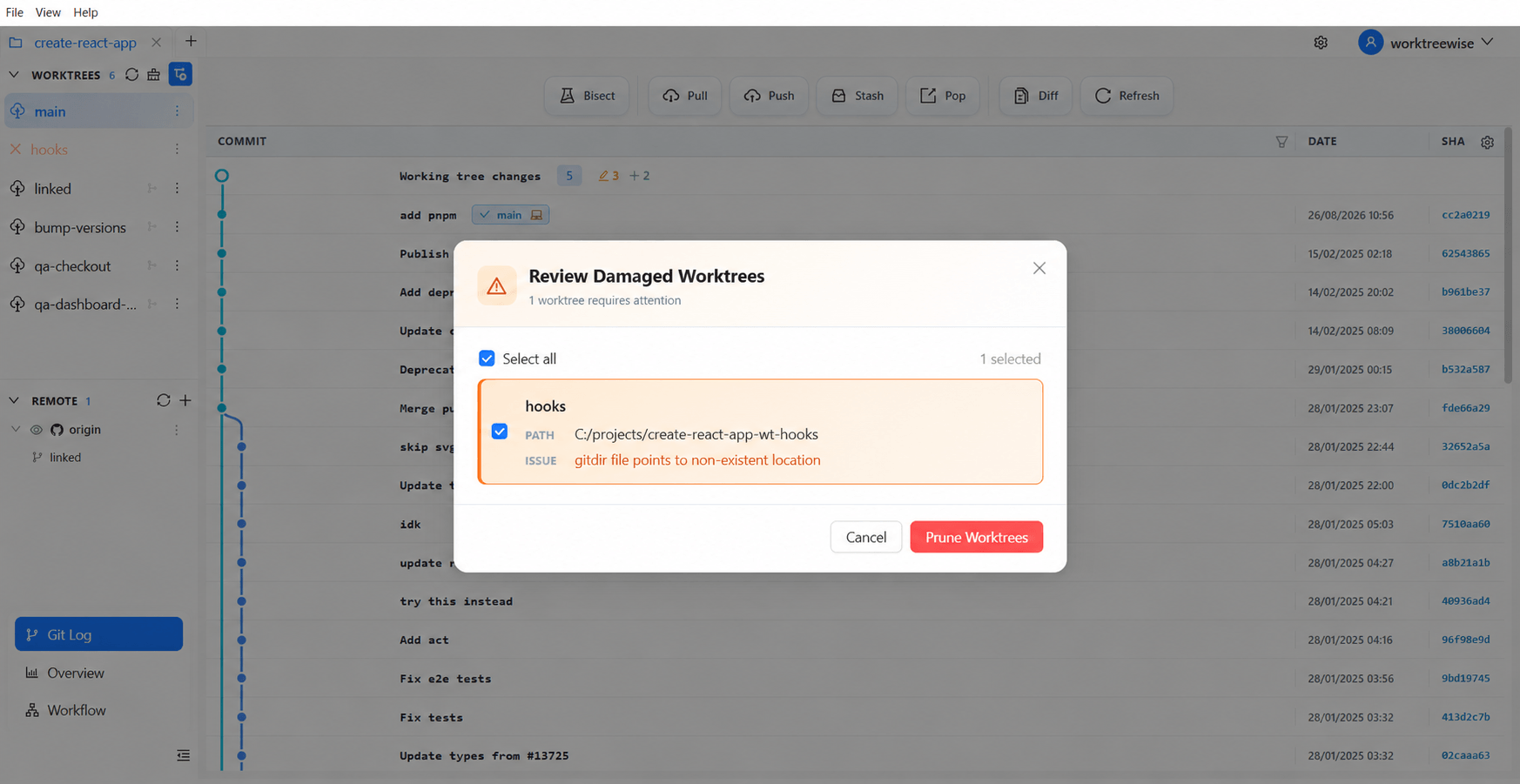
1-Click Repair & Safe Pruning
Identify severed metadata pointers, heal broken paths in one click with git worktree repair, and safely prune stale administrative records leaving your Git repository clean.
Tutorials Cluster Roadmap
Explore our expanding curriculum of in-depth Git worktree guides:
Commands
Available NowComprehensive guides for all 8 Git worktree commands with practical examples and diagrams.
- •add
- •list
- •remove
Troubleshooting
Available NowFix branch already checked out, broken metadata, lock conflicts, and unremovable worktrees.
- •Branch already checked out in another worktree
- •Cannot remove worktree with uncommitted changes
- •Missing .git worktree directory or severed links
AI Agent
Available NowEquip Claude Code, Cursor, Codex, Antigravity, Qwen, Kimi, and OpenCode with dedicated isolated Git worktrees.
- •Claude Code + Git worktree isolation
- •Running multi-agent parallel coding workflows
- •Cursor agent background tasks in separate worktrees
Isolation
Available NowIsolate local ports, environment variables (.env), node_modules, and Docker containers across branches.
- •Per-worktree .env and environment variable overrides
- •Managing duplicate ports across dev servers
- •Docker & Docker Compose container separation
Comparisons
Available NowCompare Git worktree with git clone, git stash, sparse checkout, and native Git GUIs.
- •Git worktree vs git clone (disk & memory comparison)
- •Git worktree vs branch switching & git stash
- •Git worktree vs sparse checkout