

git worktree repair: Fix Broken Git Worktree Links
The git worktree repair command re-establishes bi-directional administrative links between the main repository and worktrees after directories or repositories have been moved or renamed manually.
Basic Syntax
Running git worktree repair without arguments inside the main repository checks all registered worktrees and fixes their administrative pointers.
Common Scenarios Where Repair is Essential
Scenario A: You manually moved a linked worktree folder
If you used mv ../old-path ../new-path instead of git worktree move, simply provide the new path to repair:
repair: updated worktree at '/path/to/new-path'
Scenario B: The main parent repository folder was renamed or relocated
If you renamed your main project folder (e.g. from ~/projects/app to ~/projects/my-new-app), all linked worktrees will lose their reference to the primary .git folder. Navigate into any worktree or the main directory and run:
How git worktree repair works under the hood
Every linked worktree requires two reciprocal links:
- Worktree → Repository: The
.gitfile in the worktree directory containsgitdir: /path/to/main/.git/worktrees/<name>. - Repository → Worktree: The
gitdirfile inside.git/worktrees/<name>/contains/path/to/worktree/.git.
git worktree repair reads the available pointer in whichever directory is valid and writes the matching updated pointer into the other side, instantly healing severed links.
Repair Damaged Worktrees
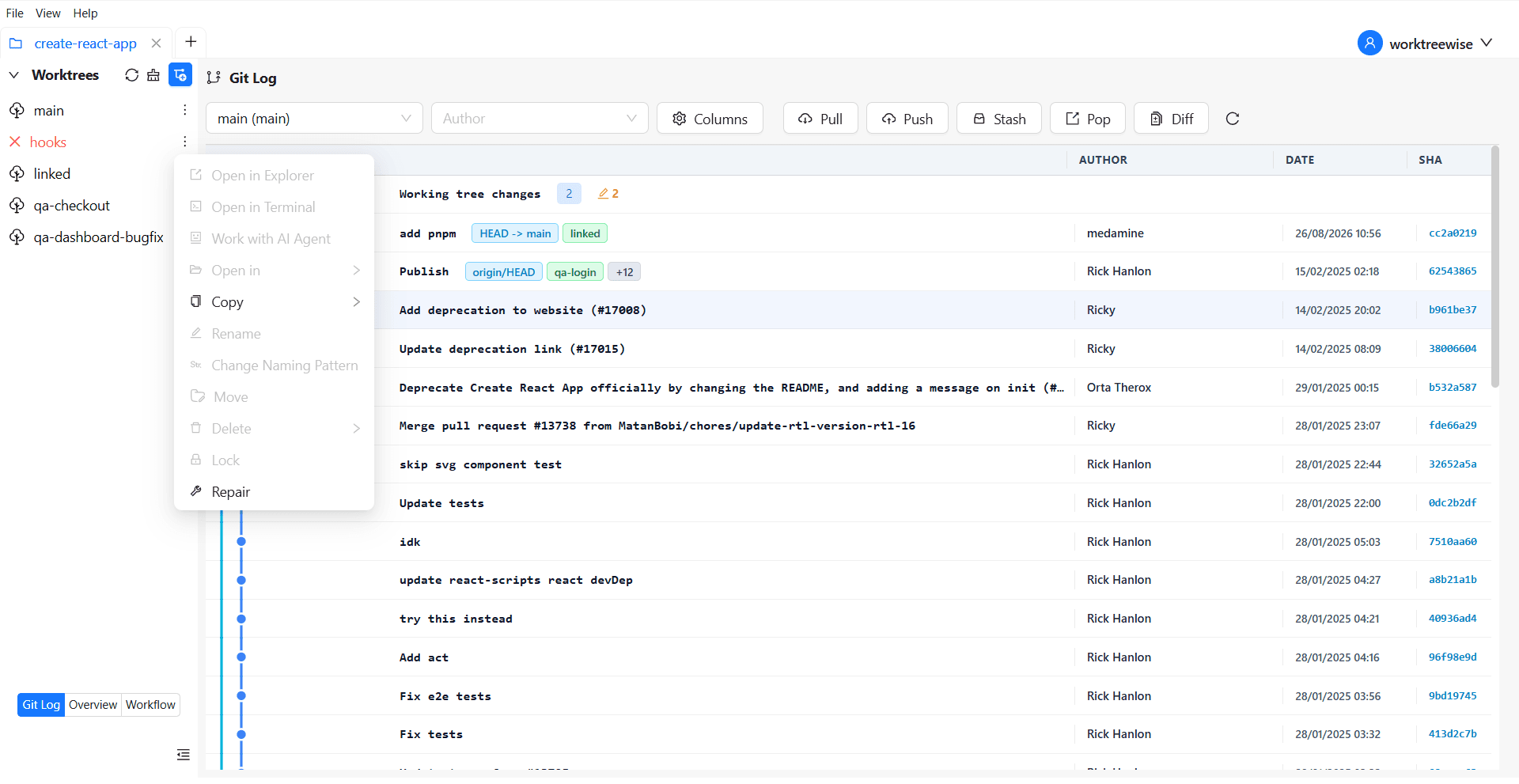
WorktreeWise identifies damaged worktrees directly in the sidebar, disables unsafe actions, and provides a dedicated Repair action to reconnect a moved directory without deleting its files or branch.
Related commands
To move worktrees in the future without breaking administrative pointers, use git worktree move. If a worktree directory is permanently gone and no longer needed, use git worktree prune.