

Best Git Worktree GUI Tools (2026 Comparison)
Discover the best Git worktree GUI tools in 2026. Compare features, workflows, and productivity gains for modern developers using Git worktrees.
Read article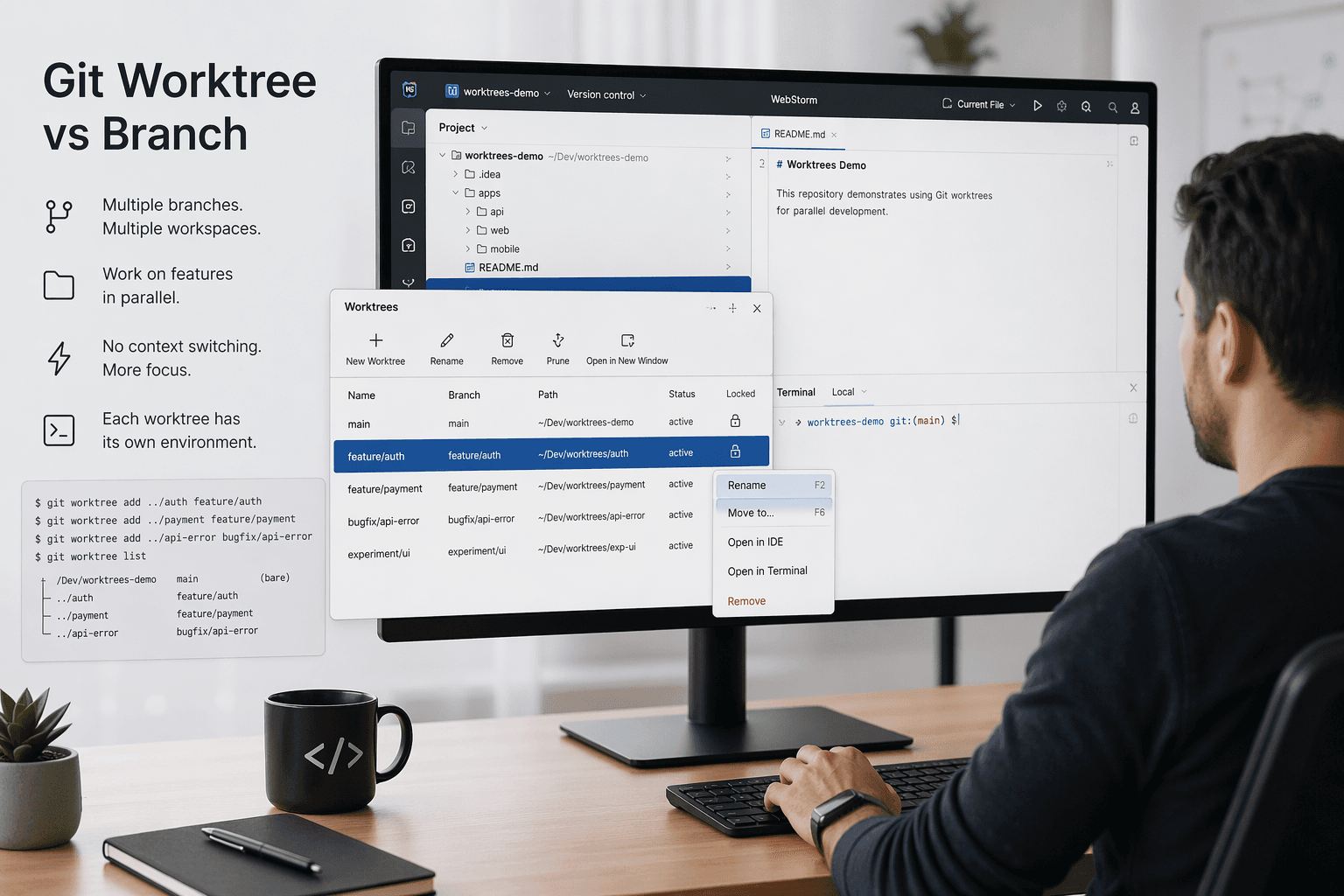
20 Apr 2026
6 min read
Most developers think they understand Git branches until they try to work on multiple features at the same time.
You start one feature, switch branches for a quick fix, then switch again for a review… and suddenly your working directory is a mess. Stashing changes, resolving conflicts, rebuilding environments it adds friction fast.
That’s where the comparison of git worktree vs branch becomes important.
Branches are not the problem. The limitation is how we use them.
This guide breaks down the real difference between Git branches and worktrees, when to use each, and how to level up your workflow.
A Git branch is simply a pointer to a commit.
It allows you to:
git checkout -b feature/login
This creates a new branch and switches your working directory to it.
You can only have one branch checked out per working directory.
So if you want to:
You have to constantly switch:
git checkout bugfix/api
git checkout experiment/ui
git checkout feature/login
Each switch can involve:
Branches are lightweight and powerful, but they are tied to a single working directory.
A Git worktree allows you to have multiple working directories attached to the same repository.
Each worktree can check out a different branch.
git worktree add ../login feature/login
git worktree add ../api-fix bugfix/api
Now you have:
../login → working on feature/login../api-fix → working on bugfix/apiAll sharing the same .git data.
   | Feature   | Branch                          | Worktree                      |
   |---------- |---------------------------------|-------------------------------|
   | Purpose   | Logical separation of code      | Physical working directory    |
   | Scope     | Pointer to commit               | Full working directory        |
   | Dependency| Requires checkout               | Independent workspace         |
Workflow
Branch workflow
git checkout feature/a
# work

git checkout feature/b
# stash, rebuild, work

git checkout feature/a
# restore context
Worktree workflow
git worktree add ../a feature/a
git worktree add ../b feature/b

cd ../a
# work on A

cd ../b
# work on B
No switching. No interruptions.
Performance
   | Scenario                | Branch     | Worktree |
   |------------------------ |------------|----------|
   | Switching context       | Slow       | Instant  |
   | Rebuilding dependencies | Frequent   | Rare     |
   | Parallel work           | Limited    | Native   |
Disk Usage
Branches are still essential.
Use branches when:
Example scenarios:
Branches define what you are working on.
Use worktrees when you need parallel execution.
Ideal scenarios:
Real example:
You are:
Instead of switching branches, you use:
git worktree add ../review feature/pr-123
Now review without touching your main work.
git stash just to switch branches, you probably need worktrees.
This is not git worktree vs branch as a competition.
It’s about using them together.
git branch feature/payment
git worktree add ../payment feature/payment
Now you can:
Thinking worktrees replace branches
They don’t.
Worktrees use branches. They don’t replace them.
Forgetting to prune worktrees
Removed branches can leave stale worktrees.
git worktree prune
Using worktrees without structure
Creating random directories leads to chaos.
Bad:
   - ../test1
   - ../tmp123
   - ../new
Good:
   - ../worktrees/feature-login
   - ../worktrees/bugfix-api
Editing the same branch in multiple worktrees
Git prevents this for a reason.
Each branch should be active in only one worktree.
Ignoring environment duplication
Each worktree may need:
Plan for it.
../worktrees/{branch-name}
Example:
git worktree add ../worktrees/feature-auth feature/auth
   my-project/
   my-project-worktrees/
Keeps everything clean.
Automate setup
Use scripts or tools to:
Clean regularly
git worktree prune
Use worktrees for reviews
Instead of switching:
git worktree add ../review-123 feature/pr-123
Managing worktrees manually is powerful but can become complex.
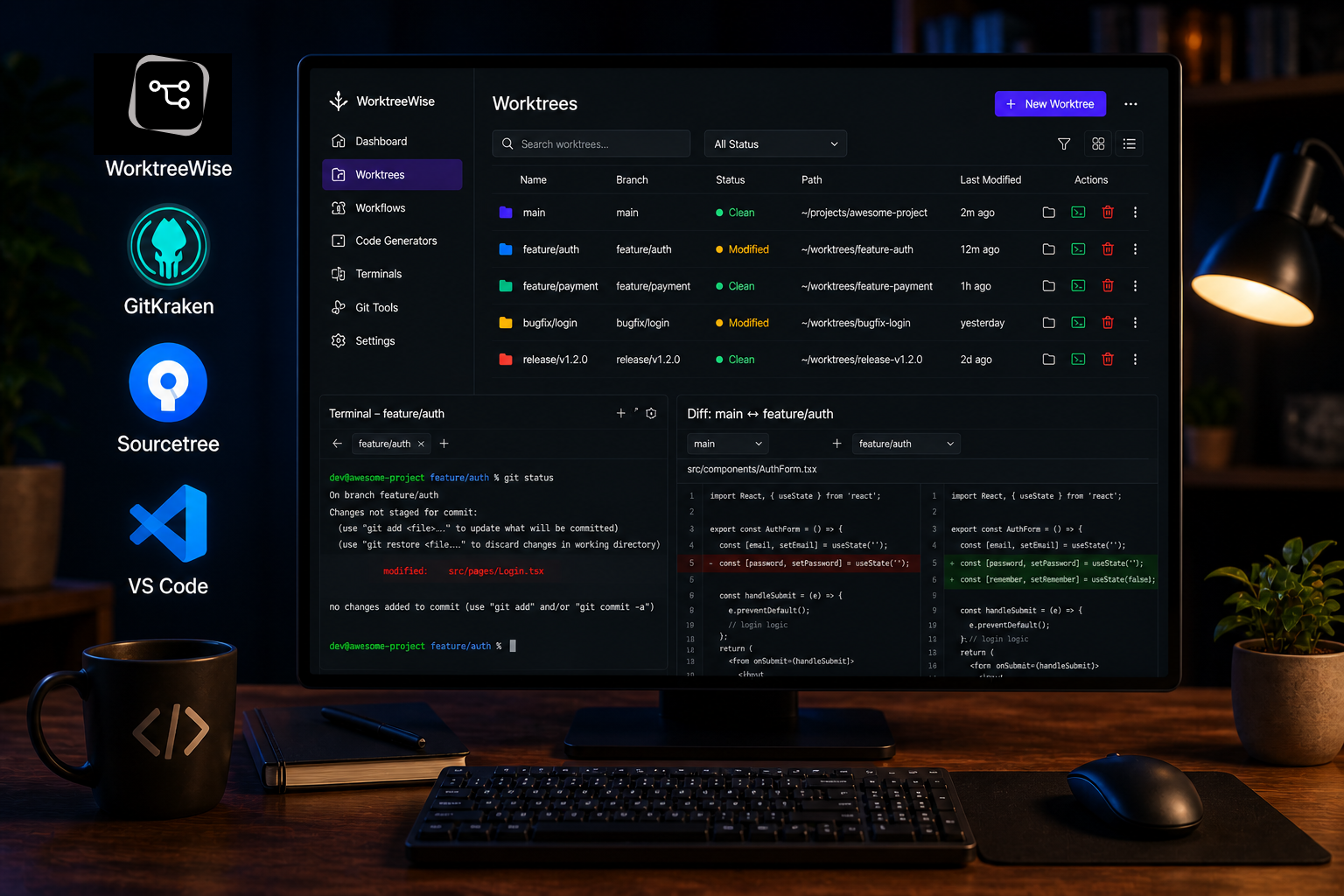
That’s where WorktreeWise comes in.
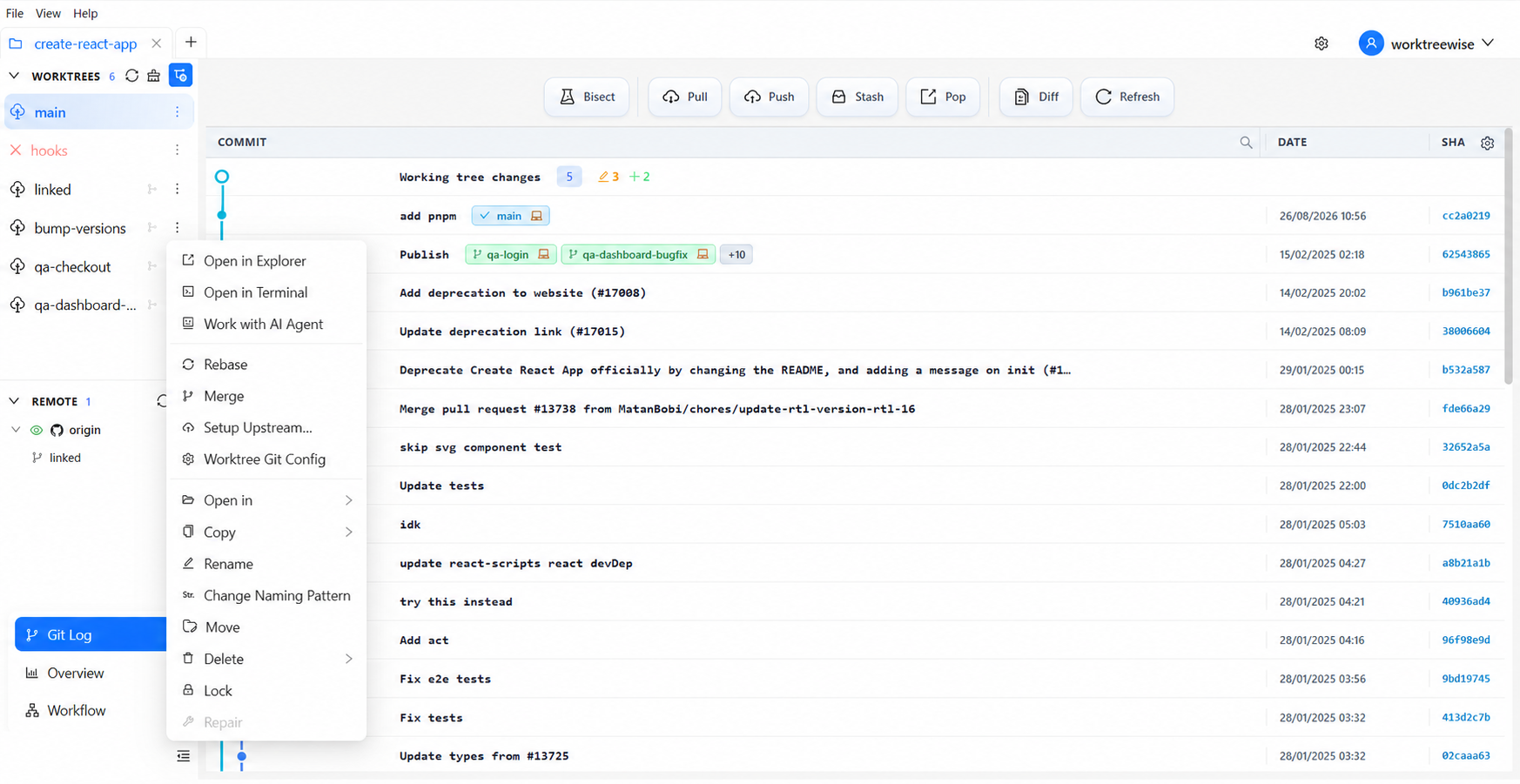
Visual worktree management
Instead of CLI commands:
   git worktree add ...
   git worktree remove ...
You get:
Built-in workflows across worktrees
Run commands across multiple worktrees:
https://docs.worktreewise.com/workflows/play
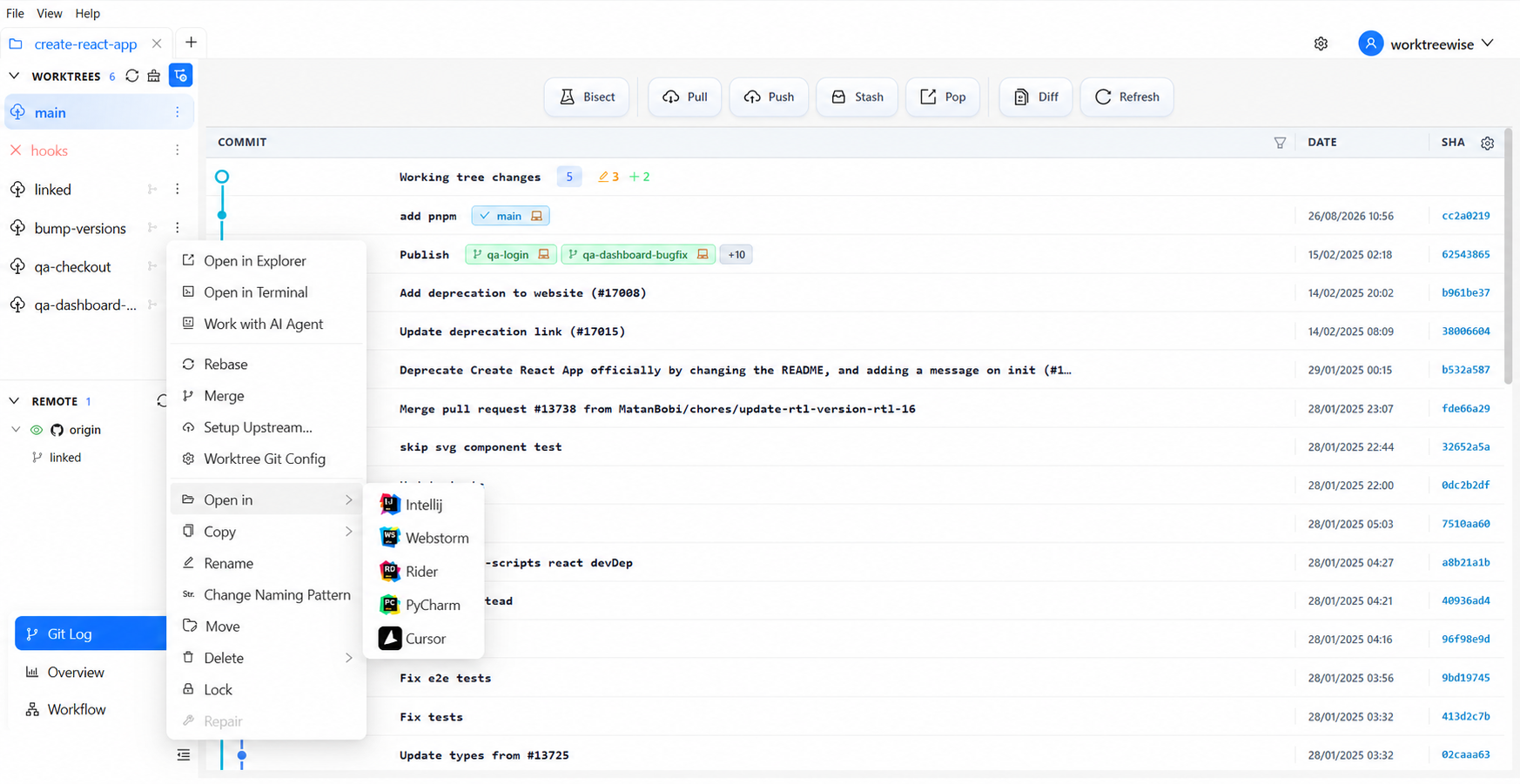
IDE integration
Open any worktree instantly in:
With preserved configuration:
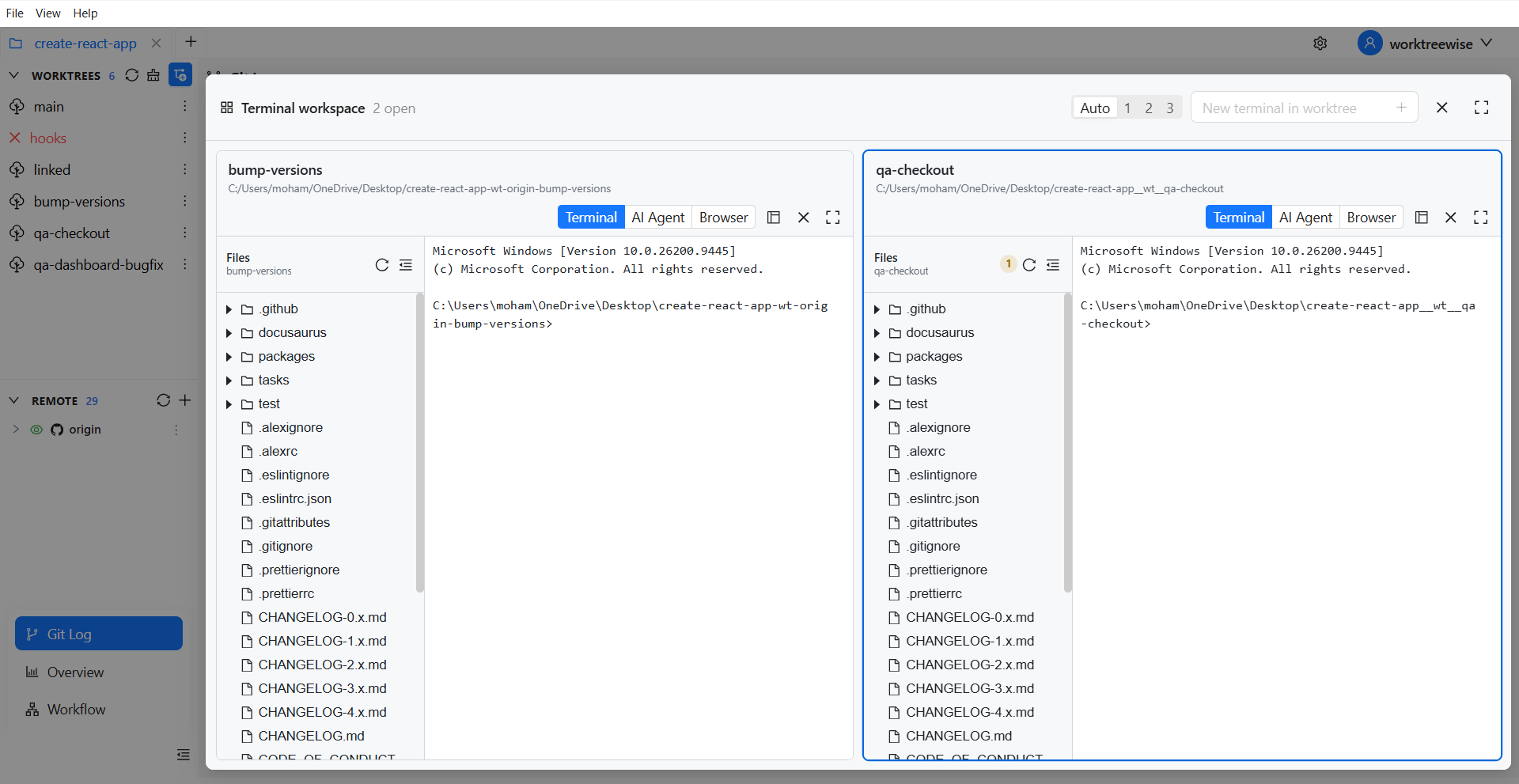
Terminal per worktree
Each worktree has its own terminal context.
No more navigation overhead.
Git diff and logs across worktrees
Compare:
Without manual commands.
https://docs.worktreewise.com/git-operations/diff
WorktreeWise transforms git worktrees from a power-user feature into a standard workflow.
A branch is a movable Git reference. A worktree is a working directory in which a branch or commit is checked out. You normally use them together:
If native commands are enough, keep using them. If paths, cleanup, and repeated setup become the bottleneck, create and organize worktrees visually with WorktreeWise.
Try WorktreeWise free—no credit card required.
The debate of git worktree vs branch is often misunderstood.
Branches define your work.
Worktrees define how you execute it.
If you’re still switching branches dozens of times a day, you’re leaving productivity on the table.
Start small:
Then scale it with structure and eventually tools like WorktreeWise.
Because modern development isn’t linear.
Your Git workflow shouldn’t be either.
AMMACH MOHAMED AMINE

AMMACH MOHAMED AMINE

AMMACH MOHAMED AMINE
Discover the best Git worktree GUI tools in 2026. Compare features, workflows, and productivity gains for modern developers using Git worktrees.
Read articleLearn how to use git worktree remove safely and effectively. Practical examples, common mistakes, and best practices for managing multiple worktrees.
Read articleLearn how to use git worktree prune to remove stale worktree references, fix broken states, and maintain a clean and efficient Git workflow.
Read article