

Worktree vs sparse checkout
TL;DR: The 30-Second Summary
Git Worktree and Sparse Checkout solve two orthogonal problems: Worktrees manage parallel branches, while Sparse Checkout manages subsets of files. Combining both creates the ultimate monorepo development workflow.
The Real-Life Scenario
“A developer in an enterprise monorepo asks: 'Should I use Git worktrees or sparse checkout to speed up my work?' The answer is: use both together!”
Developers often confuse Git worktrees and sparse checkout because both features deal with working directory contents. However, they address entirely different dimensions of development scaling.
Orthogonal Scaling Dimensions
Worktrees scale concurrency (multiple branches at once). Sparse checkout scales repository size (reducing the number of files materialized on disk).
What you see in the terminal:
Monorepo with 100,000 files across 20 teams:
- Sparse checkout alone: Only 1 branch checked out.
- Worktree alone: 5 worktrees = 500,000 files on disk.
- Combined: 5 worktrees x 2,000 files each = 10,000 files total!Under the Hood: Git Plumbing & Architecture
Worktrees provide separate directory roots. Sparse checkout modifies each worktree's individual `.git/worktrees/<name>/info/sparse-checkout` filter.
Quick Command Recipes
Copy and adapt these commands directly in your terminal:
Combine worktree with sparse checkout
Creates an isolated branch that materializes ONLY `services/auth`.
git worktree add --no-checkout ../wt-auth -b feat/auth main
cd ../wt-auth
git sparse-checkout set services/auth
git checkoutStep-by-Step Practical Walkthrough
Follow these verified steps to safely resolve the issue and guarantee that your filesystem and Git references are in sync.
Understand the distinction
Use worktree for parallel branches; use sparse checkout for monorepo file filtering.
Initialize sparse worktree
Create worktree without populating files.
git worktree add --no-checkout ../wt-frontend feat/frontendApply cone patterns
Select target directory.
cd ../wt-frontend && git sparse-checkout set apps/frontendCheckout files
Materialize only the required subset.
git checkoutComparative Feature Matrix
| Feature | Git Worktree | Sparse Checkout |
|---|---|---|
| Core Purpose | Parallel branch checkouts | File subset filtering |
| What It Scales | Workflow concurrency | Monorepo repository size |
| Directory Count | Creates additional folders | Limits files inside a folder |
| Can They Combine? | Yes! Perfect synergy | Yes! Configured per worktree |
Edge Cases & Advanced Scenarios
Cross-service dependencies in monorepos
Include shared utility libraries in your sparse set (`git sparse-checkout set apps/frontend libs/shared`).
Common Mistakes to Avoid
❌ Mistake: Assuming sparse checkout creates multiple branches
Why it causes trouble: Sparse checkout still operates in a single working directory.
What to do instead: Pair it with Git worktrees.
Verification Checklist
- ✓Worktree contains only specified subdirectories
- ✓Other worktrees maintain their own independent sparse checkout rules
Senior Engineering Tips
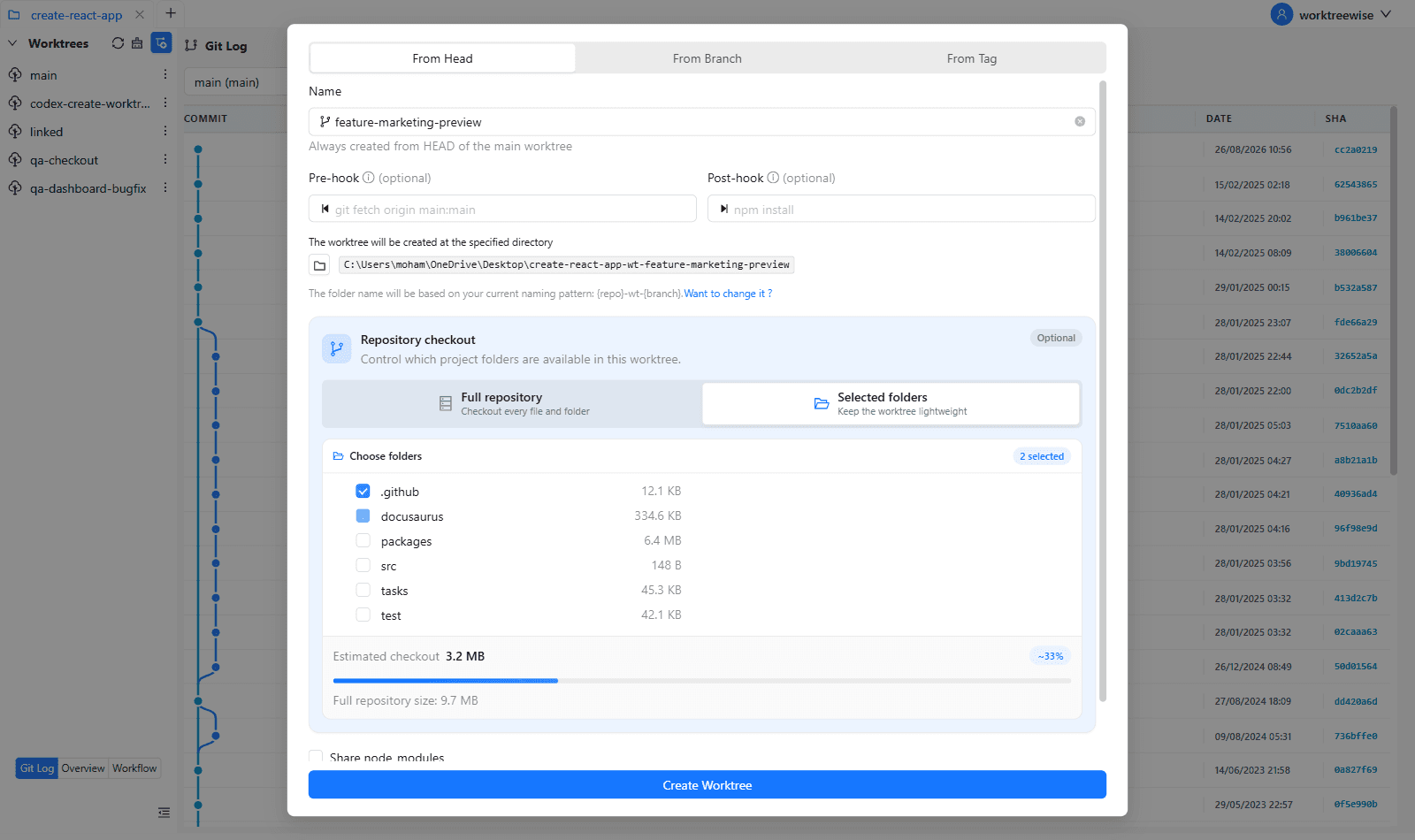
- ★WorktreeWise lets you configure sparse checkout paths with visual folder checkboxes when adding a new worktree.
Key Takeaways
- 01.Worktrees manage branches; sparse checkout manages files.
- 02.Combining both gives you lightweight parallel workspaces in massive monorepos.
How WorktreeWise Solves This Visually
WorktreeWise eliminates the manual friction and mental overhead of CLI flags. It displays real-time branch states, uncommitted modifications, active terminals, and lock statuses across all worktrees on a single visual dashboard.
WorktreeWise Engineering Publication
Written and curated by the core WorktreeWise team. We build developer tools that turn Git worktrees, workflows, and parallel AI coding agents into second nature.