

Worktree vs separate repository
TL;DR: The 30-Second Summary
Before splitting a shared codebase into multiple independent repositories (polyrepo), consider using Git worktrees. Worktrees provide isolated workspaces while keeping unified commit history, atomic cross-module refactors, and simple dependency sharing.
The Real-Life Scenario
“A platform team debates splitting frontend and backend into two separate GitHub repositories to allow parallel development. Adopting Git worktrees gives them independent directories while preserving their monorepo advantages.”
Engineering teams frequently split projects into multiple repositories to escape the pain of branch switching in a single directory. However, polyrepos introduce dependency hell, version synchronization overhead, and fragmented issue tracking. Git worktrees solve the concurrency problem without breaking the monorepo.
The High Cost of Polyrepo Fragmentation
Splitting into separate repositories requires publishing private npm packages, updating multiple PRs for a single feature, and coordinating synchronized releases.
What you see in the terminal:
Polyrepo overhead:
- PR #102 in api-repo (merged)
- PR #84 in web-repo (blocked on api-repo npm release v2.4.1)
- PR #19 in types-repo (breaking change)Under the Hood: Git Plumbing & Architecture
Worktrees allow frontend and backend developers to work in dedicated directories while committing to a single unified Git history.
Quick Command Recipes
Copy and adapt these commands directly in your terminal:
Separate checkouts in a monorepo
Maintains independent directories on the same shared repository.
git worktree add ../frontend-work feat/frontend
git worktree add ../backend-work feat/backendStep-by-Step Practical Walkthrough
Follow these verified steps to safely resolve the issue and guarantee that your filesystem and Git references are in sync.
Keep unified repository history
Maintain atomic commits that touch both frontend and backend.
Use worktrees for team isolation
Frontend engineers work in `../frontend-wt`, backend engineers in `../backend-wt`.
Enjoy unified CI/CD
Single PR verifies end-to-end integration.
Comparative Feature Matrix
| Feature | Git Worktrees (Monorepo) | Separate Repositories (Polyrepo) |
|---|---|---|
| Cross-Module Refactoring | Atomic single-commit changes | Multi-PR coordinated releases |
| Local Parallelism | Independent worktree directories | Separate clone folders |
| Dependency Sync | Instant local imports | Must publish and bump package versions |
| Tooling Overhead | Single Git repo to maintain | Multiple CI pipelines and permissions |
Edge Cases & Advanced Scenarios
Strict access control boundaries
If third-party contractors should only see frontend code and not backend code, separate repositories provide genuine permission isolation.
Common Mistakes to Avoid
❌ Mistake: Splitting into polyrepos just to avoid Git merge conflicts
Why it causes trouble: Trades simple Git conflicts for complex package versioning hell.
What to do instead: Use Git worktrees with code partitioning.
Verification Checklist
- ✓Atomic commits are preserved across frontend and backend
- ✓Developers enjoy independent working directories
Senior Engineering Tips
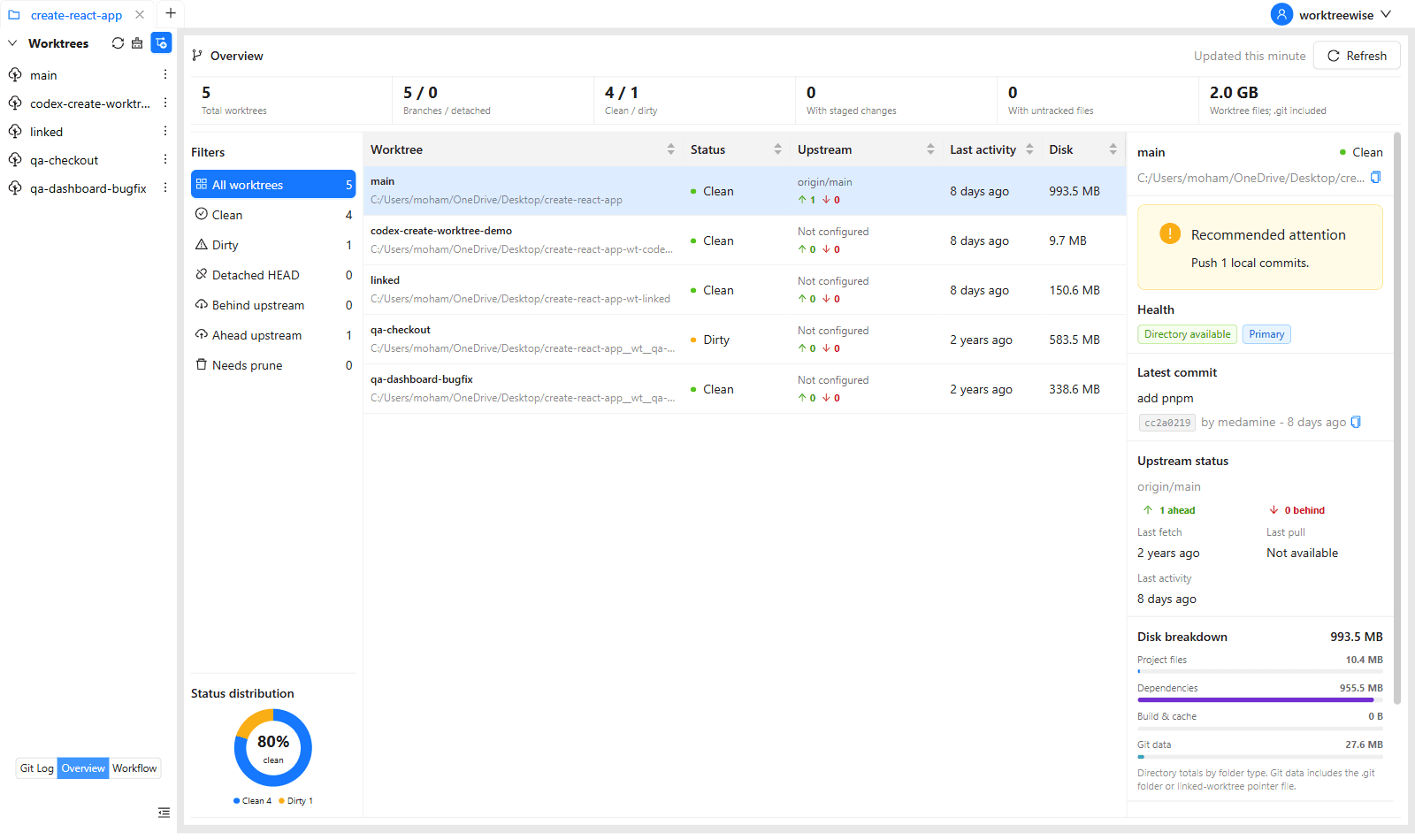
- ★WorktreeWise's multi-repository and worktree overview lets you manage both monorepo worktrees and polyrepos from a single pane of glass.
Key Takeaways
- 01.Don't split repos just to get separate directories.
- 02.Git worktrees provide directory separation without polyrepo versioning hell.
- 03.Preserve atomic cross-module refactors.
How WorktreeWise Solves This Visually
WorktreeWise eliminates the manual friction and mental overhead of CLI flags. It displays real-time branch states, uncommitted modifications, active terminals, and lock statuses across all worktrees on a single visual dashboard.
WorktreeWise Engineering Publication
Written and curated by the core WorktreeWise team. We build developer tools that turn Git worktrees, workflows, and parallel AI coding agents into second nature.