

Worktree vs checkout
TL;DR: The 30-Second Summary
`git checkout` historically did everything: switched branches, updated files, detached HEAD, and restored files. Git worktrees modernize the workflow by decoupling checked-out branches into dedicated working trees.
The Real-Life Scenario
“A junior developer asks why modern Git workflows favor `git switch` and `git worktree` over the classic Swiss-Army-knife `git checkout` command.”
For over a decade, `git checkout` was the single most overloaded command in Git. It switched branches, modified the working directory, checked out individual files from the index, and detached HEAD. Understanding the evolution to Git worktrees provides clarity on modern Git architecture.
The Overloaded Single-Checkout Paradigm
`git checkout <branch>` mutates the current directory in-place. If uncommitted edits exist, it aborts. Worktrees decouple checkouts from a single physical path.
What you see in the terminal:
$ git checkout feature-billing
error: Your local changes to 'config.ts' would be overwritten by checkout.Under the Hood: Git Plumbing & Architecture
Git 2.5 introduced worktrees, and Git 2.23 split `git checkout` into `git switch` (for branches) and `git restore` (for files). Worktrees elevate this by allowing N concurrent active checkouts.
Quick Command Recipes
Copy and adapt these commands directly in your terminal:
Classic checkout (mutates directory)
Replaces files in the current folder.
git checkout feature-billingModern worktree (adds parallel directory)
Spawns a parallel folder without altering current directory.
git worktree add ../feature-billing feature-billingStep-by-Step Practical Walkthrough
Follow these verified steps to safely resolve the issue and guarantee that your filesystem and Git references are in sync.
Understand the workflow shift
Instead of replacing your files in place, add a sibling worktree whenever you need to work on another branch.
Adopt worktrees for multi-tasking
Parallelize your development.
git worktree add ../wt-task task-branchComparative Feature Matrix
| Capability | git checkout | git worktree add |
|---|---|---|
| Active Checkouts | 1 at a time | Unlimited parallel checkouts |
| Filesystem Impact | Overwrites current folder | Creates clean sibling folder |
| Uncommitted Work | Blocks or requires stashing | Untouched in original folder |
Edge Cases & Advanced Scenarios
Checking out a specific file from another branch
For copying a single file from another branch, `git checkout <branch> -- <file>` or `git restore --source=<branch> <file>` is still useful.
Common Mistakes to Avoid
❌ Mistake: Using `git checkout -f` when branch switching is blocked
Why it causes trouble: Permanently deletes uncommitted work.
What to do instead: Open a worktree instead.
Verification Checklist
- ✓Current working directory files remain untouched
- ✓Secondary worktree is ready for development
Senior Engineering Tips
- ★Think of `git checkout` as single-tab browsing, and Git worktrees as multi-tab browsing.
Key Takeaways
- 01.`git checkout` mutates your directory in place.
- 02.`git worktree add` creates a parallel workspace.
- 03.Worktrees eliminate the risk of overwriting uncommitted work.
How WorktreeWise Solves This Visually
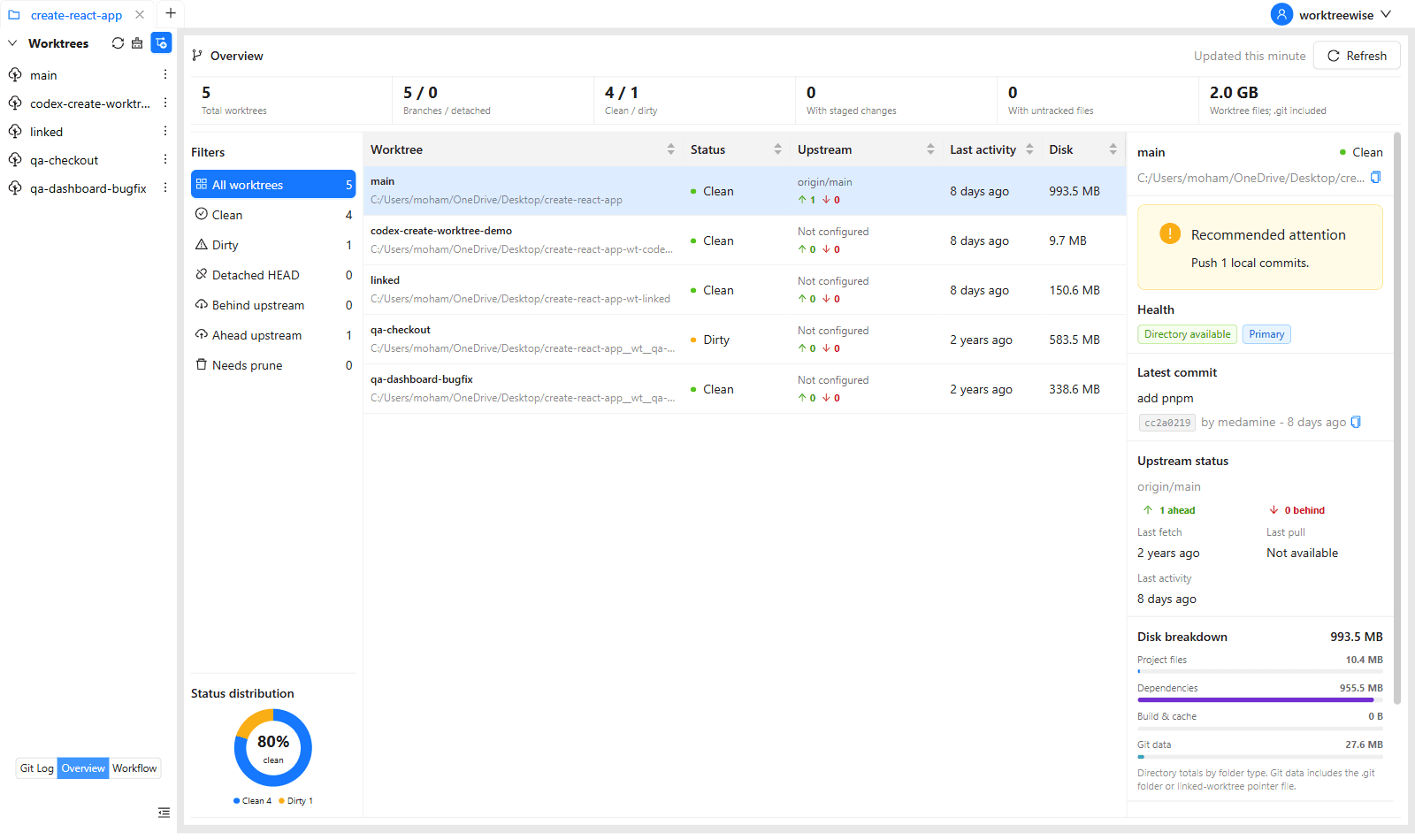
WorktreeWise eliminates the manual friction and mental overhead of CLI flags. It displays real-time branch states, uncommitted modifications, active terminals, and lock statuses across all worktrees on a single visual dashboard.
WorktreeWise Engineering Publication
Written and curated by the core WorktreeWise team. We build developer tools that turn Git worktrees, workflows, and parallel AI coding agents into second nature.