

.git file points to wrong path
TL;DR: The 30-Second Summary
When cloning, copying, or migrating worktrees to a new machine or OS user account, the `.git` pointer file still contains the old machine's absolute filesystem path. Update the path manually or run `git worktree repair` from the main repository.
The Real-Life Scenario
“A developer migrates from an Intel Mac (`/Users/john/repo`) to Apple Silicon (`/Users/john.smith/repo`). When opening their secondary worktree, Git fails because the `.git` file points to `/Users/john/repo/.git/worktrees/feat`.”
By default, Git writes absolute filesystem paths into the worktree's `.git` file and into `.git/worktrees/<name>/gitdir`. When usernames, host machines, or drive letters change, these hardcoded paths break immediately.
Hardcoded Absolute Paths in Worktree Pointers
Opening `.git` in a secondary worktree reveals a single line containing an absolute path. When that path is no longer valid, every Git command fails with `fatal: not a git repository`.
What you see in the terminal:
$ cat /projects/feature-ui/.git
gitdir: /Users/old-user/projects/main/.git/worktrees/feature-ui

$ git -C /projects/feature-ui status
fatal: not a git repository (or any of the parent directories): .gitUnder the Hood: Git Plumbing & Architecture
Git 2.32+ supports relative paths in worktrees under certain conditions, but absolute paths remain the standard default. If the path in `.git` does not resolve to an actual directory containing `commondir`, Git aborts repository discovery.
Quick Command Recipes
Copy and adapt these commands directly in your terminal:
Repair automatically from main repo
Rewrites the pointer path using the current active location.
git worktree repair /path/to/worktreeDirect edit of the .git file
Overwrites the stale path with the correct active path.
echo "gitdir: $(git rev-parse --git-common-dir)/worktrees/<name>" > .gitStep-by-Step Practical Walkthrough
Follow these verified steps to safely resolve the issue and guarantee that your filesystem and Git references are in sync.
Inspect the current invalid gitdir path
Read the `.git` file inside the broken worktree directory.
cat /projects/feature-ui/.gitgitdir: /Users/old-user/projects/main/.git/worktrees/feature-ui
Locate the actual metadata folder in the main repository
Check where the real administrative folder is located.
ls /Users/new-user/projects/main/.git/worktrees/feature-uiHEAD commondir gitdir index
Run git worktree repair
Execute repair from the main repository to update both paths.
git -C /Users/new-user/projects/main worktree repair /projects/feature-uirepair worktree: /projects/feature-ui
Confirm the pointer was updated
Verify that `.git` now contains the correct path.
cat /projects/feature-ui/.gitgitdir: /Users/new-user/projects/main/.git/worktrees/feature-ui
Edge Cases & Advanced Scenarios
Cross-platform path format (Windows backslashes vs Unix slashes)
When using WSL or Git Bash on Windows, mixing Windows paths (`C:\...`) with Unix paths (`/c/...`) can cause lookup failures. Use consistent path syntax.
Common Mistakes to Avoid
❌ Mistake: Copying worktrees between developer machines over Git or zip archives
Why it causes trouble: Worktree pointers contain machine-specific paths that never match another computer.
What to do instead: Only push branches to remote; create fresh worktrees on the new machine.
Verification Checklist
- ✓`cat .git` points to a path that actually exists on disk
- ✓`git rev-parse --show-toplevel` reports the current worktree folder
Senior Engineering Tips
- ★WorktreeWise automatically normalizes Windows and Unix paths to prevent path separator mismatches.
Key Takeaways
- 01.Linked worktrees store absolute paths inside `.git` by default.
- 02.Changing usernames, drive letters, or directories breaks these paths.
- 03.`git worktree repair <path>` updates the pointer in one command.
How WorktreeWise Solves This Visually
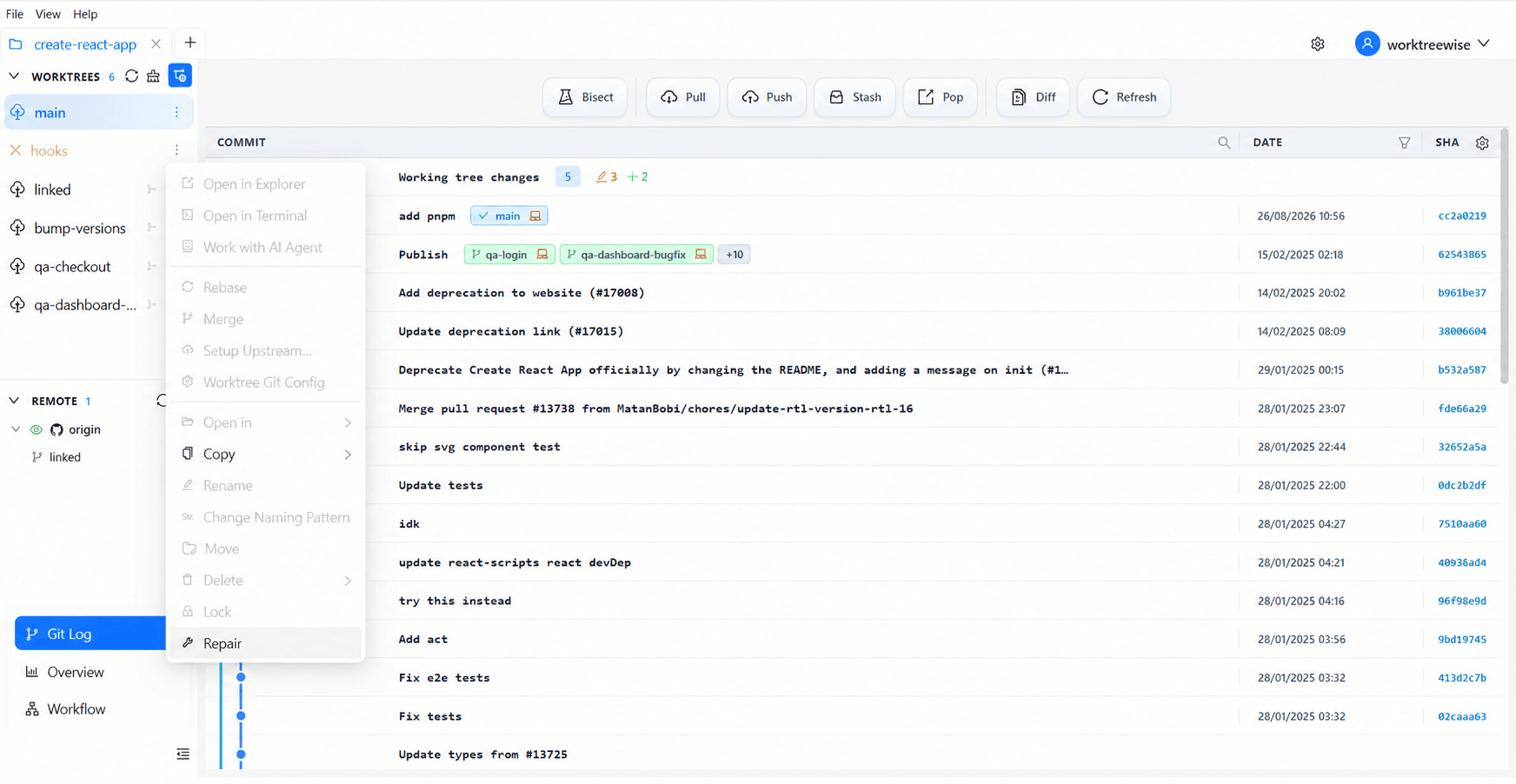
WorktreeWise eliminates the manual friction and mental overhead of CLI flags. It displays real-time branch states, uncommitted modifications, active terminals, and lock statuses across all worktrees on a single visual dashboard.
WorktreeWise Engineering Publication
Written and curated by the core WorktreeWise team. We build developer tools that turn Git worktrees, workflows, and parallel AI coding agents into second nature.