

Branch already checked out
TL;DR: The 30-Second Summary
Git prevents the same local branch from being checked out simultaneously in multiple working trees to prevent reflog and index corruption. Run `git worktree list --porcelain` to locate the active worktree, then either switch that worktree to another branch, detach its HEAD, or create a new branch pointer.
The Real-Life Scenario
“Maya is heads-down in a sprint when an urgent production bug report lands. She attempts to spawn a fresh worktree for `hotfix/login-crash`, but Git immediately aborts: `fatal: 'hotfix/login-crash' is already checked out at 'c:/projects/api-hotfix'`. She opened that worktree two days ago and forgot about it.”
One of Git's most fundamental safety guarantees is that two working trees cannot point to the same active branch reference at the same time. While this safeguard protects your commits from devastating split-brain index corruption, it frequently catches developers off guard when managing multiple parallel worktrees.
Why Git Refuses Multiple Checkouts of the Same Branch
When you execute `git checkout <branch>` or `git worktree add <path> <branch>`, Git verifies that no other registered worktree in `.git/worktrees/` holds a lock on that branch reference. If another worktree is currently tracking that branch, Git throws a fatal error.
What you see in the terminal:
$ git worktree add ../hotfix-login hotfix/login-crash
fatal: 'hotfix/login-crash' is already checked out at '/Users/dev/repos/api-secondary'Under the Hood: Git Plumbing & Architecture
Under the hood, each worktree has its own dedicated `HEAD` file located inside `.git/worktrees/<worktree-name>/HEAD`. When `HEAD` is symbolic (e.g. `ref: refs/heads/hotfix/login-crash`), Git inspects every registered worktree metadata folder during any branch-switching operation. If two independent working trees were allowed to advance the same ref simultaneously, commits made in worktree A would overwrite the uncommitted staging area and reflog history in worktree B.
Quick Command Recipes
Copy and adapt these commands directly in your terminal:
Locate the blocking worktree
Inspects all registered worktrees and prints machine-readable paths, HEAD commits, and linked branch names.
git worktree list --porcelainOption A: Free the branch by switching the other worktree
Detaches HEAD in the old worktree so the branch reference becomes free to bind elsewhere.
git -C /path/to/other-worktree switch --detach
git worktree add ../new-worktree hotfix/login-crash
Option B: Branch off the existing commit
Creates a new branch pointing to the exact same commit without violating the single-checkout rule.
git worktree add -b hotfix/login-crash-v2 ../hotfix-v2 hotfix/login-crashStep-by-Step Practical Walkthrough
Follow these verified steps to safely resolve the issue and guarantee that your filesystem and Git references are in sync.
Identify which worktree currently owns the branch
Run Git's porcelain inspection command to reveal the exact filesystem path where the target branch is currently active.
git worktree list/repos/main 04e3a1f [main] /repos/api-secondary 7b19dc2 [hotfix/login-crash] /repos/feature-billing 18c42bb [feature/billing]
Decide whether to navigate or reassign
If you just need to continue working on that branch, you don't need a new worktree—simply switch into the existing directory. If you want to move the branch to your new worktree, detach or switch the old one first.
git -C /repos/api-secondary switch mainSwitched to branch 'main'
Create your desired worktree cleanly
Now that the branch reference is released, the worktree add command will succeed instantly.
git worktree add ../hotfix-login hotfix/login-crashPreparing worktree (checking out 'hotfix/login-crash') HEAD is now at 7b19dc2 fix: null pointer on login token
Verify the new worktree topology
Run `git worktree list` to confirm that the new path is properly linked and the branch is checked out safely.
git worktree list/repos/main 04e3a1f [main] /repos/api-secondary 04e3a1f [main] /repos/hotfix-login 7b19dc2 [hotfix/login-crash]
Edge Cases & Advanced Scenarios
The worktree folder was already deleted from disk
If someone deleted the directory without using `git worktree remove`, Git still remembers it in `.git/worktrees/`. Run prune to clean up the ghost registration.
git worktree prune -vYou genuinely need two checkouts of the exact same code
Use a detached HEAD in the second worktree. Detached HEADs are anonymous and never trigger branch collision errors.
git worktree add --detach ../experiment-dir hotfix/login-crashCommon Mistakes to Avoid
❌ Mistake: Manually deleting the directory from your OS file explorer
Why it causes trouble: Leaves dangling administrative records in `.git/worktrees/`, keeping the branch permanently locked.
What to do instead: Always use `git worktree remove <path>` or run `git worktree prune` after manual file moves.
❌ Mistake: Forcing branch checkout with third-party tools
Why it causes trouble: Corrupts Git's internal index file and leads to silent merge collisions.
What to do instead: Detach the old worktree's HEAD or create a distinct feature branch.
Verification Checklist
- ✓Running `git worktree list` displays the branch bound to exactly one location
- ✓`git status` inside the target worktree reports 'On branch <branch_name>'
- ✓No dangling worktrees exist in `git worktree list --porcelain`
Senior Engineering Tips
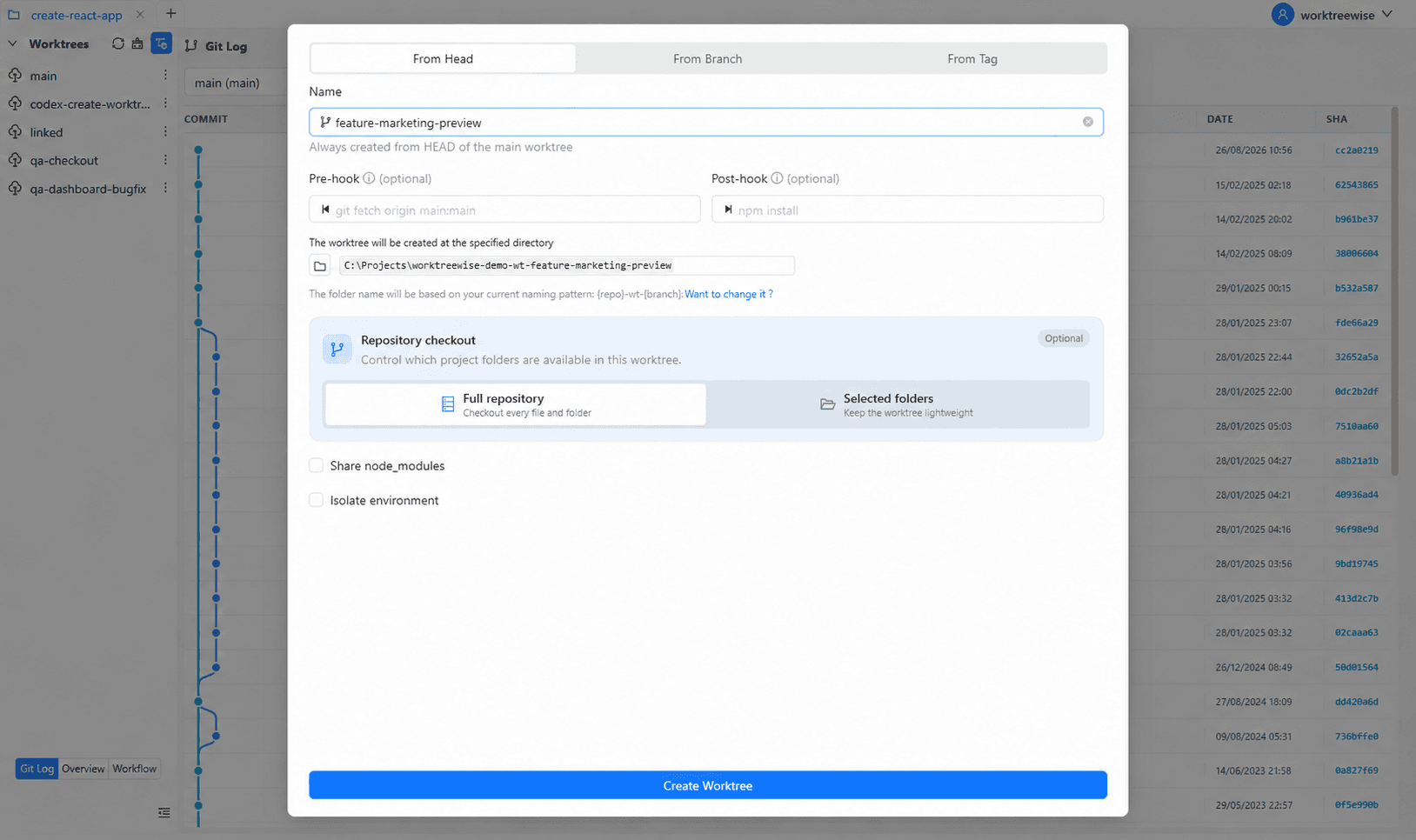
- ★In WorktreeWise, branch availability is validated dynamically in the UI so you can see which worktree holds a branch before creating collisions.
- ★If you frequently test hotfixes against master, adopt the naming convention `hotfix/<name>-review` for temporary exploratory checkouts.
Key Takeaways
- 01.Git strictly enforces 1 active branch = 1 worktree to prevent commit and staging area collisions.
- 02.`git worktree list` shows you which directory owns the branch in seconds.
- 03.Detached worktrees (`--detach`) allow read-only or exploratory builds of any branch without locking the branch name.
How WorktreeWise Solves This Visually
WorktreeWise eliminates the manual friction and mental overhead of CLI flags. It displays real-time branch states, uncommitted modifications, active terminals, and lock statuses across all worktrees on a single visual dashboard.
WorktreeWise Engineering Publication
Written and curated by the core WorktreeWise team. We build developer tools that turn Git worktrees, workflows, and parallel AI coding agents into second nature.