

Cannot delete branch because of worktree
TL;DR: The 30-Second Summary
Git blocks `git branch -d` or `git branch -D` if the target branch is currently active in any linked worktree. Locate the worktree with `git worktree list`, switch that worktree to a different branch or remove the worktree, and then delete the branch.
The Real-Life Scenario
“Alex merges a pull request on GitHub and runs branch cleanup locally: `git branch -d feature/billing`. Git aborts: `fatal: Cannot delete branch 'feature/billing' checked out at '/projects/wt-billing'`. Alex forgot that their secondary worktree is still parked on that branch.”
In a standard Git clone, you can only have one branch checked out at a time. In a worktree setup, multiple branches are actively checked out across different directories. Git strictly prevents deleting any branch that currently serves as a worktree's `HEAD`.
Why Git Protects Checked-Out Branches
If Git allowed you to delete a branch currently checked out in a worktree, that worktree would immediately enter an invalid zombie state where its `HEAD` points to a non-existent ref in `refs/heads/`.
What you see in the terminal:
$ git branch -d feature/billing
fatal: Cannot delete branch 'feature/billing' checked out at '/projects/wt-billing'Under the Hood: Git Plumbing & Architecture
When `git branch -d` runs, Git iterates over all entries in `.git/worktrees/` and reads their `HEAD` files. If any `HEAD` contains `ref: refs/heads/<branch>`, the deletion is aborted with `fatal: Cannot delete branch`.
Quick Command Recipes
Copy and adapt these commands directly in your terminal:
Option A: Remove the worktree if finished
Deletes the worktree directory and its registration, freeing the branch for immediate deletion.
git worktree remove /projects/wt-billing
git branch -d feature/billing
Option B: Switch the worktree to another branch
Rebinds the worktree to `main`, releasing the target branch without deleting the directory.
git -C /projects/wt-billing switch main
git branch -d feature/billingStep-by-Step Practical Walkthrough
Follow these verified steps to safely resolve the issue and guarantee that your filesystem and Git references are in sync.
Identify which worktree is using the branch
Run `git worktree list` to see all active branch assignments.
git worktree list/projects/main 04e3a1f [main] /projects/wt-billing 7b19dc2 [feature/billing]
Decide: Retire or Reassign the worktree
If the feature is complete and merged, remove the worktree entirely.
git worktree remove /projects/wt-billingDelete the branch cleanly
Now that no worktree is holding the branch, delete it safely.
git branch -d feature/billingDeleted branch feature/billing (was 7b19dc2).
Edge Cases & Advanced Scenarios
The worktree folder was already deleted manually
If the folder is gone but Git still blocks deletion, run `git worktree prune` first to clear the ghost checkout.
git worktree prune
git branch -d feature/billingCommon Mistakes to Avoid
❌ Mistake: Trying to force delete with `-D` without freeing the worktree
Why it causes trouble: `git branch -D` also fails with the exact same error: force flag does not override worktree checkout safety.
What to do instead: You must switch or remove the worktree first.
Verification Checklist
- ✓`git branch` no longer lists the deleted branch
- ✓`git worktree list` confirms no worktree is pointing to the deleted ref
Senior Engineering Tips
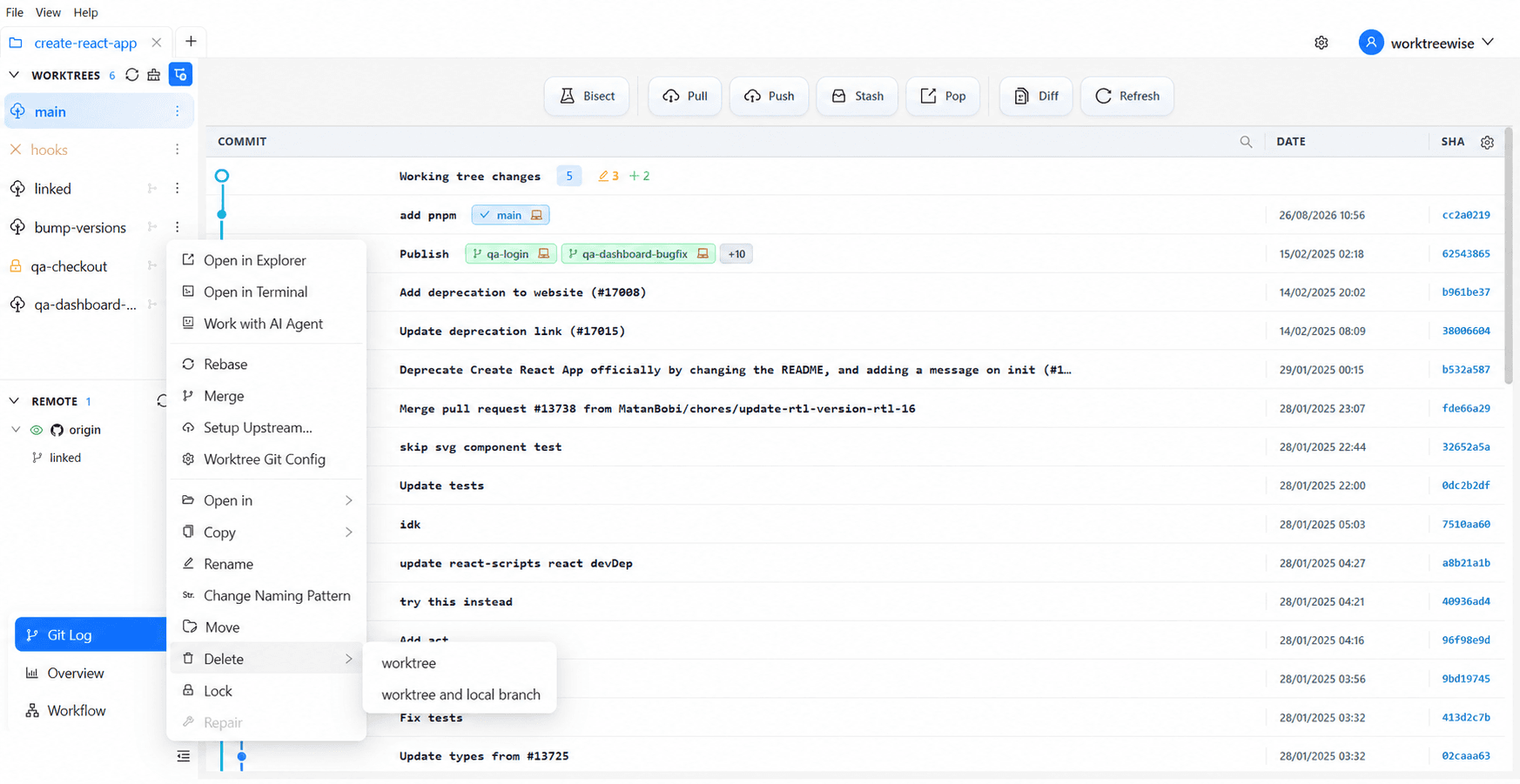
- ★In WorktreeWise, deleting a worktree offers an optional checkbox: 'Also delete local branch', completing both steps in a single click.
Key Takeaways
- 01.No branch can be deleted while checked out in any active worktree.
- 02.`git branch -D` cannot bypass this protection.
- 03.Either remove the worktree or switch it to another branch before deleting.
How WorktreeWise Solves This Visually
WorktreeWise eliminates the manual friction and mental overhead of CLI flags. It displays real-time branch states, uncommitted modifications, active terminals, and lock statuses across all worktrees on a single visual dashboard.
WorktreeWise Engineering Publication
Written and curated by the core WorktreeWise team. We build developer tools that turn Git worktrees, workflows, and parallel AI coding agents into second nature.