

Share node_modules
TL;DR: The 30-Second Summary
Sharing `node_modules` via directory symlinks or Windows directory junctions is safe ONLY when both branches share identical `package.json` and `package-lock.json` files. Learn when it saves time and when to avoid it.
The Real-Life Scenario
“In a 10GB enterprise monorepo, running `npm install` takes 8 minutes. For small documentation and styling tweaks where dependencies never change, sharing `node_modules` allows opening worktrees in 1 second.”
For massive monorepos, waiting minutes for `npm install` every time you spawn a temporary worktree is a productivity killer. When dependencies are guaranteed to be identical, sharing `node_modules` can be an effective shortcut.
The Risk of Shared Dependency Directories
Sharing `node_modules` creates a single point of failure. If any developer or agent runs `npm install` or updates a package in one worktree, all linked worktrees are affected.
What you see in the terminal:
Warning: node_modules is a directory junction pointing to /repos/main/node_modulesUnder the Hood: Git Plumbing & Architecture
On POSIX systems, `ln -s` creates a symbolic link. On Windows, directory junctions (`mklink /J`) provide native NTFS redirection that Node.js and IDEs resolve transparently.
Quick Command Recipes
Copy and adapt these commands directly in your terminal:
Create directory junction on Windows
Creates an NTFS junction pointing to the main repository's dependencies.
mklink /J node_modules ..\main\node_modulesCreate symlink on macOS / Linux
Creates a POSIX symlink to the shared dependency folder.
ln -s ../main/node_modules ./node_modulesStep-by-Step Practical Walkthrough
Follow these verified steps to safely resolve the issue and guarantee that your filesystem and Git references are in sync.
Verify lockfile equality
Ensure the branch has zero dependency changes.
git diff main..HEAD -- package-lock.jsonLink node_modules
Link to the existing installed folder.
ln -s ../main/node_modules ./node_modulesTest application build
Confirm build succeeds without missing packages.
npm run buildEdge Cases & Advanced Scenarios
Breaking the link when dependencies change
If the branch later needs a new package, remove the symlink and run a fresh `npm install`.
rm node_modules && npm installCommon Mistakes to Avoid
❌ Mistake: Sharing `node_modules` when reviewing dependency upgrade PRs
Why it causes trouble: Completely invalidates the review test pass.
What to do instead: Only share for non-dependency tasks (docs, styles, content).
Verification Checklist
- ✓Both worktrees have identical lockfile hashes
- ✓No package management commands (`npm add`, `yarn install`) are executed in linked worktrees
Senior Engineering Tips
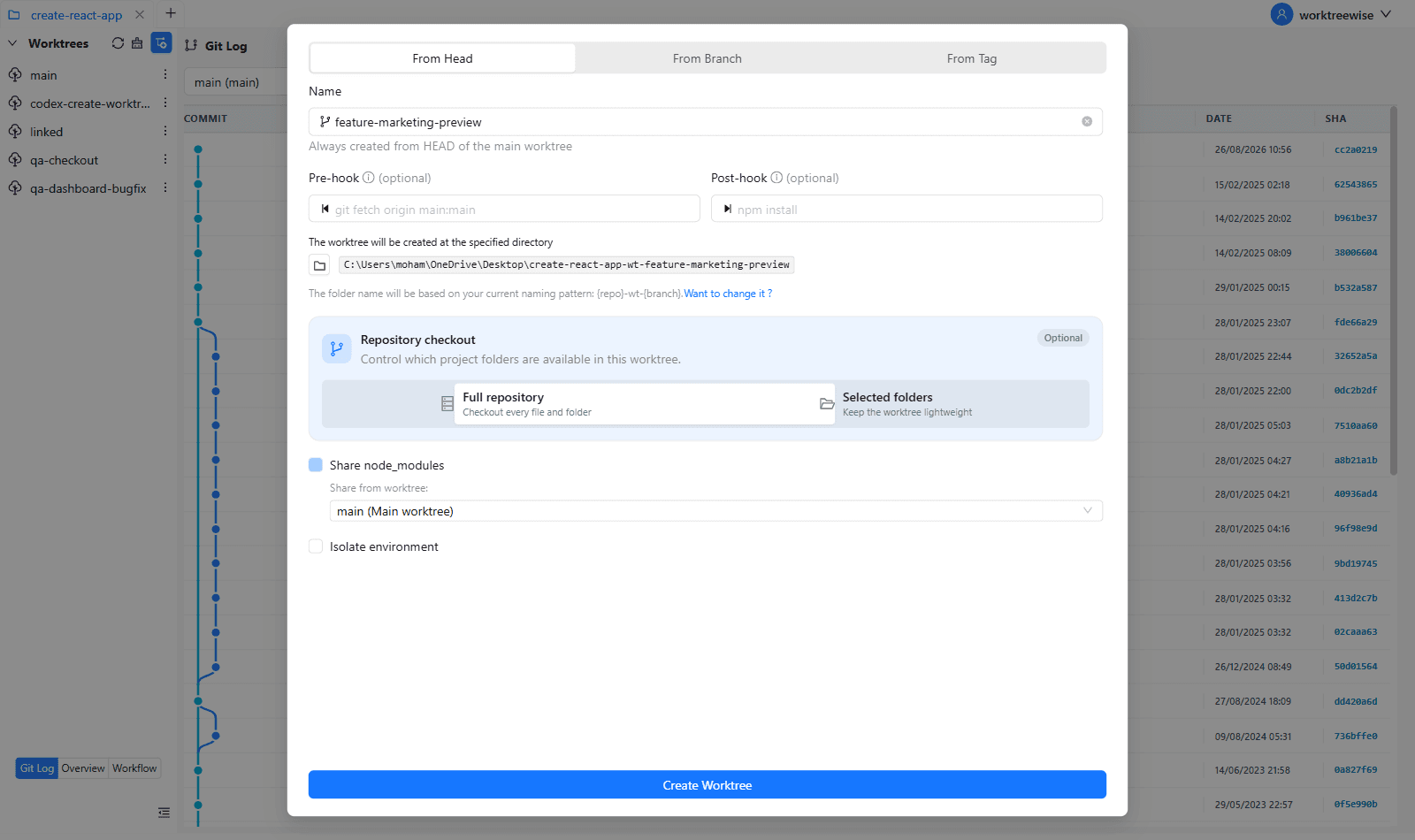
- ★WorktreeWise includes a 'Share node_modules' toggle during worktree creation with automated lockfile safety checks.
Key Takeaways
- 01.Share `node_modules` only when lockfiles are 100% identical.
- 02.Saves gigabytes of disk and eliminates install wait times for small fixes.
- 03.Break the symlink immediately if packages change.
How WorktreeWise Solves This Visually
WorktreeWise eliminates the manual friction and mental overhead of CLI flags. It displays real-time branch states, uncommitted modifications, active terminals, and lock statuses across all worktrees on a single visual dashboard.
WorktreeWise Engineering Publication
Written and curated by the core WorktreeWise team. We build developer tools that turn Git worktrees, workflows, and parallel AI coding agents into second nature.