

Different ports per worktree
TL;DR: The 30-Second Summary
When running multiple worktrees simultaneously, dev servers collide on default ports (e.g. `3000`, `8080`). Use dynamic port environment variables (`PORT=3001 npm run dev`), port offset scripts, or reverse proxies to run unlimited parallel apps.
The Real-Life Scenario
“Marcus starts a Next.js server on `main` (`localhost:3000`). He switches to his `feature/redesign` worktree and types `npm run dev`. The terminal screams: `Error: listen EADDRINUSE: address already in use :::3000`.”
Running multiple branches simultaneously is the primary superpower of Git worktrees. However, operating system network sockets are global: two different processes cannot bind to `0.0.0.0:3000` at the same time. Implementing a clean port allocation strategy is crucial.
The EADDRINUSE Dilemma
Every modern web framework (Next.js, Vite, Express, Django, Rails) defaults to a fixed port. Without dynamic configuration, starting a second server immediately crashes.
What you see in the terminal:
$ npm run dev
ready - started server on 0.0.0.0:3000, url: http://localhost:3000
Error: listen EADDRINUSE: address already in use :::3000Under the Hood: Git Plumbing & Architecture
TCP socket binding is governed by OS networking kernels. When process A calls `bind()` on port 3000 without `SO_REUSEPORT`, any subsequent `bind()` call by process B is rejected with `EADDRINUSE`.
Quick Command Recipes
Copy and adapt these commands directly in your terminal:
Dynamic port override (Next.js / Vite)
Overrides the default port for this specific terminal session.
PORT=3001 npm run devAuto-detect available port with Vite
Vite automatically falls back to 3001 if 3000 is occupied.
npx vite --port 3000Step-by-Step Practical Walkthrough
Follow these verified steps to safely resolve the issue and guarantee that your filesystem and Git references are in sync.
Identify active ports
Check which worktree or process is currently holding port 3000.
lsof -i :3000Define a port convention
Assign port 3000 to `main`, 3001 to Worktree A, 3002 to Worktree B.
Configure .env.local per worktree
Write `PORT=3001` inside `../worktree-a/.env.local`.
Run dev servers concurrently
Open `http://localhost:3000` and `http://localhost:3001` side-by-side in your browser.
Edge Cases & Advanced Scenarios
CORS issues with multi-port backends
If your backend runs on port 8000 and expects frontend on 3000, update your backend CORS configuration to allow `localhost:300*` regex origins.
Common Mistakes to Avoid
❌ Mistake: Killing the existing dev server whenever you switch worktrees
Why it causes trouble: Destroys the productivity advantage of parallel worktrees.
What to do instead: Use dynamic port offsets so both servers run together.
Verification Checklist
- ✓Both applications run concurrently on different ports
- ✓Browser hot reloading works independently in each tab
Senior Engineering Tips
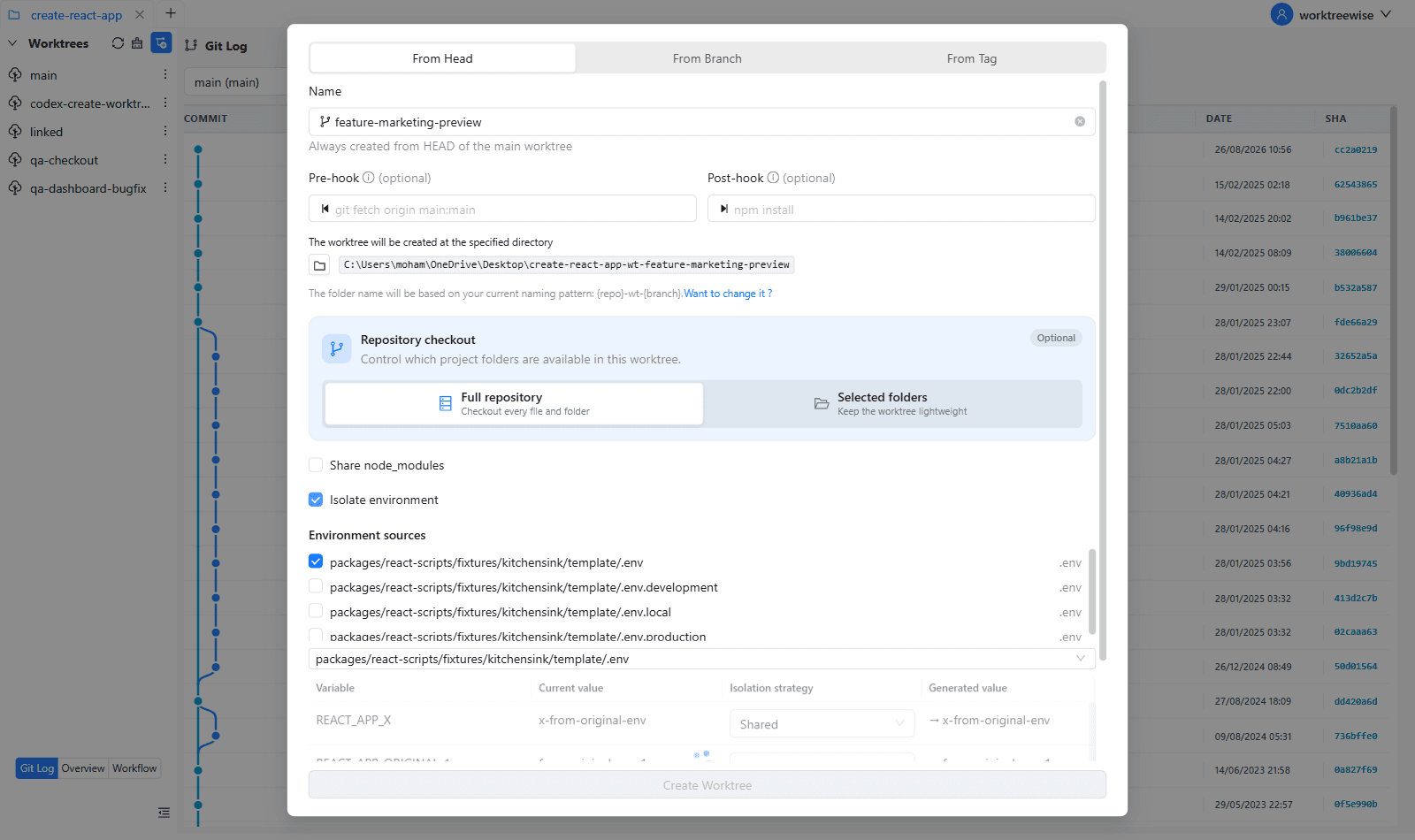
- ★WorktreeWise can automatically allocate incremented ports (3000, 3001, 3002) for each worktree you create.
Key Takeaways
- 01.OS sockets cannot be shared on the same port.
- 02.Override ports via `PORT=300x` in `.env.local`.
- 03.Update CORS policies to permit multiple local ports.
How WorktreeWise Solves This Visually
WorktreeWise eliminates the manual friction and mental overhead of CLI flags. It displays real-time branch states, uncommitted modifications, active terminals, and lock statuses across all worktrees on a single visual dashboard.
WorktreeWise Engineering Publication
Written and curated by the core WorktreeWise team. We build developer tools that turn Git worktrees, workflows, and parallel AI coding agents into second nature.