

Python virtualenv per worktree
TL;DR: The 30-Second Summary
Avoid Python dependency conflicts across Git worktrees by maintaining a dedicated `.venv` inside each worktree directory. Use `direnv`, Poetry, or uv to activate the correct virtual environment automatically upon entering the folder.
The Real-Life Scenario
“A Python engineer tests upgrading Django from 4.2 LTS to 5.1 in a feature worktree. Because she shared a global virtualenv, running tests in the worktree accidentally breaks Django 4.2 in her main terminal.”
Python's import system relies on `sys.path`, which is tied directly to the active virtual environment. When managing multiple Git worktrees with different dependency requirements, maintaining a dedicated virtualenv per worktree is critical.
The Danger of Shared Virtual Environments
If two worktrees share a single virtualenv, running `pip install -r requirements.txt` in Branch A overwrites package versions required by Branch B.
What you see in the terminal:
ImportError: cannot import name 'url' from 'django.conf.urls' (removed in Django 4.0+)Under the Hood: Git Plumbing & Architecture
A Python virtual environment is a lightweight folder containing a copy of the Python interpreter, symlinked standard libraries, and a `site-packages/` directory.
Quick Command Recipes
Copy and adapt these commands directly in your terminal:
Create local virtualenv in worktree
Creates an isolated virtual environment scoped to this worktree folder.
python3 -m venv .venv
source .venv/bin/activate
pip install -r requirements.txt
Fast virtualenv with uv (sub-second)
Creates and syncs the virtualenv in under 1 second using uv.
uv venv && source .venv/bin/activate && uv pip syncStep-by-Step Practical Walkthrough
Follow these verified steps to safely resolve the issue and guarantee that your filesystem and Git references are in sync.
Ensure `.venv` is in `.gitignore`
Verify that `.venv/` is ignored in the root repository `.gitignore`.
Create worktree
Spawn the directory.
git worktree add ../py-feature -b feat/py mainInitialize virtualenv
Create the isolated environment.
cd ../py-feature && python3 -m venv .venvActivate and install
Install dependencies.
source .venv/bin/activate && pip install -r requirements.txtEdge Cases & Advanced Scenarios
Poetry in-project virtualenvs
Configure `poetry config virtualenvs.in-project true` so Poetry automatically places `.venv` inside each worktree.
Common Mistakes to Avoid
❌ Mistake: Activating `.venv` from the main repository inside the feature worktree
Why it causes trouble: Runs Python with the main repo's dependency versions.
What to do instead: Always activate the worktree's own `.venv`.
Verification Checklist
- ✓`which python` points to the `.venv` inside the current worktree
- ✓`pip list` shows versions matching the branch requirements
Senior Engineering Tips
- ★Use `direnv` with `.envrc` containing `layout python3` to auto-activate the virtualenv whenever you `cd` into any worktree.
Key Takeaways
- 01.Always create a separate `.venv` inside each Python worktree.
- 02.Use `uv` for sub-second virtualenv creation.
- 03.Configure IDEs (PyCharm, VS Code) to point to the worktree's `.venv`.
How WorktreeWise Solves This Visually
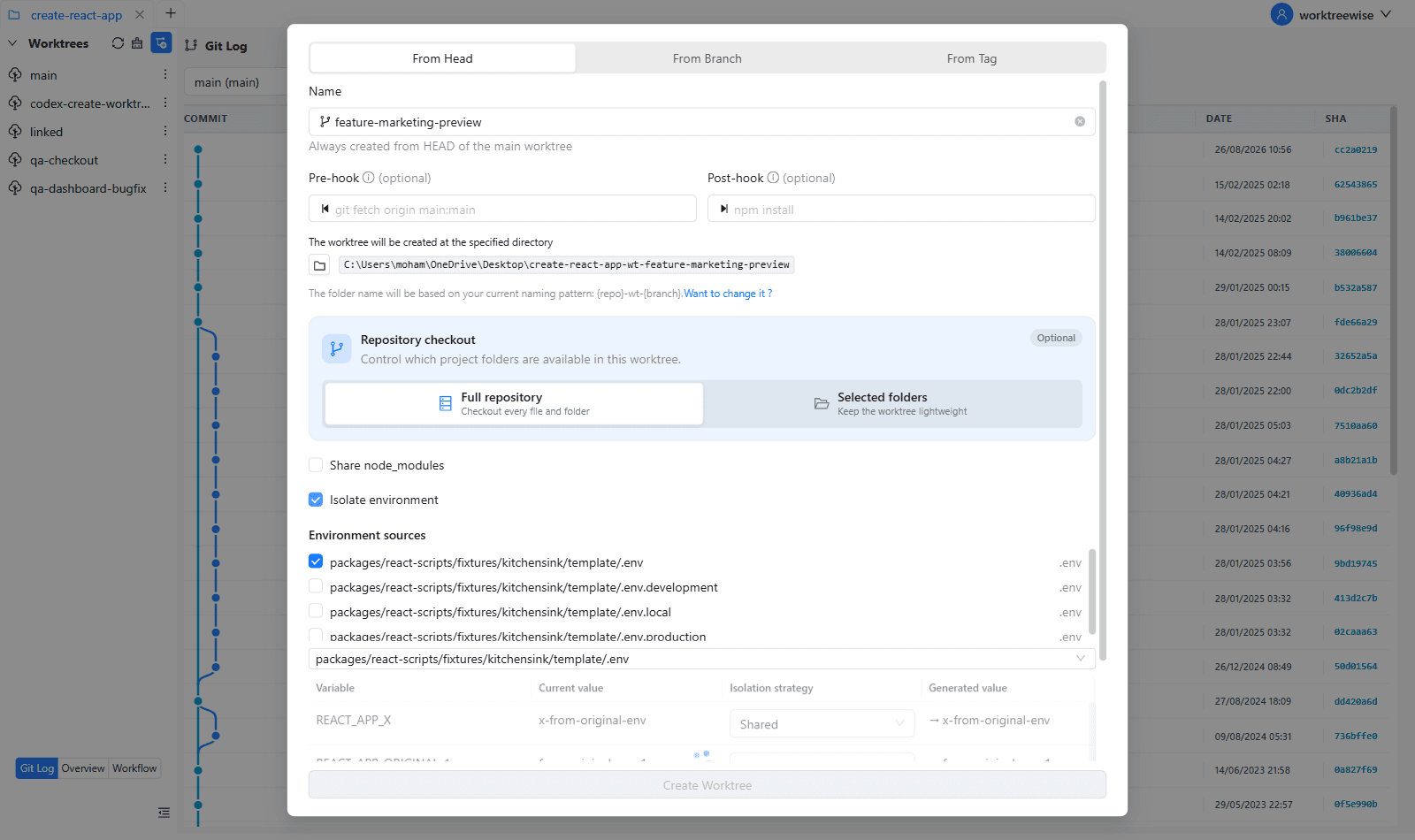
WorktreeWise eliminates the manual friction and mental overhead of CLI flags. It displays real-time branch states, uncommitted modifications, active terminals, and lock statuses across all worktrees on a single visual dashboard.
WorktreeWise Engineering Publication
Written and curated by the core WorktreeWise team. We build developer tools that turn Git worktrees, workflows, and parallel AI coding agents into second nature.