

node_modules in worktrees
TL;DR: The 30-Second Summary
Should each Git worktree have its own `node_modules` or should they be shared? Individual `node_modules` guarantees 100% dependency safety when branches diverge, while modern package managers (pnpm, yarn) use content-addressable storage to prevent disk bloat.
The Real-Life Scenario
“Branch A upgrades React from 18 to 19, while Branch B is a maintenance patch on React 18. Attempting to share a single `node_modules` folder causes compilation errors and runtime hook crashes in both branches.”
`node_modules` directories in modern JavaScript/TypeScript projects can easily consume 500MB to 2GB of disk space. When working with multiple Git worktrees, developers must choose between complete directory isolation and storage efficiency.
The Problem with Sharing Mutable node_modules
If two worktrees share a single `node_modules` folder via symlinks, running `npm install` in Branch A mutates the package tree for Branch B. Divergent lockfiles will break builds.
What you see in the terminal:
Error: Cannot find module 'react/jsx-runtime'
Invalid hook call. Hooks can only be called inside the body of a function component.Under the Hood: Git Plumbing & Architecture
Symlinked `node_modules` fail whenever `package.json` or `package-lock.json` differ between branches. True isolation requires separate `node_modules` directories, backed by a global hardlink store (pnpm).
Quick Command Recipes
Copy and adapt these commands directly in your terminal:
Clean install in new worktree
Installs dependencies exactly matching the branch's package-lock.json.
cd ../feature-worktree && npm ciCheck disk usage of node_modules
Compares disk consumption across all worktrees.
du -sh ../*/node_modulesStep-by-Step Practical Walkthrough
Follow these verified steps to safely resolve the issue and guarantee that your filesystem and Git references are in sync.
Create worktree
Spawn the clean directory.
git worktree add ../feat-ui -b feat/ui mainRun npm ci
Install branch-accurate dependencies.
cd ../feat-ui && npm ciVerify dependency isolation
Confirm the installed version matches the branch requirements.
npm list reactEdge Cases & Advanced Scenarios
Monorepo hoisting
In Turborepo/Nx monorepos, root `node_modules` and package `node_modules` must both be isolated per worktree.
Common Mistakes to Avoid
❌ Mistake: Symlinking `node_modules` across branches with different dependency versions
Why it causes trouble: Bizarre runtime errors and broken build outputs that disappear on clean rebuilds.
What to do instead: Keep `node_modules` separate, or use pnpm.
Verification Checklist
- ✓Each worktree contains its own `node_modules` folder
- ✓Dependency upgrades in one worktree do not break sibling worktrees
Senior Engineering Tips
- ★Switching from npm to pnpm reduces multi-worktree disk overhead by 90% through automatic global content-addressable storage.
Key Takeaways
- 01.Never share mutable `node_modules` across branches with divergent dependencies.
- 02.Use `npm ci` for fast, reproducible installs.
- 03.Adopt pnpm for zero-cost per-worktree dependencies.
How WorktreeWise Solves This Visually
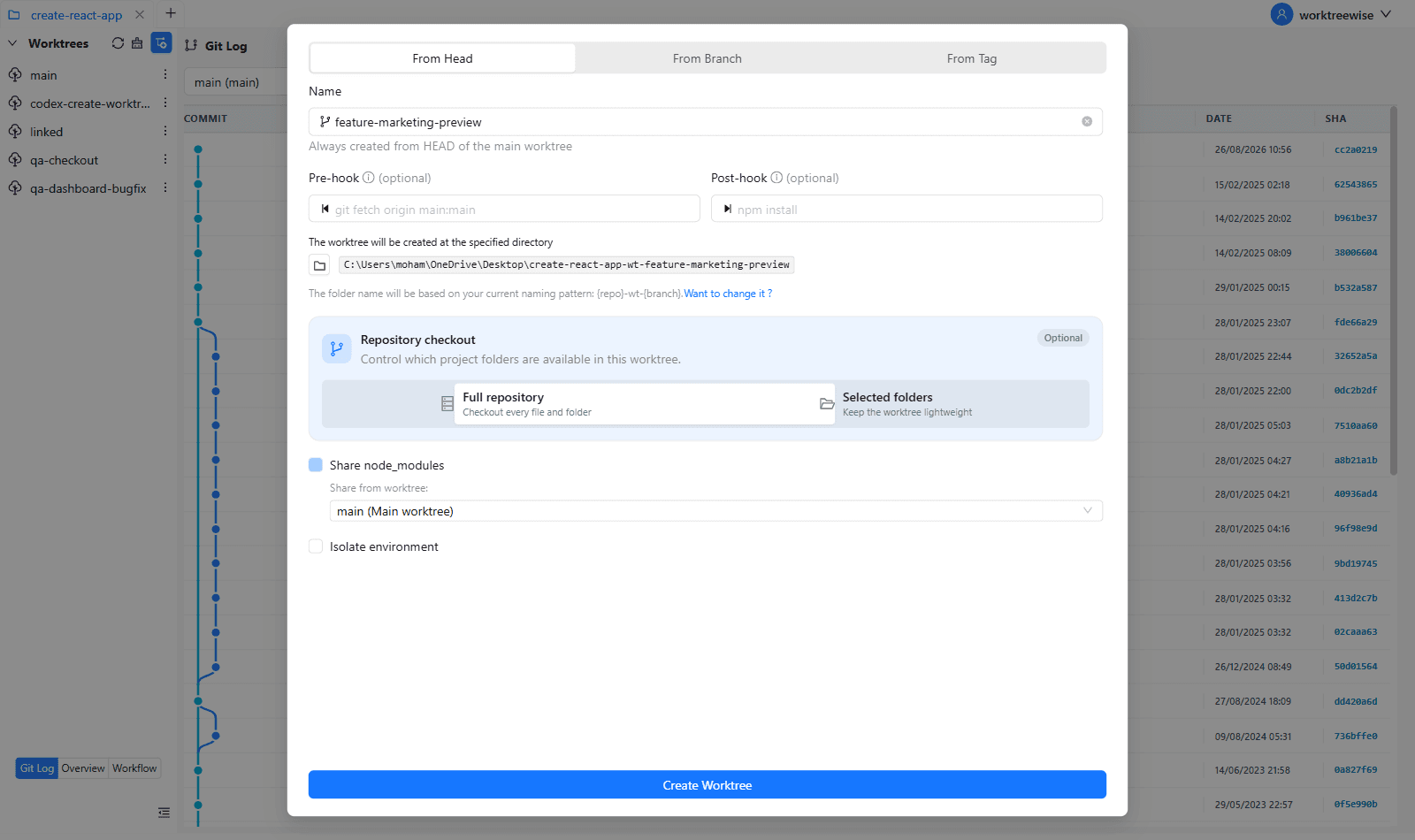
WorktreeWise eliminates the manual friction and mental overhead of CLI flags. It displays real-time branch states, uncommitted modifications, active terminals, and lock statuses across all worktrees on a single visual dashboard.
WorktreeWise Engineering Publication
Written and curated by the core WorktreeWise team. We build developer tools that turn Git worktrees, workflows, and parallel AI coding agents into second nature.