

Isolate AI coding agents
TL;DR: The 30-Second Summary
True AI agent isolation requires more than just Git branches—it requires filesystem separation, process boundaries, port offsets, and untracked environment isolation. Learn how to construct an impenetrable development sandbox.
The Real-Life Scenario
“An agent executing a heavy build script triggers an out-of-memory error and kills the Node process. Because it was running in an isolated worktree with independent ports and memory limits, the developer's main editor and application server remain unharmed.”
Giving an AI agent read/write access to your code requires defense-in-depth. A complete isolation strategy ensures that background agents cannot corrupt your staging index, exhaust shared system ports, or overwrite private `.env` secrets.
The Multi-Layered Isolation Problem
Isolation must cover four distinct layers: Git state (index/HEAD), filesystem (source files/configs), process execution (Node/Python daemons), and network (ports/databases).
What you see in the terminal:
EADDRINUSE: address already in use :::3000
FATAL: database "app_dev" is locked by process 9812Under the Hood: Git Plumbing & Architecture
Git worktrees provide the filesystem and Git layer isolation natively. Pairing worktrees with port environment variables (`PORT=3001`) and local database schemas completes the sandbox.
Quick Command Recipes
Copy and adapt these commands directly in your terminal:
Create isolated environment
Copies safe sandboxed environment configs into the new worktree.
git worktree add ../sandboxed-agent -b agent/sandbox main
cp .env.sandbox ../sandboxed-agent/.envStep-by-Step Practical Walkthrough
Follow these verified steps to safely resolve the issue and guarantee that your filesystem and Git references are in sync.
Layer 1: Git Worktree
Creates an isolated branch and separate `.git/worktrees/<name>/index` file.
git worktree add ../agent-env -b agent/env mainLayer 2: Environment Variables
Provide dedicated `.env` with sandboxed API keys and custom ports.
Layer 3: Process Execution
Run the agent in a dedicated shell or terminal window.
Layer 4: Verification
Confirm no shared state leaks into your main repository.
Edge Cases & Advanced Scenarios
Shared memory caches (Redis)
Use key prefixing or separate Redis DB indices (e.g. `REDIS_DB=2`) for agent worktrees.
Common Mistakes to Avoid
❌ Mistake: Sharing live production database credentials in agent `.env` files
Why it causes trouble: An AI agent could accidentally drop or modify production tables during testing.
What to do instead: Always use local mock or seeded SQLite/PostgreSQL databases.
Verification Checklist
- ✓Agent runs against mocked or local-only databases
- ✓Network ports do not collide with active dev servers
Senior Engineering Tips
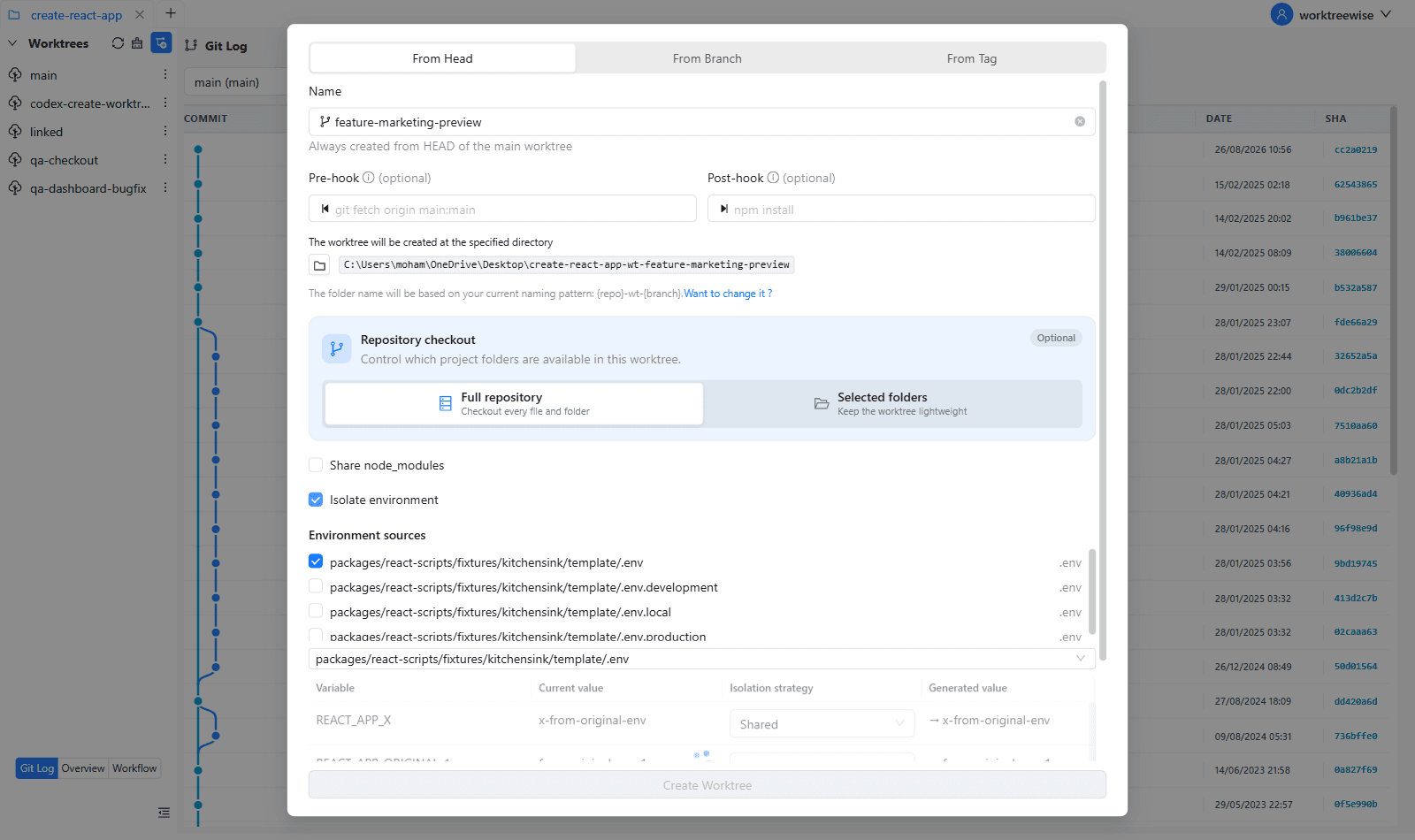
- ★WorktreeWise includes an Environment Isolation configuration screen to automate port and env variable mapping per worktree.
Key Takeaways
- 01.Isolate Git state, filesystem, processes, and network ports.
- 02.Never give AI agents production credentials.
- 03.Worktrees are the core filesystem foundation of the sandbox.
How WorktreeWise Solves This Visually
WorktreeWise eliminates the manual friction and mental overhead of CLI flags. It displays real-time branch states, uncommitted modifications, active terminals, and lock statuses across all worktrees on a single visual dashboard.
WorktreeWise Engineering Publication
Written and curated by the core WorktreeWise team. We build developer tools that turn Git worktrees, workflows, and parallel AI coding agents into second nature.