

Share changes between agent worktrees
TL;DR: The 30-Second Summary
Because all worktrees share the same underlying repository object database, you can cherry-pick, rebase, or format patches between worktrees instantly without pushing to a remote server or copying files manually.
The Real-Life Scenario
“Agent 1 generates a new TypeScript interface in `agent/database` that Agent 2 in `agent/api` desperately needs. Instead of waiting for Agent 1 to finish its entire feature, the developer cherry-picks the single commit directly into Agent 2's worktree.”
One of the greatest superpowers of Git worktrees is that they share a unified `.git/objects` database. Any commit made in Worktree A is immediately visible and accessible to Worktree B—zero network traffic or remote pushes required.
The Friction of Polyrepo or Multi-Clone Sharing
If you used multiple Git clones, sharing a commit would require pushing to GitHub and pulling in the other directory. In worktrees, commits are already local.
What you see in the terminal:
$ git cherry-pick 8a12f4c
[agent/api 3d19e8a] feat: add user interface types
1 file changed, 25 insertions(+)Under the Hood: Git Plumbing & Architecture
All worktrees point to the primary `.git` directory via `commondir`. When Agent 1 writes commit `8a12f4c`, the commit object and tree blobs are written directly into `.git/objects/`. Agent 2 can immediately reference that hash.
Quick Command Recipes
Copy and adapt these commands directly in your terminal:
Cherry-pick commit from another worktree
Applies a specific commit from Agent 1 into Agent 2's working tree.
git -C ../agent-api cherry-pick <commit-sha>Share uncommitted changes via temporary patch
Transfers uncommitted working edits between worktrees in milliseconds.
git -C ../agent-1 diff > /tmp/shared.patch
git -C ../agent-2 apply /tmp/shared.patchStep-by-Step Practical Walkthrough
Follow these verified steps to safely resolve the issue and guarantee that your filesystem and Git references are in sync.
Identify the desired commit SHA
Find the commit you want to transfer.
git -C ../agent-1 log --oneline -n 3e4a11bc feat: add shared schema types
Apply into the receiving worktree
Cherry-pick applies the commit cleanly.
git -C ../agent-2 cherry-pick e4a11bc[agent-2 91c4d11] feat: add shared schema types
Verify the transferred changes
Confirm the new code is active in the receiving worktree.
git -C ../agent-2 statusEdge Cases & Advanced Scenarios
Transferring uncommitted staged files
Use `git stash` and `git stash apply`—stashes are shared globally across all worktrees!
git -C ../agent-1 stash
git -C ../agent-2 stash applyCommon Mistakes to Avoid
❌ Mistake: Manually copying files between worktree directories
Why it causes trouble: Loses commit authorship, message, and Git history tracking.
What to do instead: Always use `git cherry-pick` or `git patch`.
Verification Checklist
- ✓Commit hash is successfully applied in the destination worktree
- ✓Tests in the destination worktree continue to pass
Senior Engineering Tips
- ★Because Git stashes are repository-wide, you can `git stash` in Worktree A and immediately `git stash apply` in Worktree B.
Key Takeaways
- 01.All worktrees share the same commit object database.
- 02.Cherry-pick works instantly between worktrees without remote pushes.
- 03.Global stash allows transferring uncommitted work between worktrees in seconds.
How WorktreeWise Solves This Visually
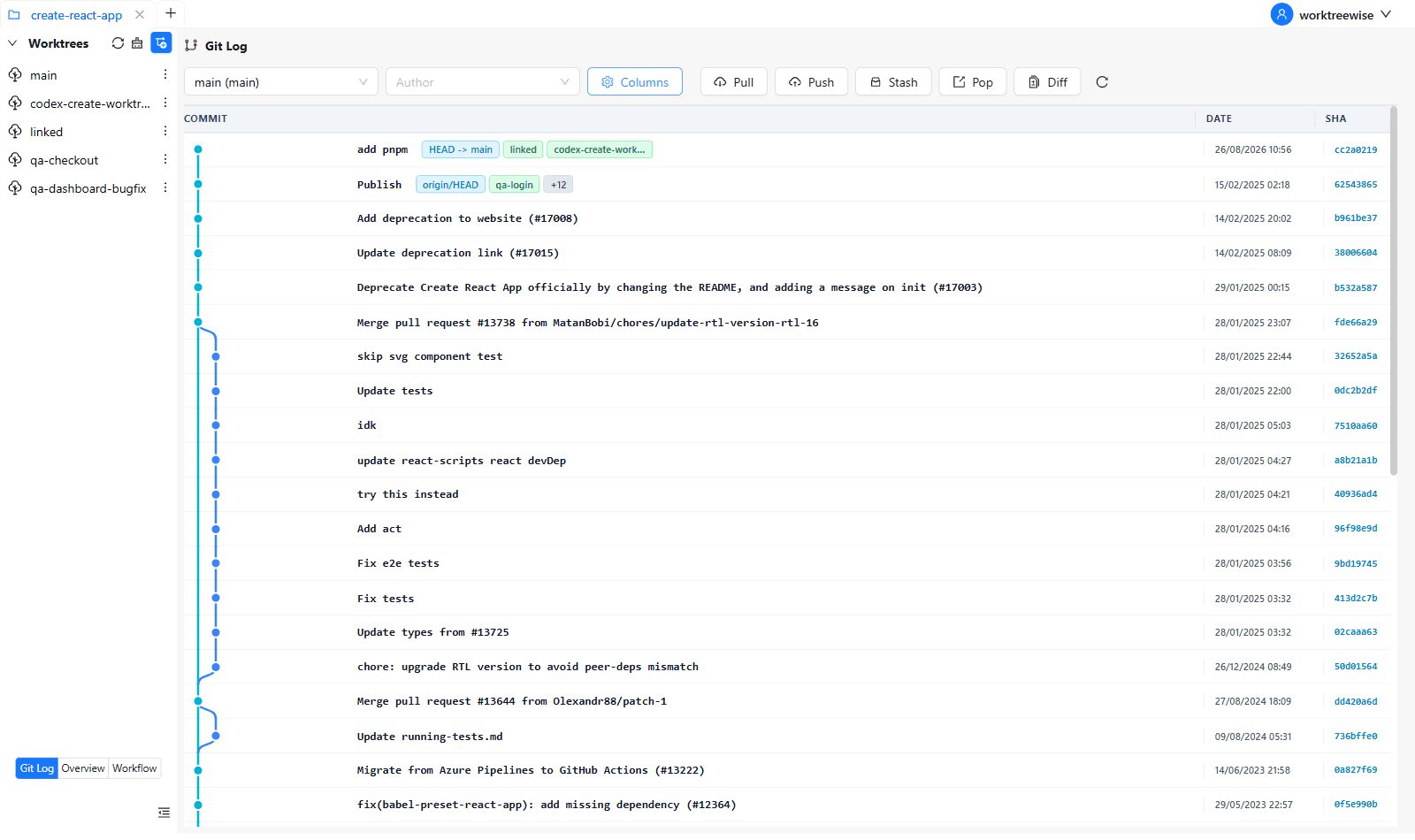
WorktreeWise eliminates the manual friction and mental overhead of CLI flags. It displays real-time branch states, uncommitted modifications, active terminals, and lock statuses across all worktrees on a single visual dashboard.
WorktreeWise Engineering Publication
Written and curated by the core WorktreeWise team. We build developer tools that turn Git worktrees, workflows, and parallel AI coding agents into second nature.