

Parallel feature development with agents
TL;DR: The 30-Second Summary
Accelerate your sprint velocity by assigning multiple roadmap features to parallel AI agents in Git worktrees. Discover how to plan, monitor, and merge concurrent feature branches efficiently.
The Real-Life Scenario
“During a 2-week sprint, a product team assigns search filters, export to CSV, and dark mode theming to 3 parallel AI agents. The features are built simultaneously in 3 worktrees, reviewed by developers, and deployed days ahead of schedule.”
Parallel feature development has traditionally been limited by developer headcount and communication overhead. By pairing senior developers with multiple parallel AI agents operating in Git worktrees, teams can compress weeks of feature delivery into days.
Managing Multiple Concurrent Feature Streams
When multiple features develop simultaneously, managing local environments, keeping branches fresh, and preventing merge gridlock becomes the primary operational challenge.
What you see in the terminal:
3 features in flight:
- branch feat/search (3 commits ahead)
- branch feat/export (5 commits ahead)
- branch feat/dark-mode (2 commits ahead)Under the Hood: Git Plumbing & Architecture
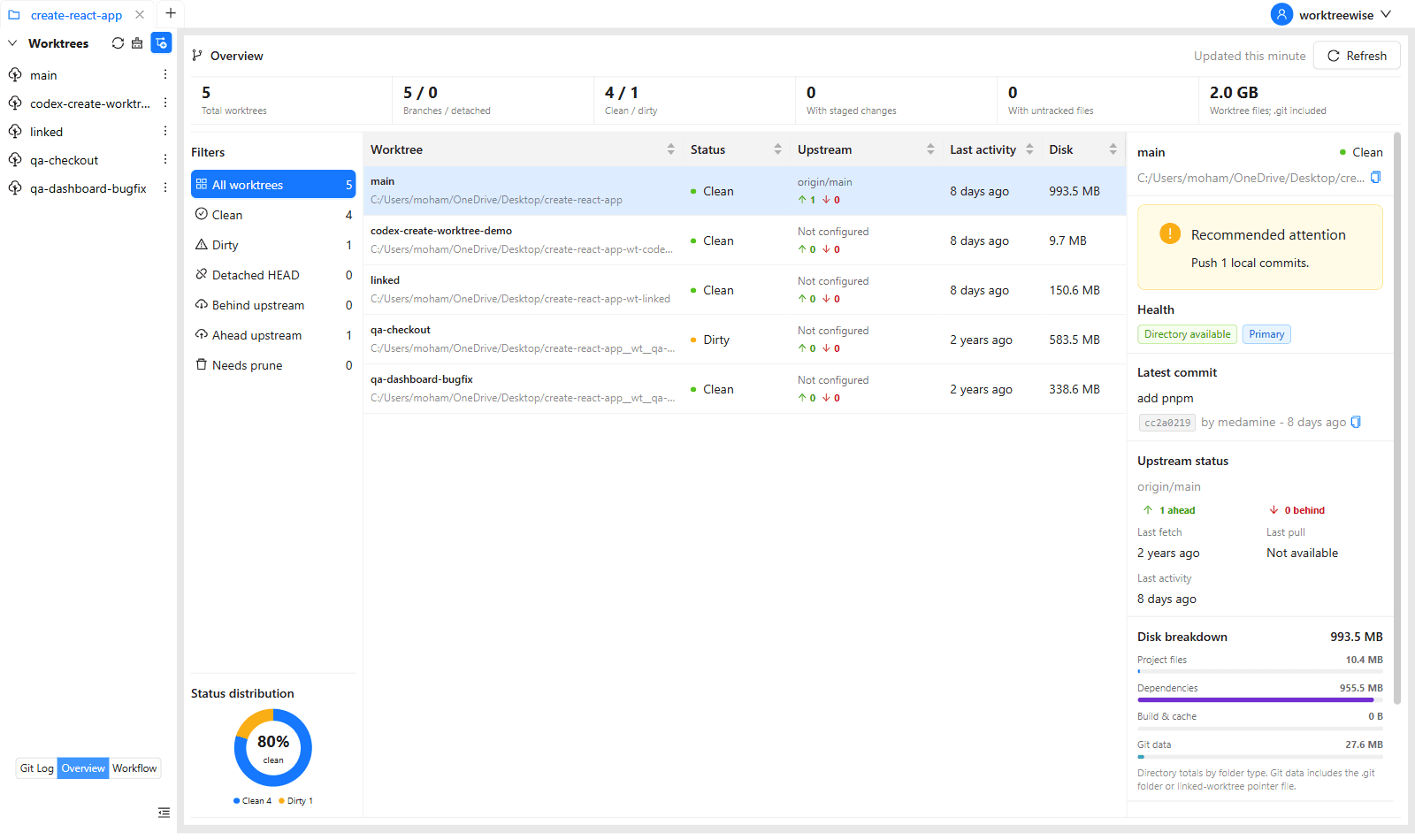
WorktreeWise coordinates multiple active worktrees on a single dashboard, showing live Git status, uncommitted changes, and active terminal processes across all branches.
Quick Command Recipes
Copy and adapt these commands directly in your terminal:
Launch parallel feature worktrees
Provisions independent directories for each sprint feature.
git worktree add ../feat-search -b feat/search main
git worktree add ../feat-export -b feat/export main
git worktree add ../feat-darkmode -b feat/dark-mode mainStep-by-Step Practical Walkthrough
Follow these verified steps to safely resolve the issue and guarantee that your filesystem and Git references are in sync.
Sprint decomposition
Select features with minimal architectural overlap.
Agent provisioning
Launch agents in their respective worktrees.
Milestone reviews
Review progress periodically without switching contexts.
Progressive integration
Merge completed features sequentially into main.
Edge Cases & Advanced Scenarios
Shared library updates
If one feature updates a core utility, merge that feature first and rebase the remaining worktrees.
Common Mistakes to Avoid
❌ Mistake: Starting too many parallel features without adequate review bandwidth
Why it causes trouble: Creates a bottleneck at the code review stage.
What to do instead: Limit active parallel agent worktrees to 3-4 per developer.
Verification Checklist
- ✓Each feature branch has an active worktree and clear PR target
- ✓Sprint velocity increases without sacrificing code quality
Senior Engineering Tips
- ★WorktreeWise lets you jump between parallel feature environments with a single click or keyboard shortcut.
Key Takeaways
- 01.Parallel AI agents accelerate sprint delivery dramatically.
- 02.Worktrees prevent context-switching penalties.
- 03.Integrate features progressively as they complete.
How WorktreeWise Solves This Visually
WorktreeWise eliminates the manual friction and mental overhead of CLI flags. It displays real-time branch states, uncommitted modifications, active terminals, and lock statuses across all worktrees on a single visual dashboard.
WorktreeWise Engineering Publication
Written and curated by the core WorktreeWise team. We build developer tools that turn Git worktrees, workflows, and parallel AI coding agents into second nature.