

Parallel coding agents
TL;DR: The 30-Second Summary
Parallel coding agents allow you to multiply your engineering output by executing independent tasks concurrently. Discover the optimal directory topology, branch lifecycle, and review strategies for parallel AI agent development.
The Real-Life Scenario
“A solo founder needs to build an onboarding tour, fix a billing bug, and write documentation before product launch. Instead of tackling them sequentially over 3 days, she launches 3 parallel agents in Git worktrees and completes all 3 in an afternoon.”
Sequential development has been the industry standard because human developers cannot easily write code in three branches at the same moment. With AI coding agents, that constraint is gone. The bottleneck is now orchestrating parallel workspaces—and Git worktrees are the foundational primitive.
The Concurrency Bottleneck in Git
Traditional Git repositories assume one working directory. Forcing multiple agents into one directory creates fatal lockups and dirty tree states.
What you see in the terminal:
fatal: Unable to create '/repo/.git/index.lock': File exists.Under the Hood: Git Plumbing & Architecture
Git worktrees break this bottleneck by providing N independent working trees connected to 1 shared `.git` object store.
Quick Command Recipes
Copy and adapt these commands directly in your terminal:
Create parallel agent topology
Instantly provisions three independent environments.
git worktree add ../feat-onboarding -b feat/onboarding main
git worktree add ../fix-billing -b fix/billing main
git worktree add ../docs-api -b docs/api mainStep-by-Step Practical Walkthrough
Follow these verified steps to safely resolve the issue and guarantee that your filesystem and Git references are in sync.
Plan independent deliverables
Break your sprint into modular, orthogonal issues.
Spawn worktrees
Create clean workspaces.
git worktree add ../task-a -b agent/task-a mainExecute concurrently
Run agent tools in each workspace.
Review and merge
Merge each completed task back to main.
Edge Cases & Advanced Scenarios
Disk space optimization
Because worktrees share the `.git/objects` folder, 10 worktrees take only the disk space of the checkout files, not 10 full repository copies.
Common Mistakes to Avoid
❌ Mistake: Merging without running the full test suite on the integrated branch
Why it causes trouble: Hidden semantic conflicts between agent outputs.
What to do instead: Always run full CI after merging multiple agent branches.
Verification Checklist
- ✓All parallel agents report successful test execution
- ✓Branches are merged cleanly without conflicts
Senior Engineering Tips
- ★Use WorktreeWise Workflows to automatically trigger `npm install` and test scripts as soon as an agent worktree is created.
Key Takeaways
- 01.Parallel agents transform 1-developer teams into multi-contributor powerhouses.
- 02.Worktrees eliminate the filesystem and Git lock bottlenecks of concurrency.
How WorktreeWise Solves This Visually
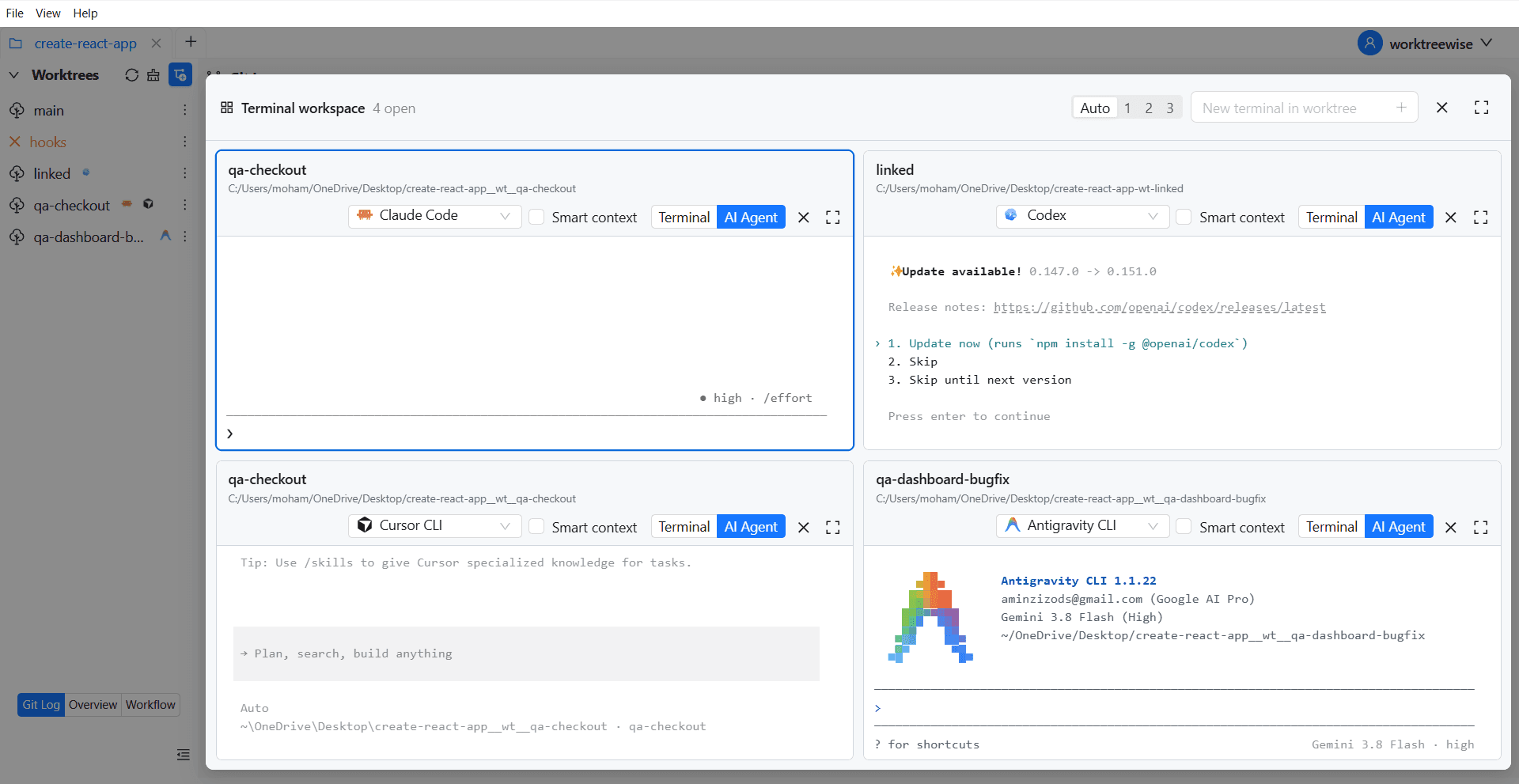
WorktreeWise eliminates the manual friction and mental overhead of CLI flags. It displays real-time branch states, uncommitted modifications, active terminals, and lock statuses across all worktrees on a single visual dashboard.
WorktreeWise Engineering Publication
Written and curated by the core WorktreeWise team. We build developer tools that turn Git worktrees, workflows, and parallel AI coding agents into second nature.