

OpenCode + worktrees
TL;DR: The 30-Second Summary
OpenCode autonomous sessions execute shell scripts, run linters, and refactor code. Running OpenCode in a separate Git worktree gives you complete sandbox control, preventing unintended branch changes and dirty tree states.
The Real-Life Scenario
“An engineering team deploys OpenCode to run automated TypeScript strictness migrations across 200 files. Running this in a dedicated worktree ensures other developers can pull latest changes without being blocked by ongoing codemod runs.”
OpenCode enables powerful automated developer workflows. Because OpenCode operates autonomously by executing shell commands and making broad file modifications, isolating it within a Git worktree guarantees that any failures or incomplete passes are contained.
Containing Autonomous Agent Side Effects
Autonomous agents can execute arbitrary commands (`npm install`, `rm`, `sed`). If an agent acts errantly in your main checkout, reverting the damage can be complex.
What you see in the terminal:
[OpenCode] Executed: rm -rf ./cache && npm run codemod
Error: SyntaxError in 18 files. Branch state: UNCLEANUnder the Hood: Git Plumbing & Architecture
In a dedicated worktree, the entire directory is an ephemeral disposable workspace. You can reset or discard it without any risk to your primary working tree.
Quick Command Recipes
Copy and adapt these commands directly in your terminal:
Create OpenCode sandbox
Isolates OpenCode execution into a clean directory.
git worktree add ../task-opencode -b agent/opencode-migration mainRun OpenCode session
Executes the migration within the isolated boundary.
cd ../task-opencode && opencode --task 'Strict null checks migration'Step-by-Step Practical Walkthrough
Follow these verified steps to safely resolve the issue and guarantee that your filesystem and Git references are in sync.
Create worktree
Branch off main for the automated task.
git worktree add ../opencode-task -b agent/opencode mainRun OpenCode
Let OpenCode run autonomously.
cd ../opencode-task && opencode runReview diff
Inspect generated changes before accepting.
git diff main...agent/opencodeEdge Cases & Advanced Scenarios
Submodule updates
If the project uses submodules, run `git submodule update --init` inside the new worktree.
Common Mistakes to Avoid
❌ Mistake: Running autonomous agents with sudo/admin rights in shared directories
Why it causes trouble: Can modify system files outside the repository.
What to do instead: Run agents with standard user privileges inside dedicated worktrees.
Verification Checklist
- ✓OpenCode completes without affecting active working tree
- ✓Generated commits are clean and reviewable
Senior Engineering Tips
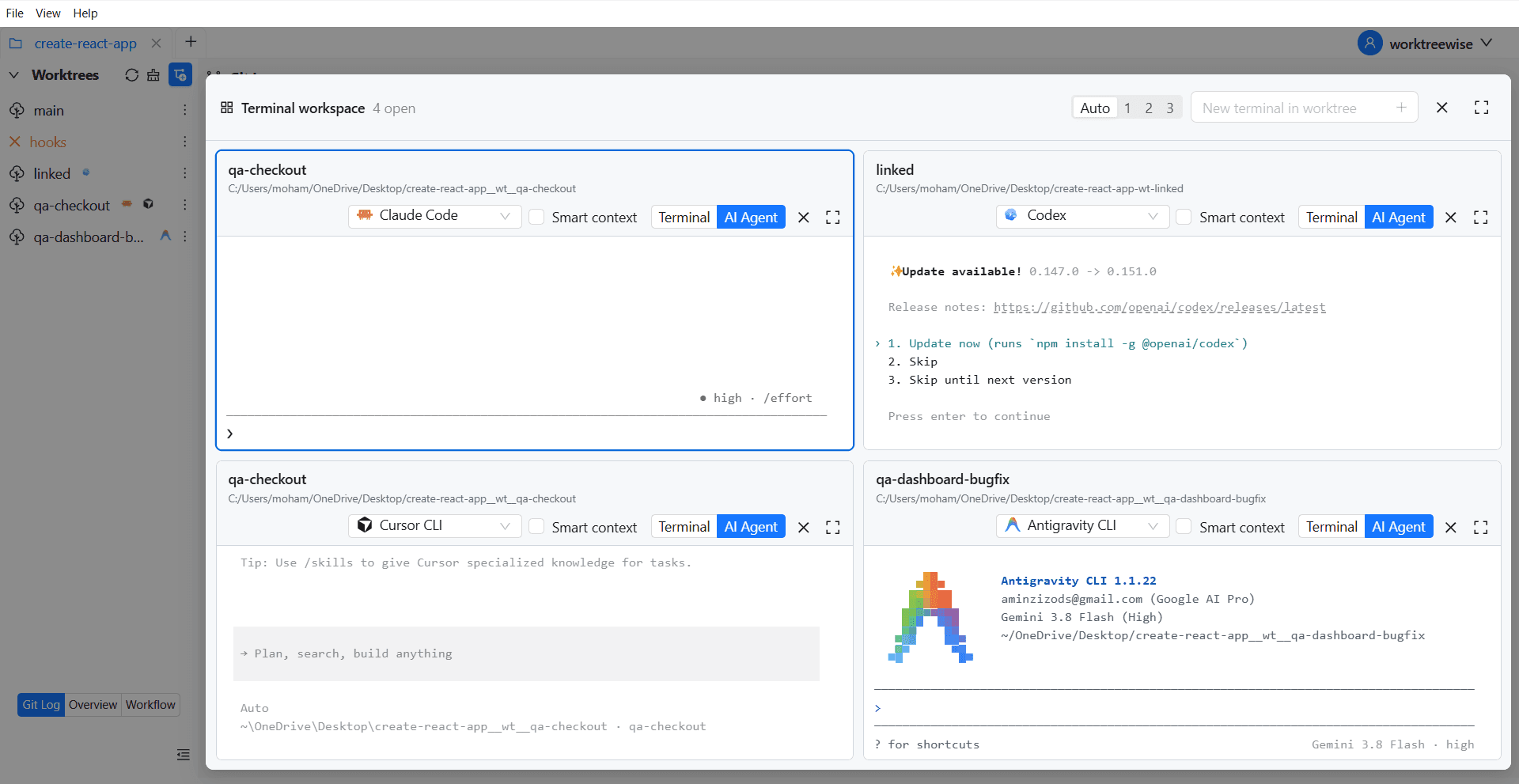
- ★WorktreeWise shows live terminal output of running agent sessions side by side.
Key Takeaways
- 01.OpenCode sessions should always be sandboxed in dedicated worktrees.
- 02.Zero impact on human developers working on the same repo.
How WorktreeWise Solves This Visually
WorktreeWise eliminates the manual friction and mental overhead of CLI flags. It displays real-time branch states, uncommitted modifications, active terminals, and lock statuses across all worktrees on a single visual dashboard.
WorktreeWise Engineering Publication
Written and curated by the core WorktreeWise team. We build developer tools that turn Git worktrees, workflows, and parallel AI coding agents into second nature.