

Gemini CLI + worktrees
TL;DR: The 30-Second Summary
Use Google's Gemini CLI inside isolated Git worktrees to generate test suites, benchmark alternative algorithms, and explore architecture prototypes without risking your primary codebase.
The Real-Life Scenario
“David wants to test whether switching an internal parsing engine from regex to WebAssembly improves throughput. He spawns a disposable worktree and asks Gemini CLI to generate the WebAssembly module and benchmark suite.”
Gemini CLI offers lightning-fast context windows and exceptional code generation capabilities. When experimenting with risky architectural refactors or alternative library implementations, hosting Gemini CLI inside an isolated Git worktree gives you a fearless playground.
The Friction of Experimental Branching in Monolithic Repositories
Switching back and forth between experimental branches in a single directory invalidates build caches, restarts dev servers, and forces clean installs. Worktrees make experiments truly zero-overhead.
What you see in the terminal:
$ git checkout experiment-wasm
Switched to branch 'experiment-wasm'
[Webpack] Rebuilding 1,420 modules... (45s elapsed)Under the Hood: Git Plumbing & Architecture
With Git worktrees, the experiment directory maintains its own build output and dependencies. Your main dev server remains running on `localhost:3000`, while the Gemini CLI experiment runs on `localhost:3001` in parallel.
Quick Command Recipes
Copy and adapt these commands directly in your terminal:
Create Gemini experiment worktree
Creates an isolated sandbox for Gemini CLI.
git worktree add ../exp-gemini -b exp/wasm-parser mainRun Gemini CLI query
Runs Gemini CLI scoped strictly to the experiment directory.
cd ../exp-gemini && gemini 'Implement WASM parser and add benchmark.js'Step-by-Step Practical Walkthrough
Follow these verified steps to safely resolve the issue and guarantee that your filesystem and Git references are in sync.
Create the experiment worktree
Set up the parallel directory.
git worktree add ../gemini-bench -b exp/gemini-bench mainRun Gemini CLI prompts
Let Gemini generate code and run local verification.
cd ../gemini-bench && gemini-cli 'Refactor db pool connection logic'Decide whether to adopt or discard
If the experiment succeeds, merge `exp/gemini-bench`. If it fails, delete the worktree in one command.
Edge Cases & Advanced Scenarios
Large context ingestion
Gemini CLI can ingest your entire codebase easily because worktrees share all repository history instantly.
Common Mistakes to Avoid
❌ Mistake: Abandoning failed experiment worktrees without pruning
Why it causes trouble: Accumulates disk space over time.
What to do instead: Run `git worktree remove` or use WorktreeWise Prune.
Verification Checklist
- ✓Experimental code never touches production branches until vetted
- ✓Benchmark results are reproducible in isolation
Senior Engineering Tips
- ★Use Git worktree hooks in WorktreeWise to automatically copy benchmark datasets whenever an experiment worktree is created.
Key Takeaways
- 01.Gemini CLI + Git worktrees = zero-risk architectural experimentation.
- 02.Keep build caches intact across both branches.
- 03.Discard failed experiments cleanly without Git branch mess.
How WorktreeWise Solves This Visually
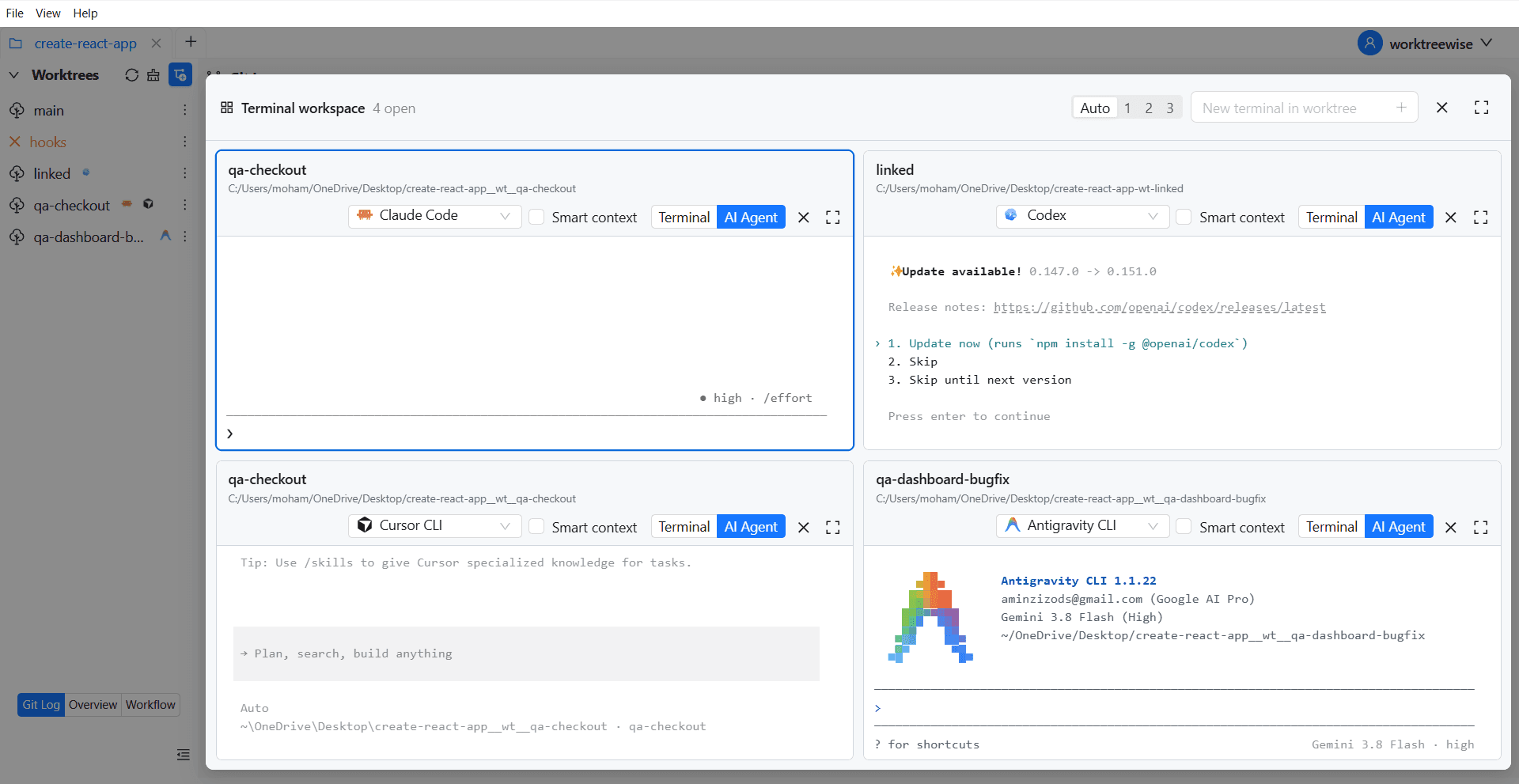
WorktreeWise eliminates the manual friction and mental overhead of CLI flags. It displays real-time branch states, uncommitted modifications, active terminals, and lock statuses across all worktrees on a single visual dashboard.
WorktreeWise Engineering Publication
Written and curated by the core WorktreeWise team. We build developer tools that turn Git worktrees, workflows, and parallel AI coding agents into second nature.