

Exhausted by Git Stash? Transform Your Workflow with Git Worktrees!
Still relying on Git stash? Switch to Git worktrees and handle multiple tasks without losing changes or breaking your flow.
Read article
02 Oct 2025
4 min read
Switching between Git branches is a routine but surprisingly costly part of development. Every time you switch, you might need to stash changes, rebuild dependencies, or wait for your IDE to re-index files. Over time, this repetitive overhead drains both productivity and focus.
That's why Git introduced worktrees a feature that lets you keep multiple branches checked out at the same time. And while you can use Git's native commands to manage them, there's a much faster and friendlier way: WorktreeWise.
Most developers start with the traditional method: a single working directory where you switch between branches using git checkout.
Example:
# Work on branch A
git checkout branch-A

# Switch to branch B
git checkout branch-B

# Go back to branch A
git checkout branch-A
You must stop what you're doing to stash or commit changes before switching branches, breaking your development flow.
Every branch switch may trigger re-indexing, dependency installs, or project rebuilds, consuming valuable time and resources.
It's easy to forget which branch you're on and accidentally commit to the wrong one, leading to potential code conflicts and cleanup work.
You lose focus when constantly juggling between different contexts and mental models of your codebase.
Over time, this workflow becomes inefficient especially when handling multiple features, bugfixes, or hotfixes in parallel.
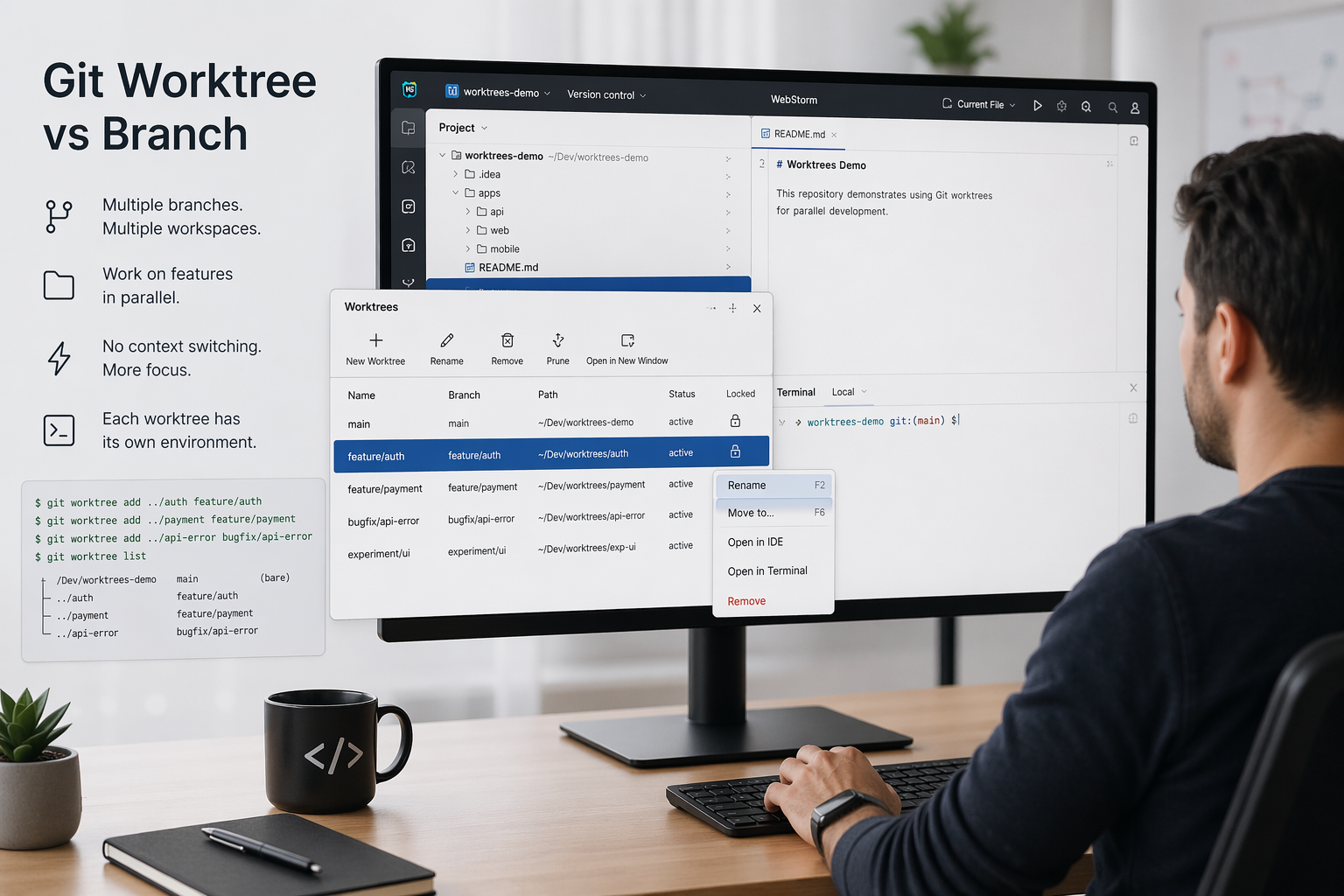
To solve these problems, Git introduced worktrees, allowing you to keep multiple branches checked out in parallel, each in its own directory.
Here are the most common commands:
# Create a new worktree from an existing branch
git worktree add ../feature-login feature-login

# Create a new branch in a new worktree
git worktree add ../hotfix-2025 -b hotfix-2025

# List all existing worktrees
git worktree list

# Remove a worktree
git worktree remove ../feature-login

# Clean up invalid or stale worktrees
git worktree prune
While worktrees solve the conceptual problem, managing them through the CLI introduces new issues:
That's where WorktreeWise comes in.
WorktreeWise builds directly on Git worktrees but replaces the manual command-line workflow with a streamlined UI.
Here's how the same tasks look in WorktreeWise compared to native Git:
git worktree add ../feature-login feature-login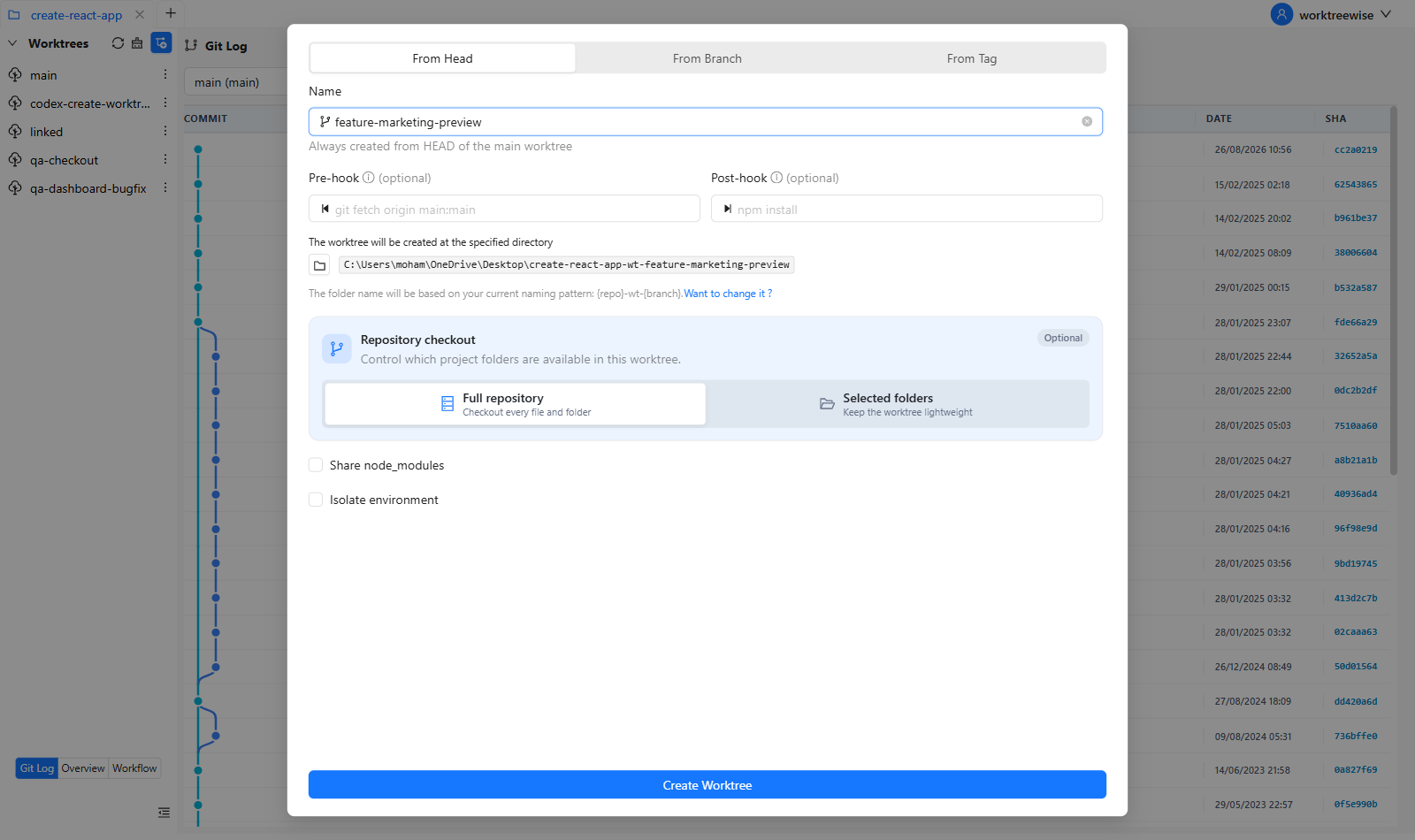
git worktree add ../hotfix-2025 -b hotfix-2025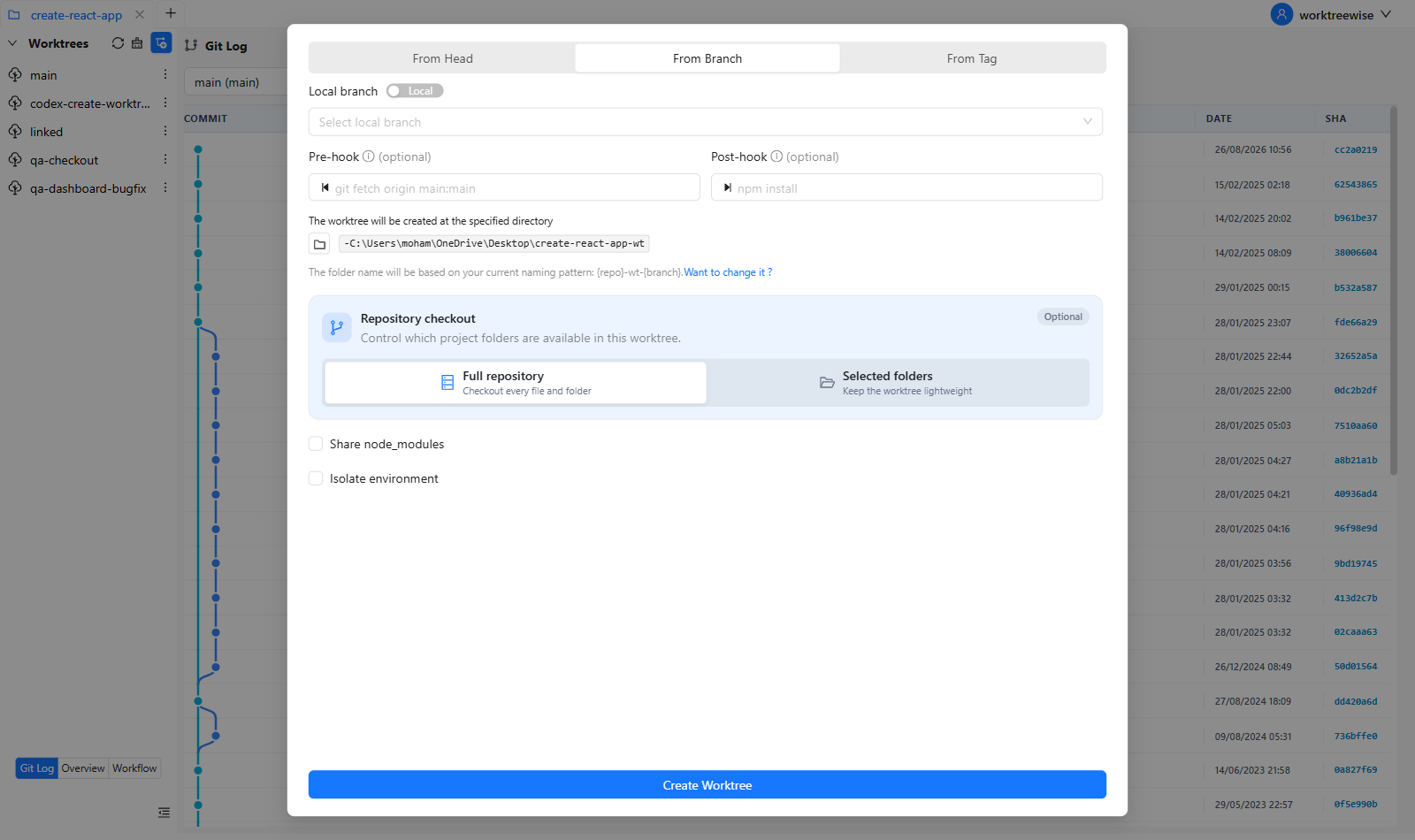
git worktree list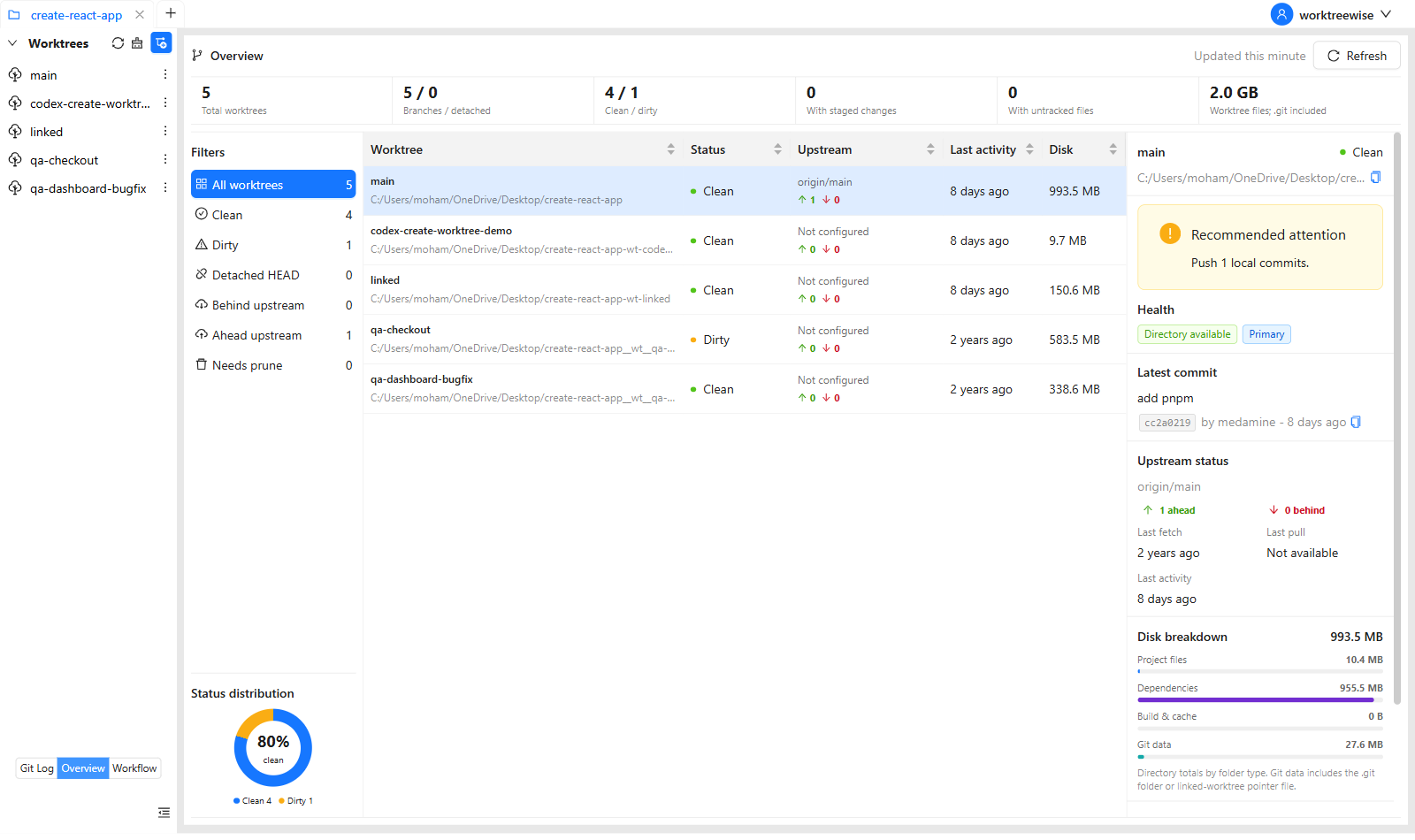
git worktree remove ../feature-login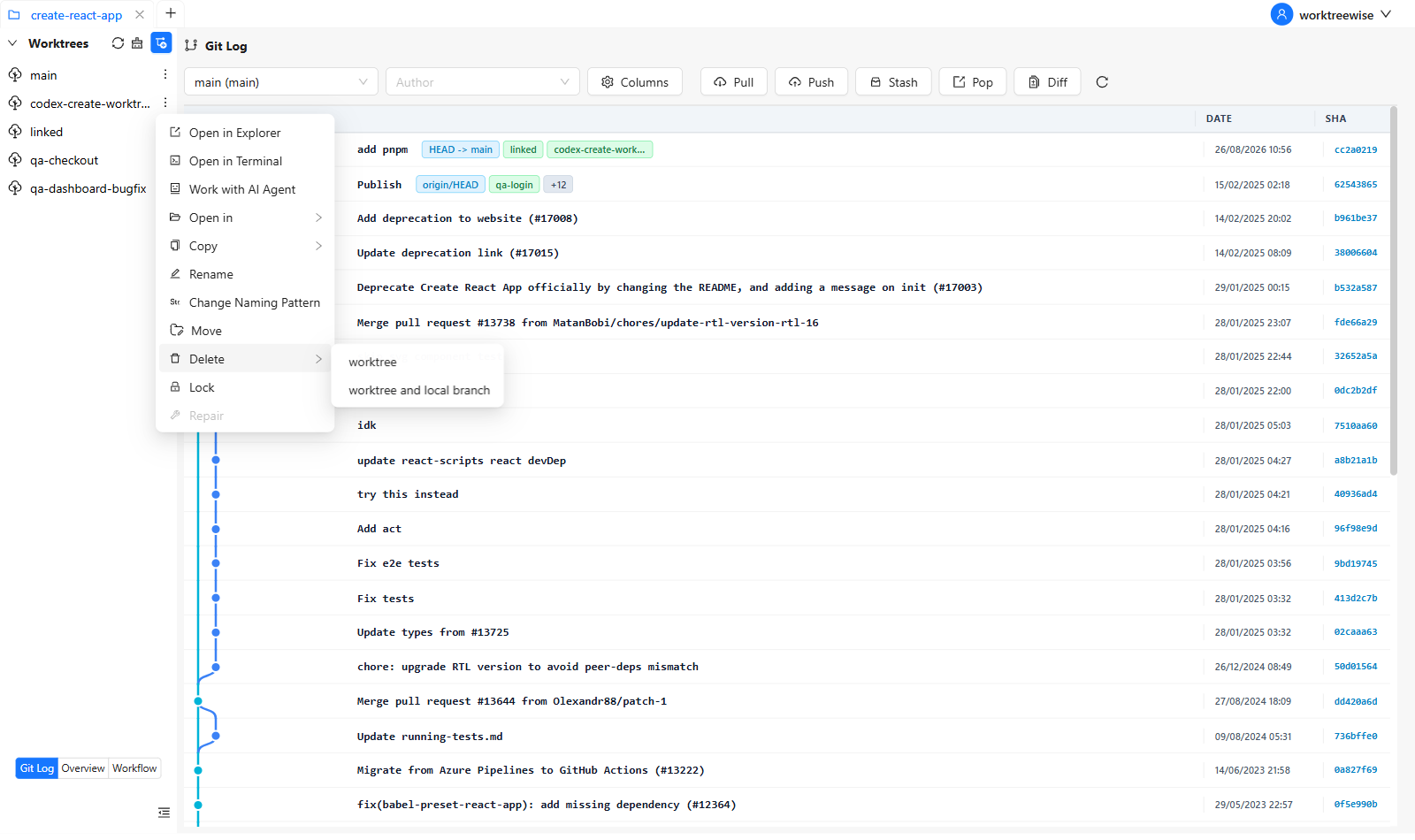
git worktree prune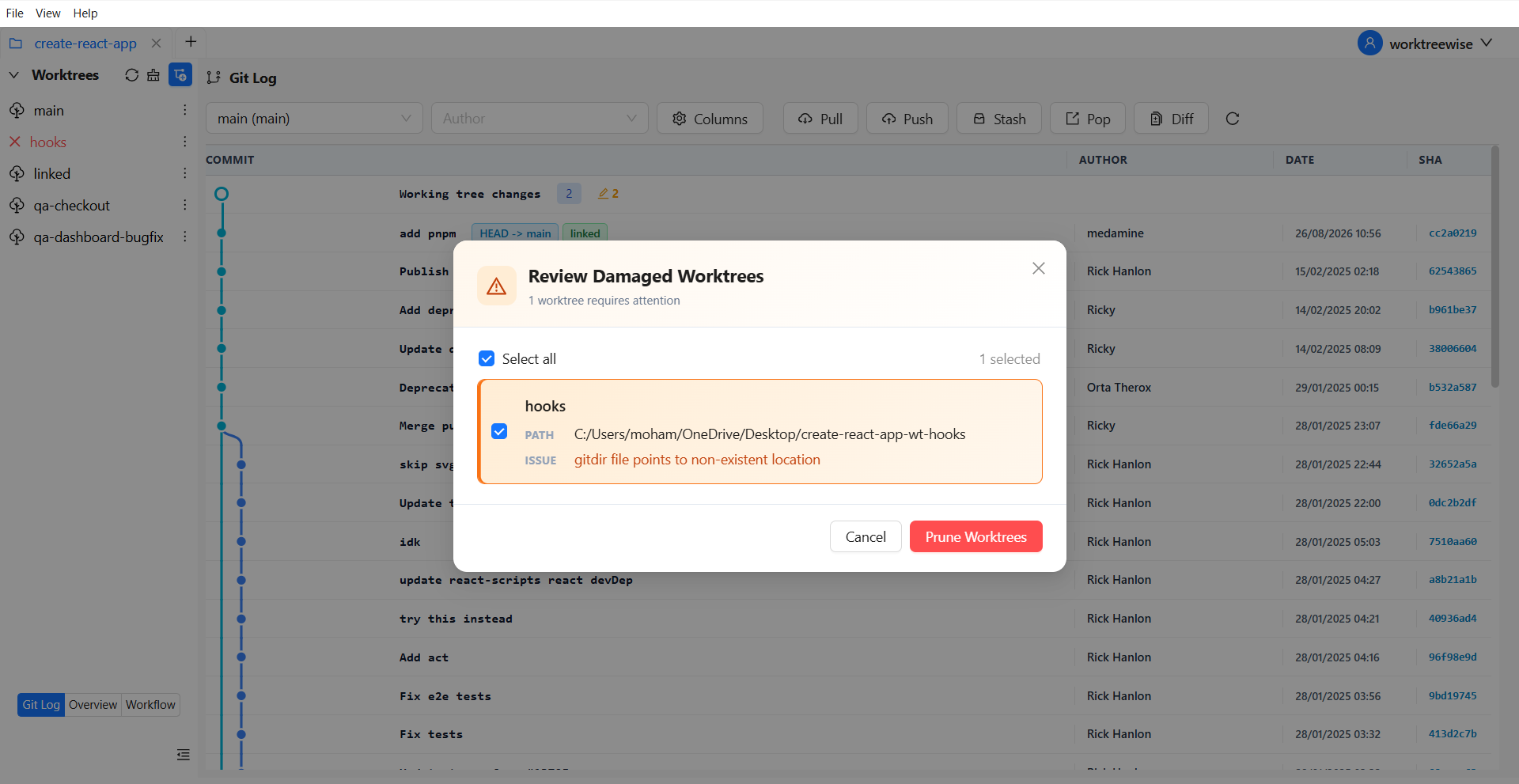
With Git commands, you must:
With WorktreeWise, you:
The result? Fewer mistakes, less mental load, and much faster switching.
Here's how your development process changes with WorktreeWise:
Setup → Install WorktreeWise and open your repository.
Create Worktrees → One per feature or bugfix branch.
Switch Contexts Easily → Jump between worktrees in separate IDE windows.
Compare & Merge → Use built-in Git log and diff tools.
Cleanup → Prune inactive worktrees and lock important ones.
The standard way of switching branches interrupts your flow. Git worktrees solve part of the problem, but managing them with raw commands is clunky.
WorktreeWise makes the same operations faster, easier, and more visual so you spend less time typing commands and more time coding.
If you're ready to speed up context switching, reduce mistakes, and streamline your workflow, it's time to try WorktreeWise.

AMMACH MOHAMED AMINE

AMMACH MOHAMED AMINE
AMMACH MOHAMED AMINE
Still relying on Git stash? Switch to Git worktrees and handle multiple tasks without losing changes or breaking your flow.
Read articleLearn how to use git worktree remove safely and effectively. Practical examples, common mistakes, and best practices for managing multiple worktrees.
Read articleUnderstand the real difference between git worktree and branch, when to use each, and how to optimize your workflow for parallel development.
Read article