

Git Worktree Remove - Clean Up Worktrees Without Breaking Your Repo
Learn how to use git worktree remove safely and effectively. Practical examples, common mistakes, and best practices for managing multiple worktrees.
Read article
03 Oct 2025
4 min read
If you’ve ever switched tasks mid-feature, paused your work, or needed to fix a bug in another branch, chances are you’ve used git stash. It helps but frequently, stashing becomes a stopgap you rely on too heavily. It adds friction:
You stash your changes → switch branches → later you apply stash → sometimes conflicts arise.
You may forget what you stashed, or lose track.
Your working directory gets messy.
This article walks you through why stashing feels frustrating, how Git worktrees can eliminate most of your stash-related pain, and how WorktreeWise makes this shift clean, safe, and fast.
Here’s what many developers do by default:
While on feature-login, you realize you need to fix a bug or check something in main.
git stash    # your unfinished changes
git checkout main
# make the fix, test, commit
git checkout feature-login
git stash pop  # bring your changes back
While this works, it creates repeated problems:
Git worktrees let you keep multiple branches checked out simultaneously in separate directories. This means you preserve in-progress work without stashing or switching context.
Typical workflow with native Git worktrees:
# Work in feature branch
git worktree add ../feature-login feature-login

# If you need to drop into main
git worktree add ../main main

# Now you can work in main directory
# without affecting your feature worktree
cd ../main
# make bug fix
git commit -m "Fix bug"

# Switch back to your feature
cd ../feature-login
# Continue working, nothing lost
WorktreeWise builds on top of native Git worktrees and simplifies everything. Here’s how the common workflows look in WorktreeWise vs native/stash:
git worktree add ../feature-login feature-loginfeature-login → worktree is created instantly.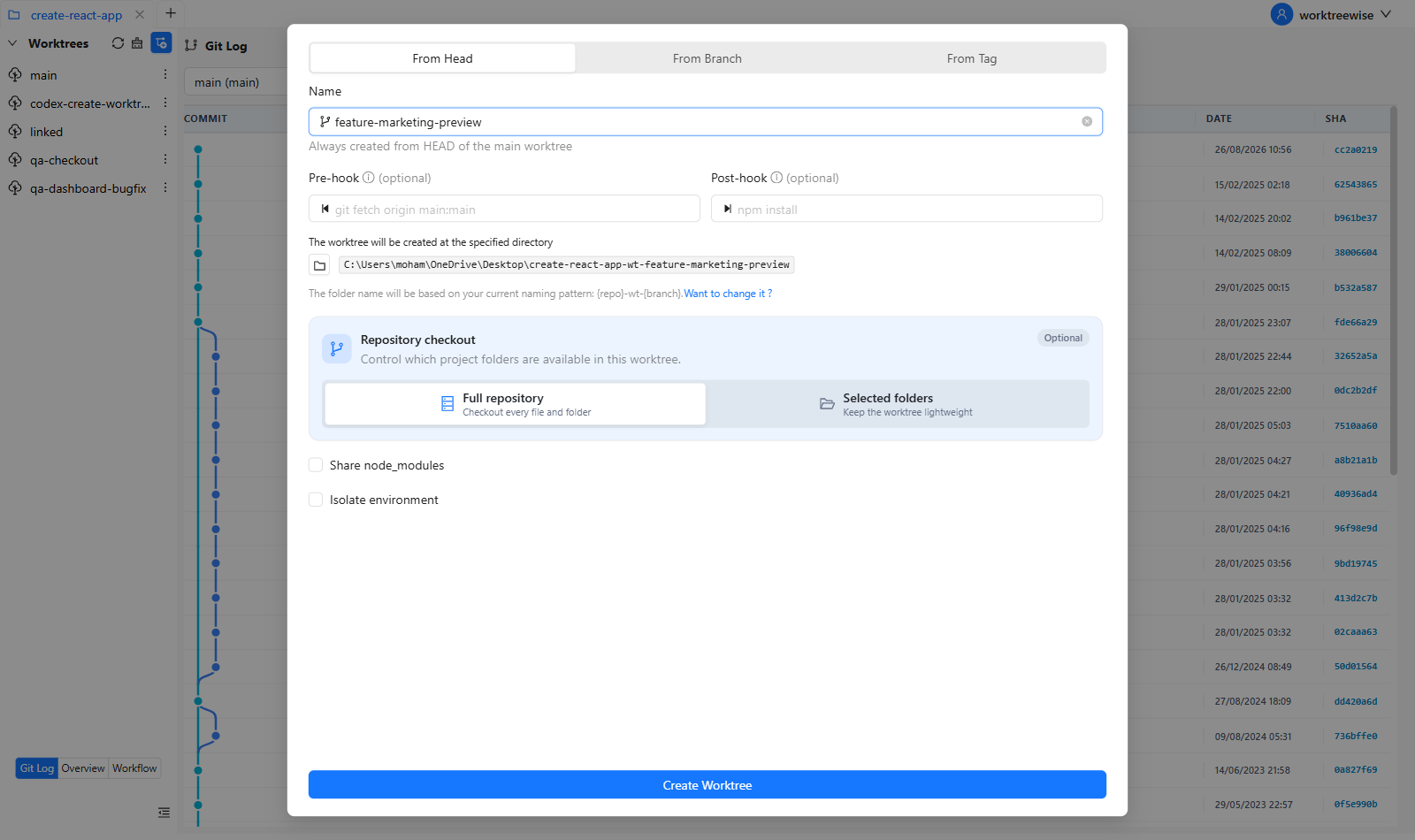
main. Make fix there. No stash needed.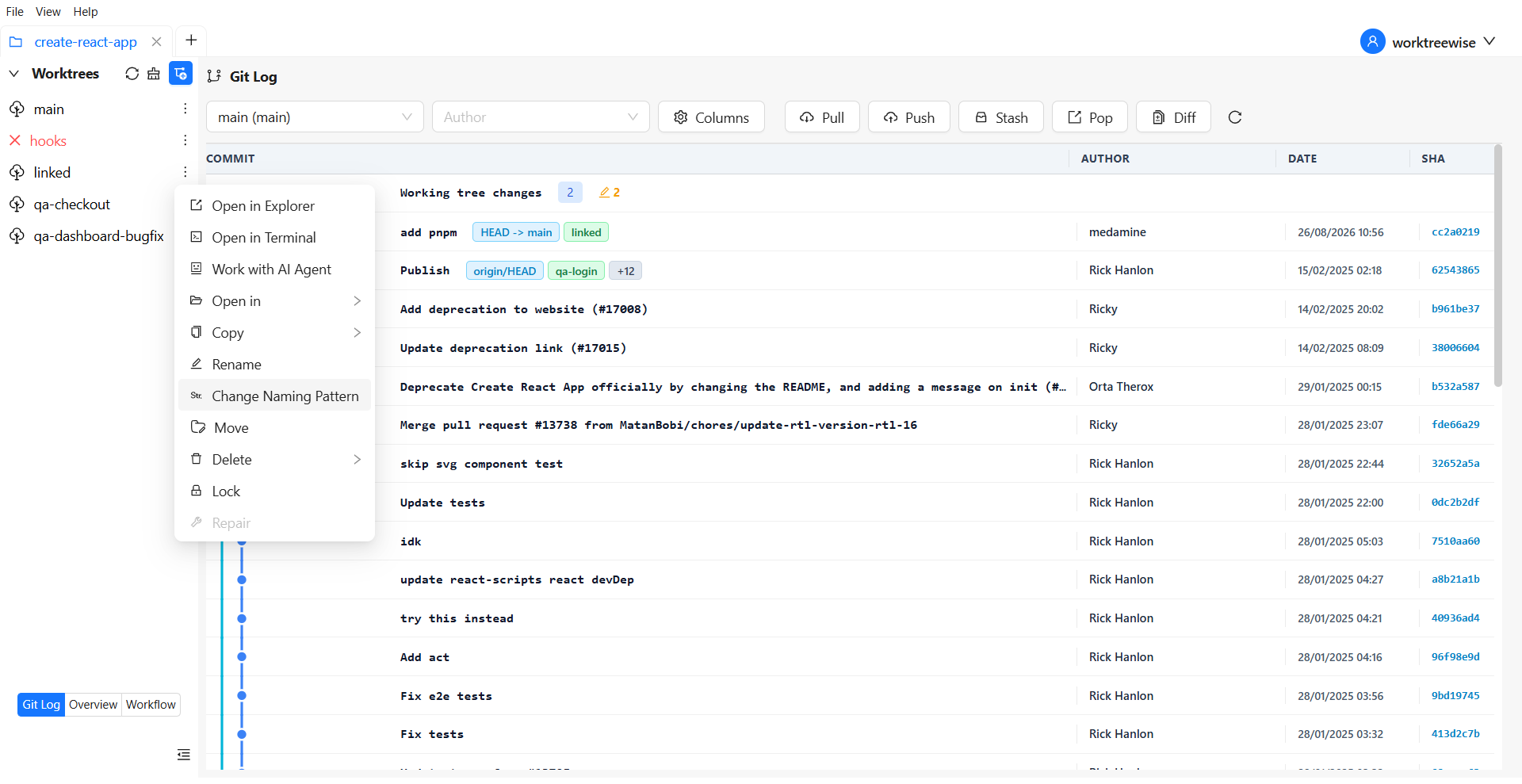
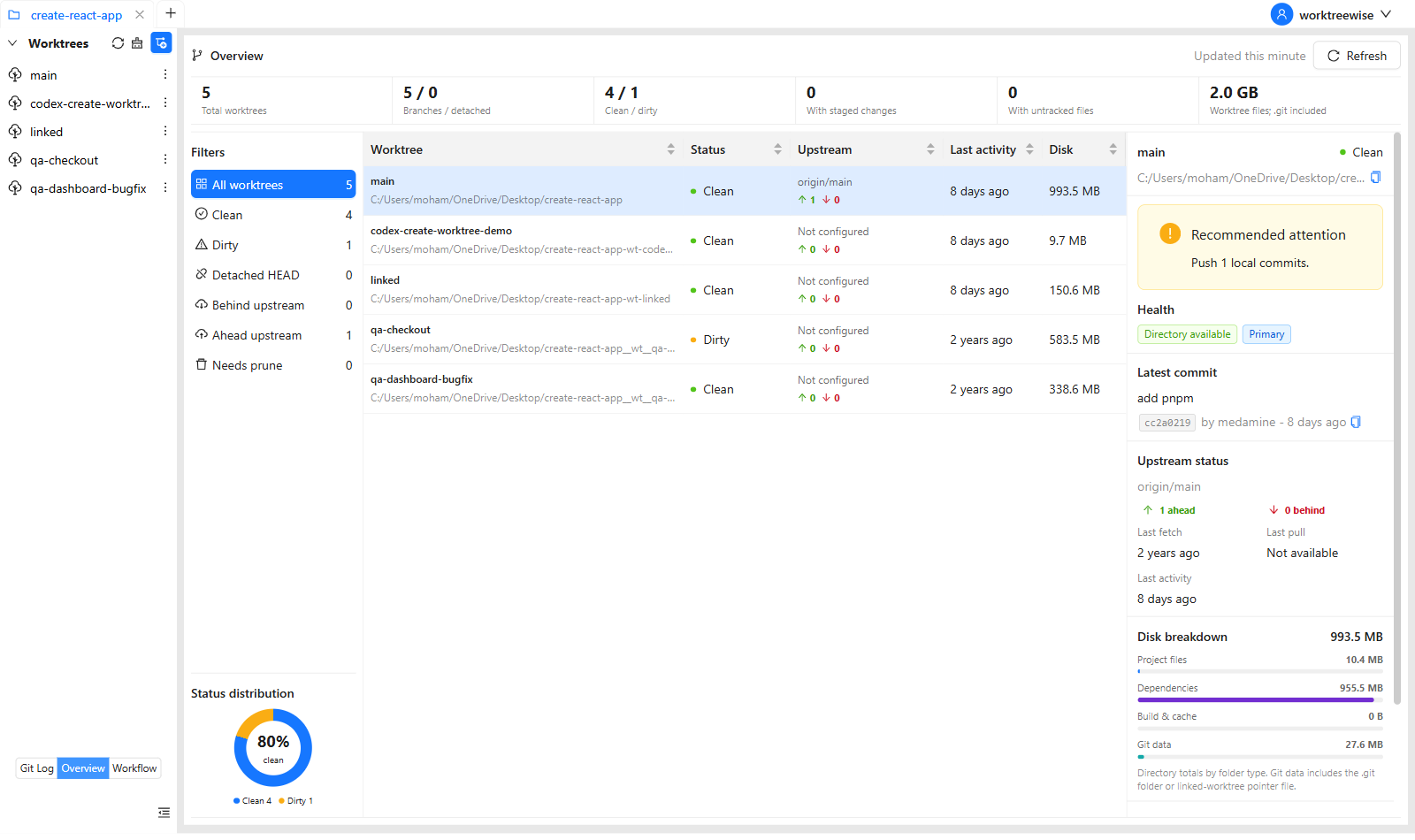
git worktree remove or prune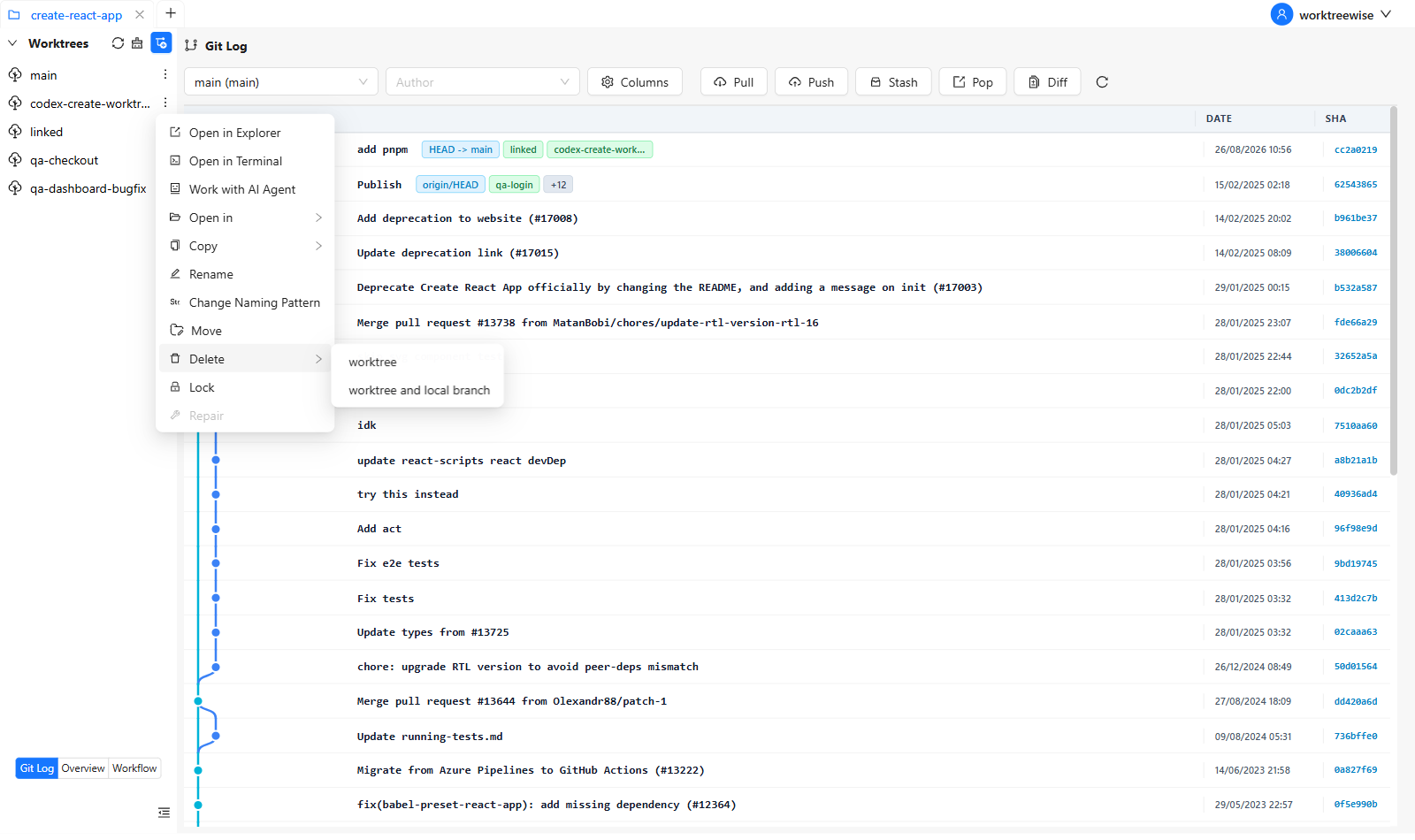
These UI-based workflows speed things up: you avoid typing commands, avoid stash conflicts, reduce cognitive load, and make your context switches smoother.
Here’s a sample improved workflow using WorktreeWise:
feature-login. Create a worktree via WorktreeWise.main. In WorktreeWise, open the main worktree through the UI.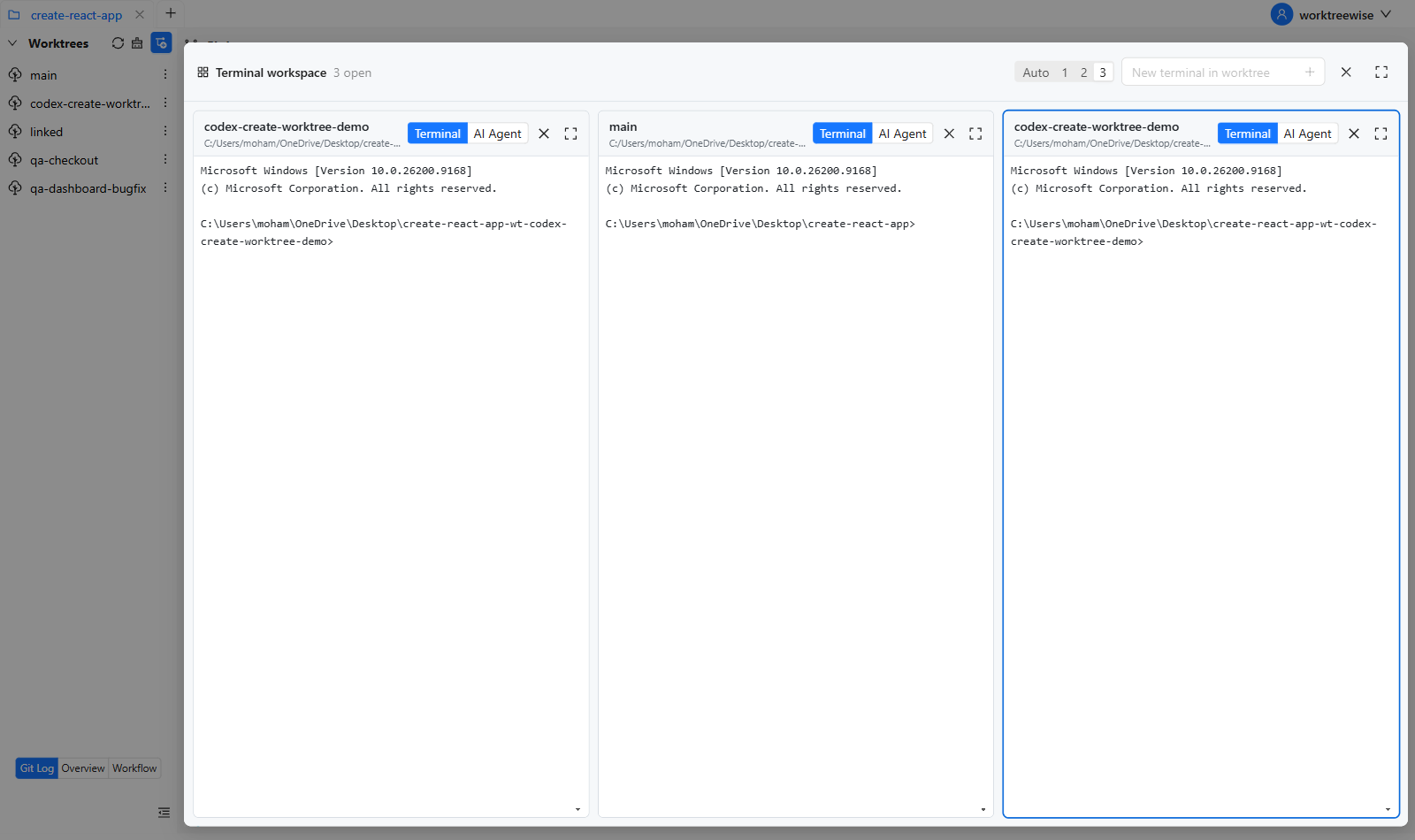
Worktrees reduce the need for stashing, but they do not replace it in every
situation. Use git stash for a tiny, temporary interruption when you expect
to return immediately. Prefer a worktree when the second task needs its own
editor, dependencies, test process, or more than a few minutes of attention.
A useful rule of thumb:
The stash route requires you to hide changes, switch branches, restore changes, and resolve any stash conflicts. The worktree route creates the second working directory once, then lets both tasks remain open and visible.
WorktreeWise makes that second route easier to repeat: create the worktree, open it in your IDE, and remove it safely when the interruption is finished.
Try the visual workflow free—no credit card required.
Relying on git stash can seem natural at first, but over time it slows you down, creates possible conflicts, and adds friction to your workflow. Git worktrees already offer a strong tool to sidestep many of those issues but performing everything via the terminal can still feel manual.
WorktreeWise gives you the best of both worlds: the power of Git worktrees, plus an intuitive UI that helps you work faster, with less error and less mental overhead.

AMMACH MOHAMED AMINE

AMMACH MOHAMED AMINE

AMMACH MOHAMED AMINE
Learn how to use git worktree remove safely and effectively. Practical examples, common mistakes, and best practices for managing multiple worktrees.
Read articleLearn how to use git worktree prune to remove stale worktree references, fix broken states, and maintain a clean and efficient Git workflow.
Read articleTest features in isolation without conflicts. Git worktrees give QA teams a clean and efficient testing environment.
Read article