

Best Git Worktree GUI Tools (2026 Comparison)
Discover the best Git worktree GUI tools in 2026. Compare features, workflows, and productivity gains for modern developers using Git worktrees.
Read article
28 Nov 2025
3 min read
Git worktrees are a powerful Git feature that let you work on multiple branches at the same time. But many developers still search for:
rename git worktree
how to rename git worktree
git worktree folder name change
Common reasons include:
the branch name changed
Jira / ticket number updated
repo structure evolved
need for cleaner naming conventions
managing many parallel worktrees
readability and project organization
Good naming improves productivity and makes your Git worktree environment easier to manage.
Git does not have a command named git worktree rename, but it provides
git worktree move for changing the worktree directory path safely:
git worktree move <old-worktree-path> <new-worktree-path>
Do not rename the directory manually in your file manager. Git stores the worktree path in its internal metadata, so an ordinary folder rename can leave that metadata pointing to the old location:
.git/worktrees/<worktree-name>
Renaming the folder directly leads to errors such as:
fatal: '<path>' is not a working tree
This is why developers search for alternatives to rename Git worktrees safely.
Use git worktree move:
git worktree move <old-worktree-path> <new-worktree-path>
This changes the worktree directory and updates Git's metadata. It does not
rename the associated branch. To rename the branch too, run
git branch -m <new-branch-name> from that worktree.
git worktree movecannot move the main worktree or a worktree containing submodules. Checkgit statusandgit worktree listfirst.
Suppose your current worktree directory is:
worktrees/feature-login
You want to rename it to:
worktrees/login-ui
Run:
git worktree move worktrees/feature-login worktrees/login-ui
This process preserves:
your branch
all your Git history
your changes
And gives you a clean, correctly named worktree directory.
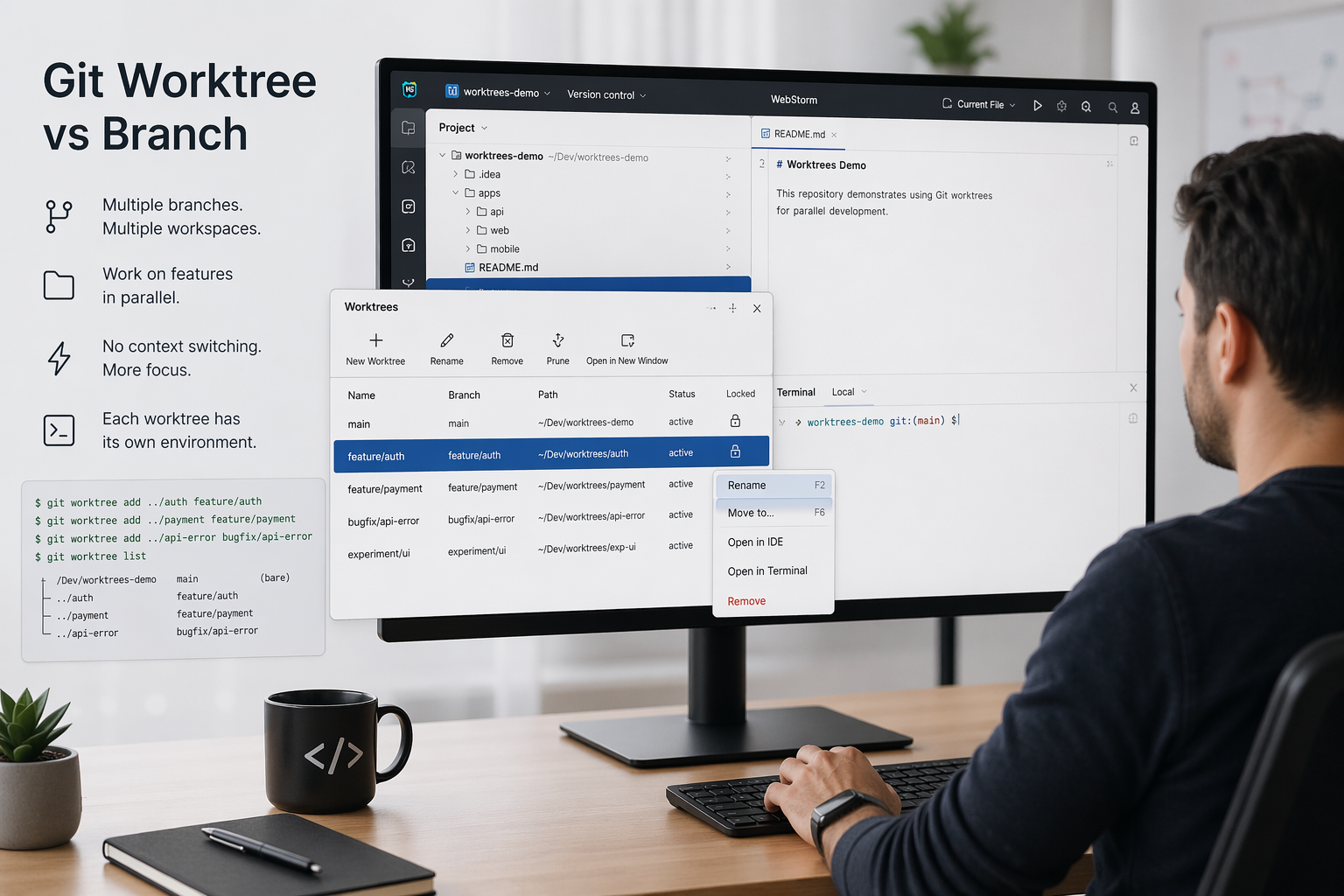
Doing the remove+add workaround every time is slow and error-prone. WorktreeWise makes renaming a Git worktree instant and safe.
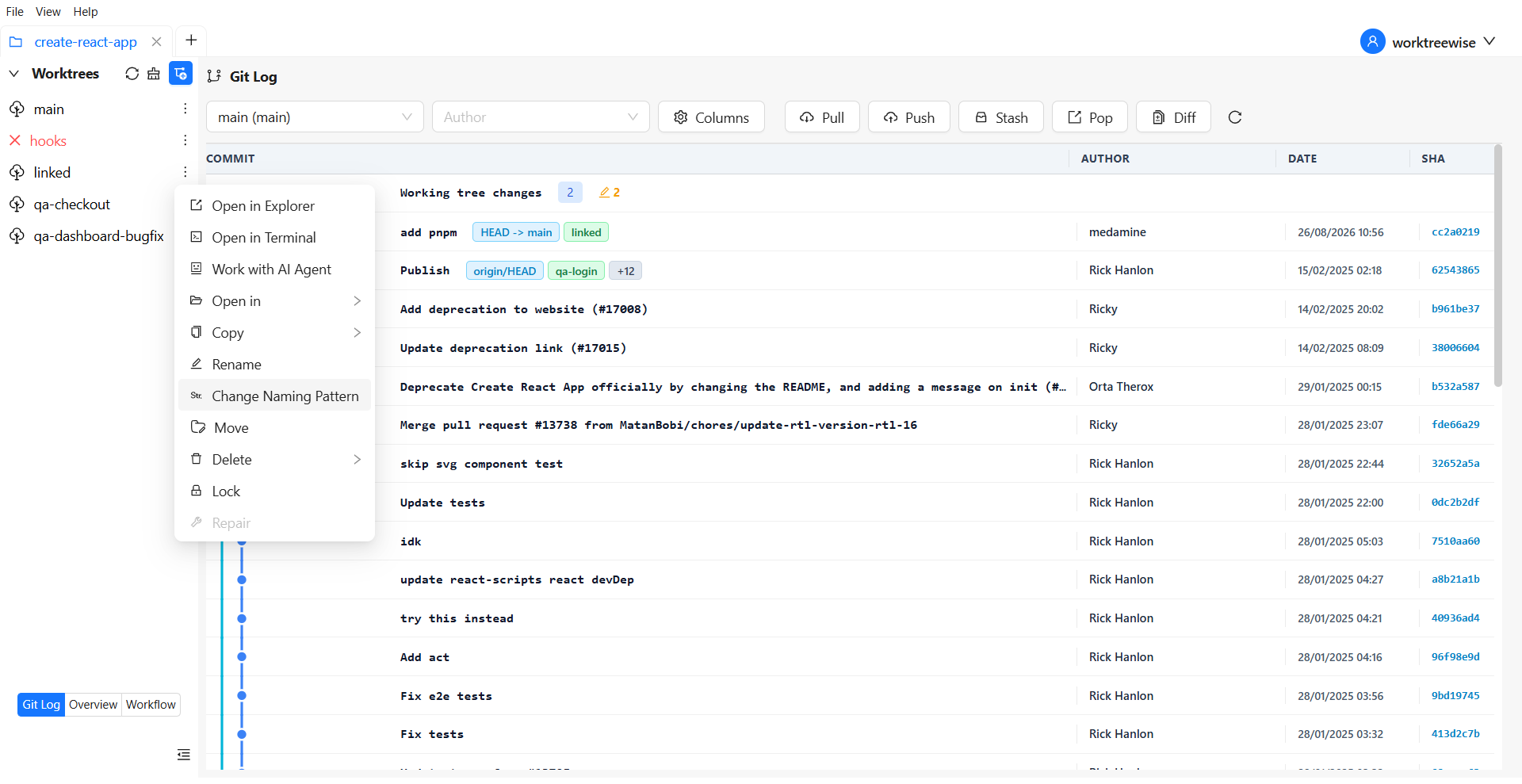
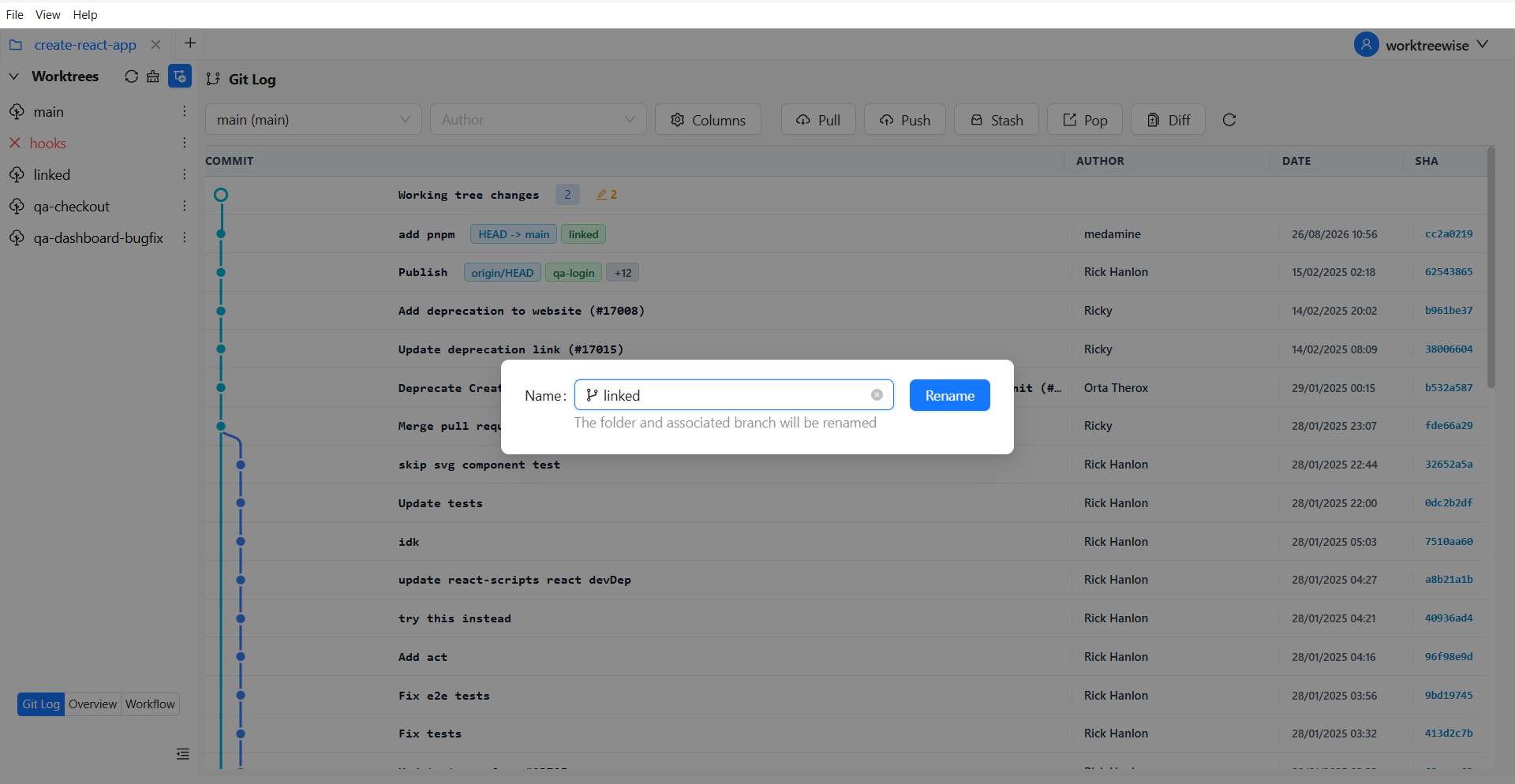
renames the worktree directory
updates Git’s internal metadata
renames the associated branch
keeps all your IDE/editor settings (bookmarks, configs, recent files)
This gives you a complete Git worktree rename operation with one click.
If you're searching for "rename git worktree safely", this is the fastest solution.
Another problem developers face is inconsistent worktree folder names. This is why WorktreeWise provides a powerful feature called: Worktree Naming Pattern
This lets you define rules like:
{repo}-{branch}
{ticket}-{branch-without-prefix}
{type}-{branch}
or any custom naming scheme
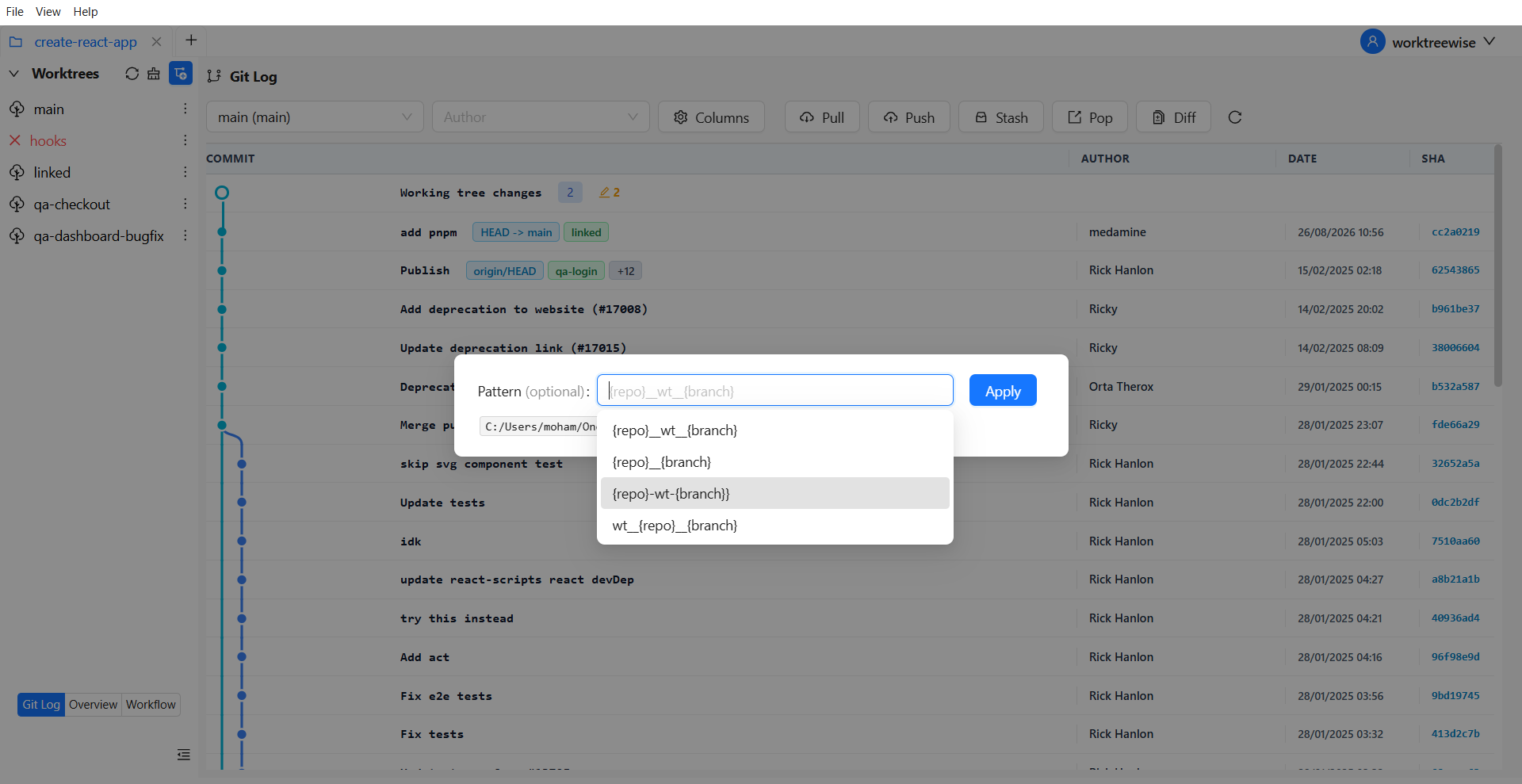
Every time you create a worktree, WorktreeWise automatically applies this naming pattern.
Benefits:
consistent git worktree directory names
predictable folder structures
no conflicts or duplicate names
easier navigation in large multi-worktree projects
This dramatically reduces the need to rename Git worktrees later the naming is clean from the start.
Git does not provide a command literally named git worktree rename, but you
can safely change a linked worktree's directory with git worktree move.
If you want a faster and automated solution:
WorktreeWise Rename Worktree
Worktree Naming Pattern
Advanced worktree management tools
AMMACH MOHAMED AMINE

AMMACH MOHAMED AMINE
AMMACH MOHAMED AMINE
Discover the best Git worktree GUI tools in 2026. Compare features, workflows, and productivity gains for modern developers using Git worktrees.
Read articleLearn how to use git worktree remove safely and effectively. Practical examples, common mistakes, and best practices for managing multiple worktrees.
Read articleUnderstand the real difference between git worktree and branch, when to use each, and how to optimize your workflow for parallel development.
Read article