

Git Worktree Remove - Clean Up Worktrees Without Breaking Your Repo
Learn how to use git worktree remove safely and effectively. Practical examples, common mistakes, and best practices for managing multiple worktrees.
Read article
01 Oct 2025
5 min read
In fast-moving software projects, you often find yourself juggling multiple tasks at once: working on a new feature, fixing a bug, reviewing another branch, or even preparing a hotfix. The conventional way of handling this is to keep switching branches in a single working directory but that introduces delays, risk, and overhead.
This article explores the drawbacks of that standard workflow, shows how native Git worktrees enable parallel development with cleaner separation, and demonstrates how WorktreeWise enhances this process with a much smoother experience.
Typical scenario:
feature/A.main.git stash), checkout main, fix the bug, commit, then checkout back to feature/A, and finally git stash pop.feature/B for some other work, but you're trying to do it all in the same workspace.stash pop gets messy.Git worktrees let you check out multiple branches simultaneously into different directories. That means you can have:
mainfeature/Afeature/BEach with its own working copy, independent file states. You can develop on feature/A, in parallel fix something on main, review or try out feature/B, all without stashing or switching branches.
# Create worktrees for feature branches
git worktree add ../featureA feature/A
git worktree add ../featureB feature/B

# Also worktree for main
git worktree add ../main main

# List them
git worktree list

# Remove a worktree when done
git worktree remove ../featureA

# Clean up stale ones
git worktree prune
Native worktrees solve many problems of the standard workflow: no need for stash when switching tasks, less risk, more isolation. But on the flip side, managing a growing number of directories, remembering where each worktree is, manually cleaning up all that adds friction.
WorktreeWise builds on top of Git worktrees to streamline parallel development. It replaces much of the manual work with UI, making switching, creating, deleting worktrees, and overall context management much faster.
Here are direct comparisons between native Git vs WorktreeWise:
git worktree add ../featureA feature/A and similarly for other branches.feature/A (and feature/B, main, etc.) → worktrees are created instantly.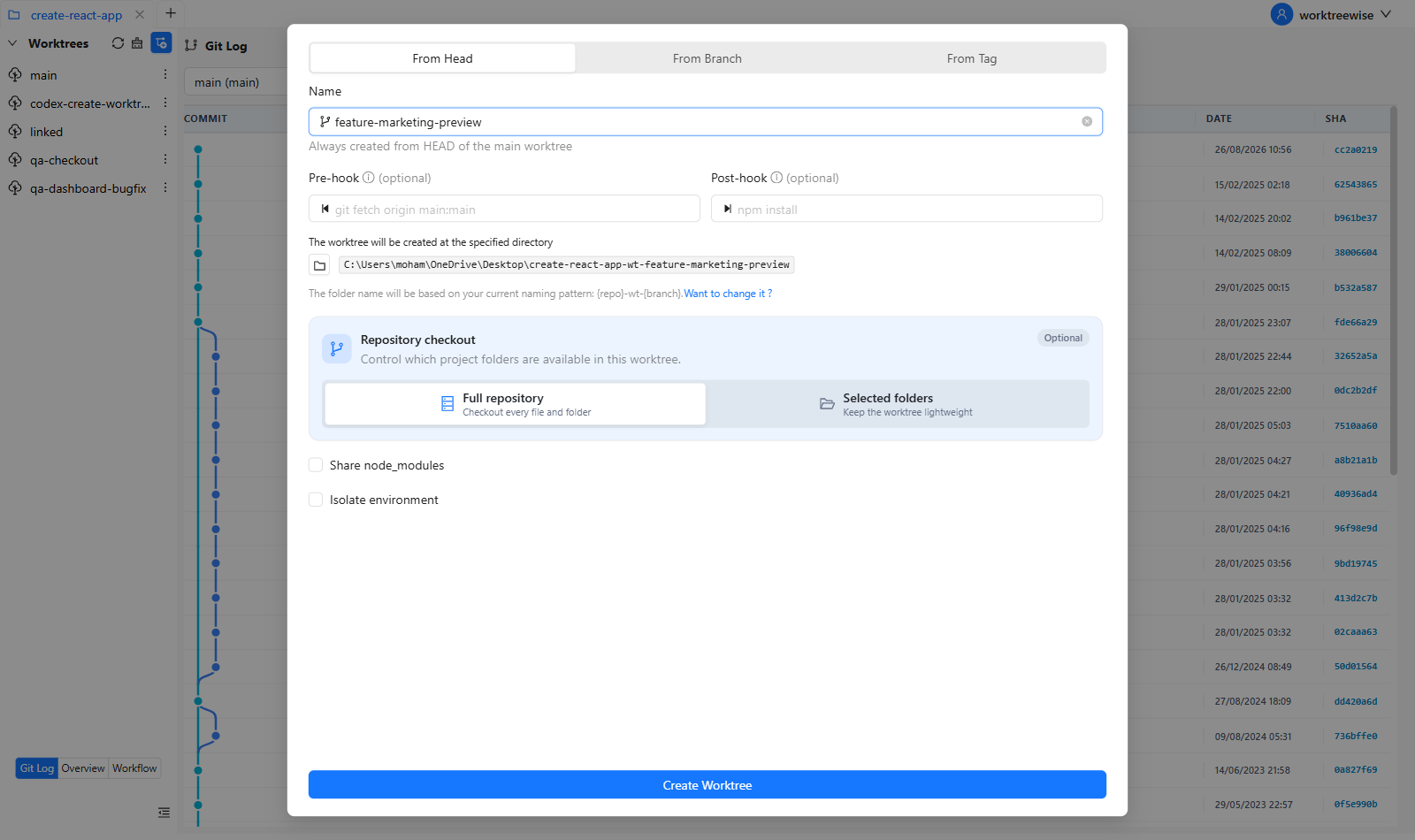
git worktree list and manually switching directories.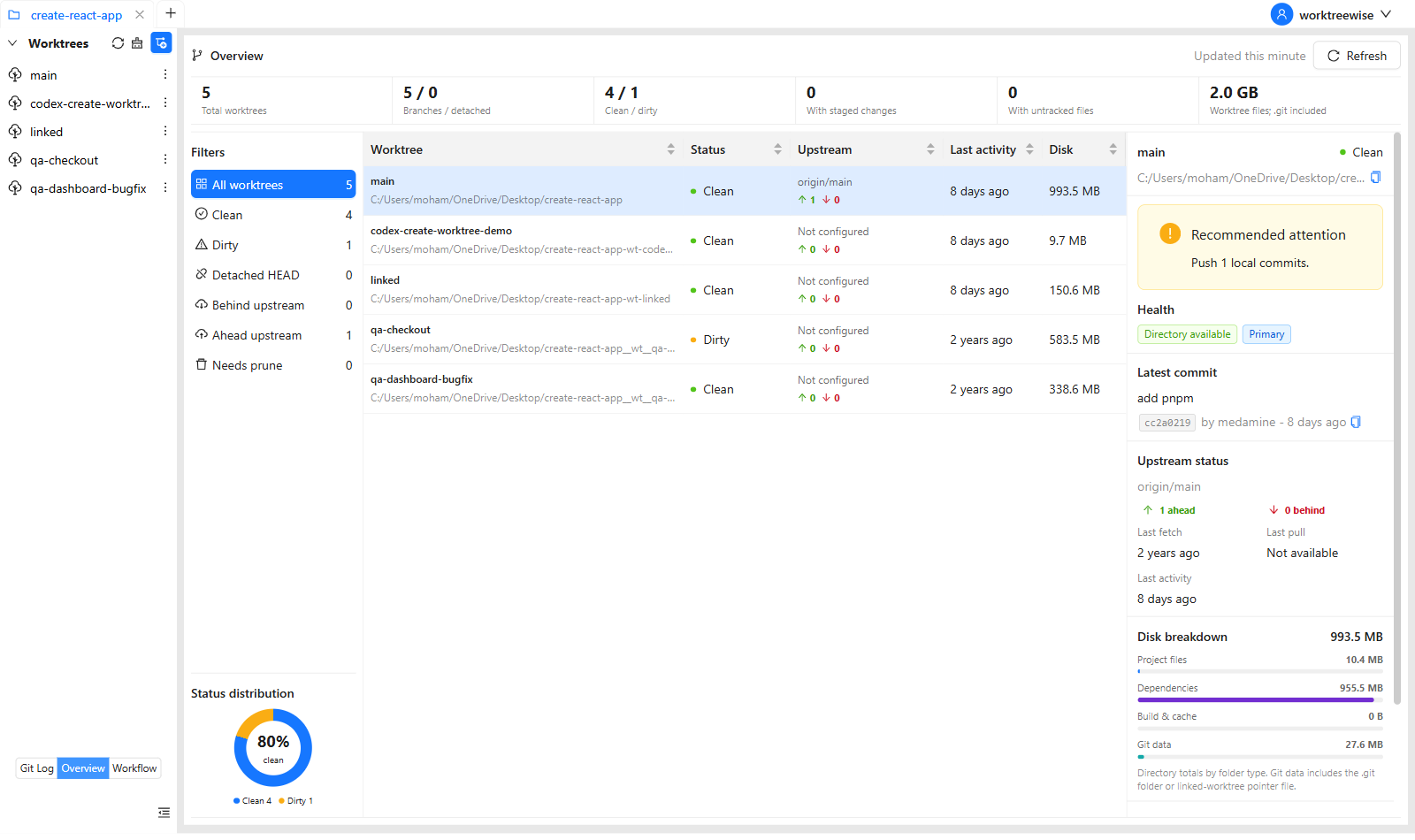
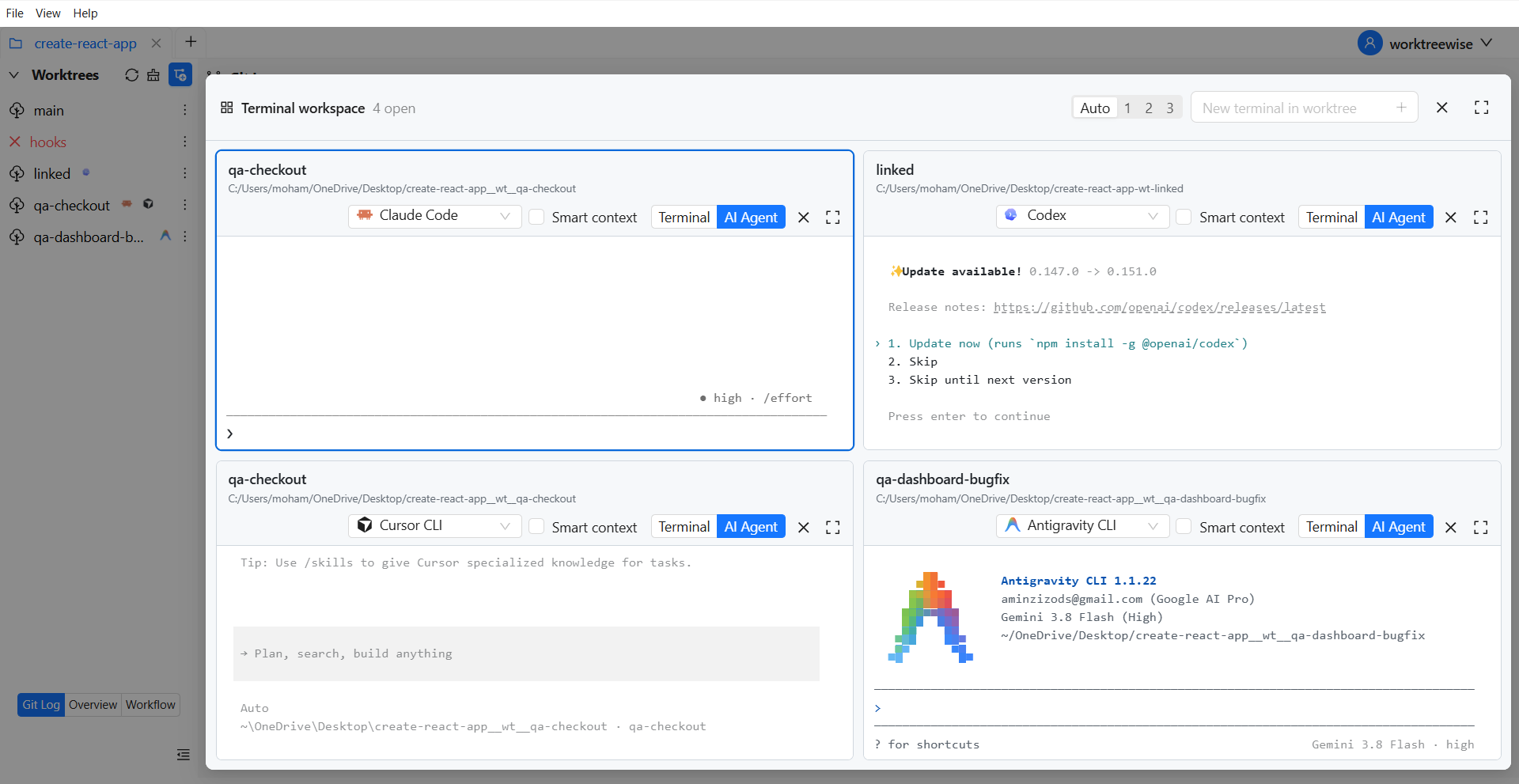
git worktree remove plus maybe git worktree prune.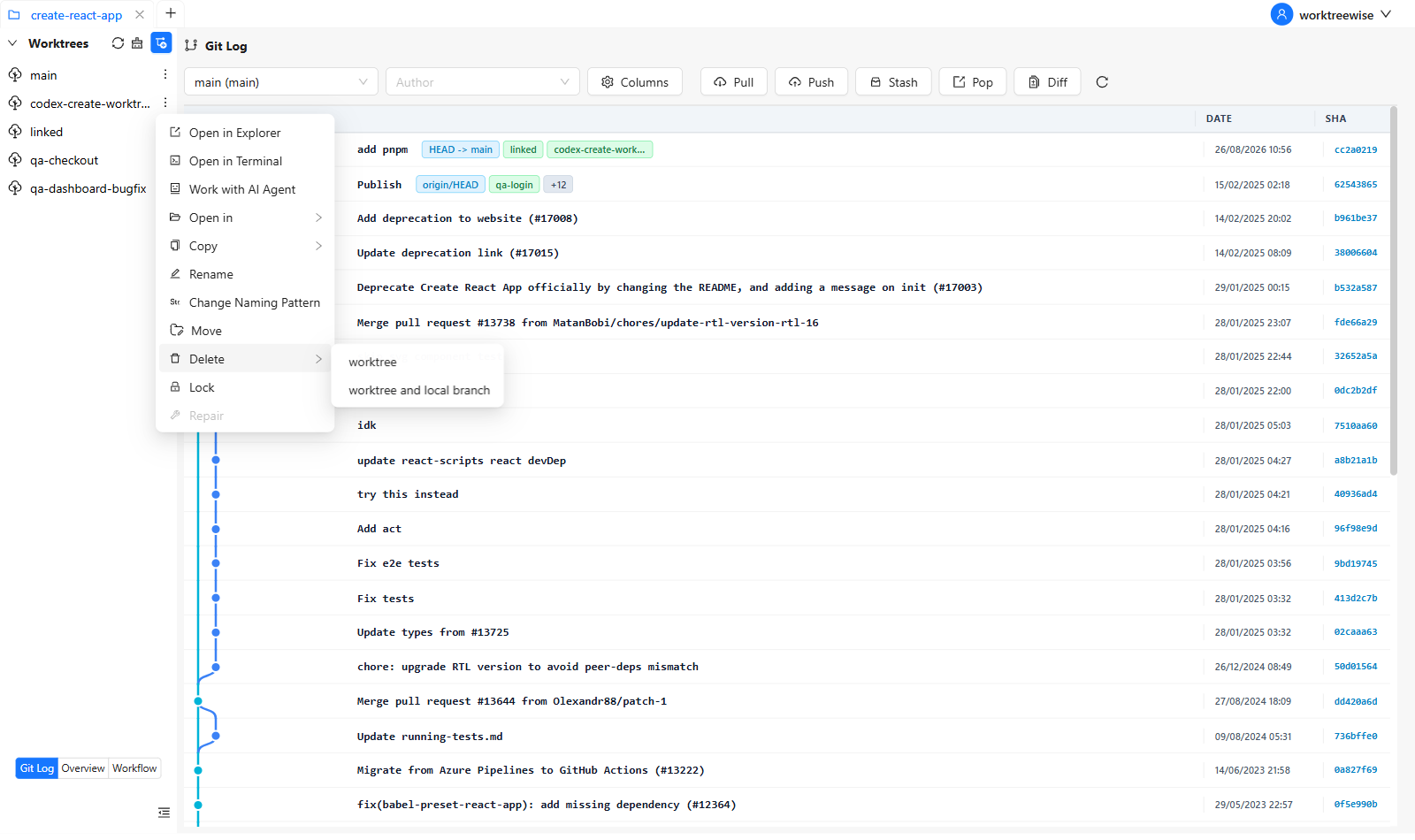
Because of these UI abstractions, WorktreeWise lets you spend less time typing commands and more time focusing on coding and review. The speed gains are real, especially as you scale to more parallel tasks.
Here’s how a team or developer could use WorktreeWise to run parallel development effectively:
feature/A. Open a worktree via WorktreeWise.main worktree from the dashboard. Fix, commit.feature/B in a separate worktree.Use one worktree for each outcome, not one for every minor idea:
project/                  main or current feature
project-wt-hotfix/        urgent production fix
project-wt-review-142/    pull-request review
project-wt-experiment/    short-lived technical experiment
Give each worktree its own terminal and development port. If multiple worktrees share a database, cache, or generated files, document that shared state because Git worktrees isolate files—not external services.
git worktree list before cleanup.WorktreeWise can apply naming patterns and run workflows across selected worktrees, so setup and validation remain consistent.
Try parallel worktree management free.
Trying to manage multiple tasks or features using only git checkout (and stash when needed) is prone to delays, risk, and mental burden. Native Git worktrees already provide a robust alternative, enabling you to run branches in parallel and keep contexts isolated.
But WorktreeWise takes the power of native worktrees and adds speed, clarity, and automation. If you want to truly do parallel development—without all the switching, the stashing, or command-line fatigue WorktreeWise is your tool.

AMMACH MOHAMED AMINE

AMMACH MOHAMED AMINE
AMMACH MOHAMED AMINE
Learn how to use git worktree remove safely and effectively. Practical examples, common mistakes, and best practices for managing multiple worktrees.
Read articleLearn how to use git worktree prune to remove stale worktree references, fix broken states, and maintain a clean and efficient Git workflow.
Read articleLearn 3 powerful workflows combining Claude and WorktreeWise to boost your development productivity.
Read article